Wide Publishing Workflow Practical Guide for Authors
Wide publishing process: a practical guide to go wide and publish at scale
Estimated reading time: 18 minutes
Key takeaways
- A reliable wide publishing process turns multi-retailer uploads from a painful task into a repeatable system that saves time and cuts errors.
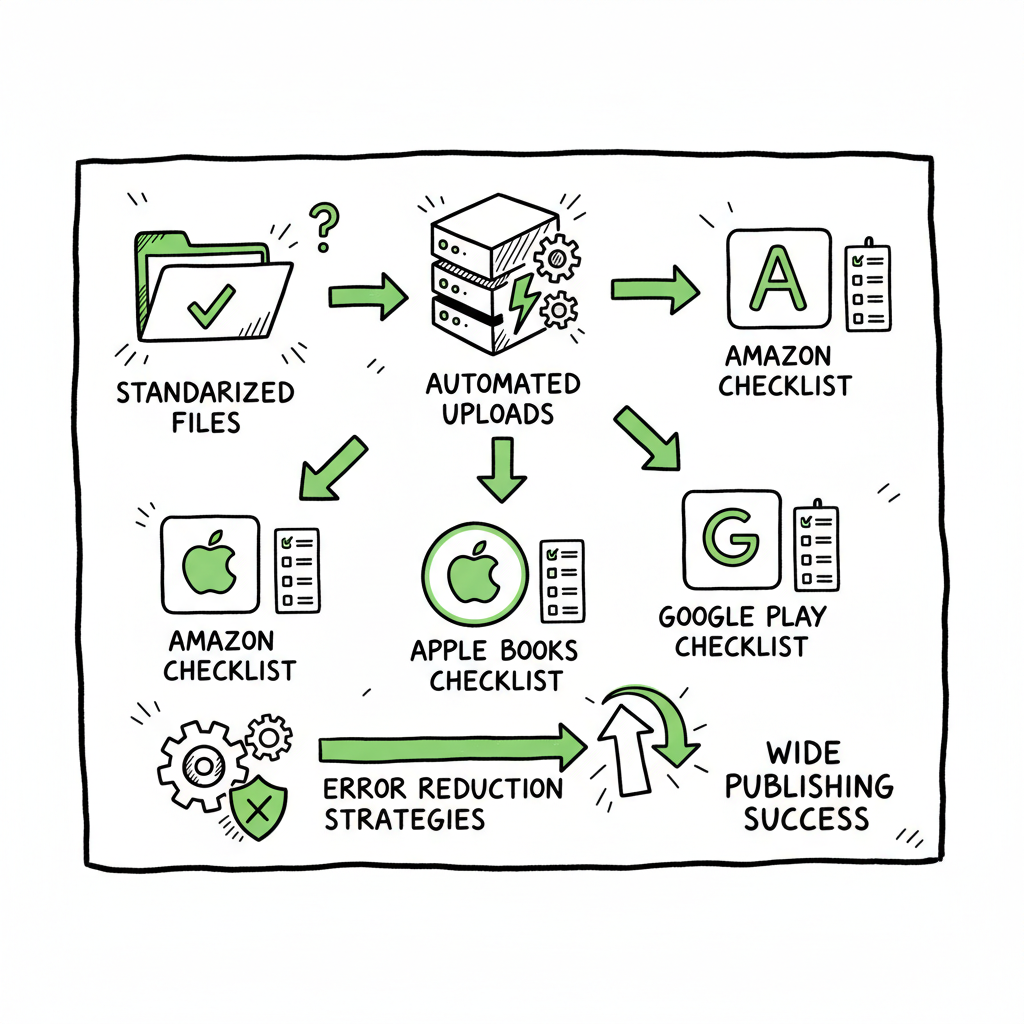
- Focus on standardizing files, automating routine uploads, and checking platform-specific rules to make go wide operations practical.
- Tools that support CSV batch uploads, platform-specific intelligence, and unified multi-platform publishing are the obvious upgrade once authors publish seriously.
Table of Contents
- Why a wide publishing process matters
- Map the practical wide publishing workflow
- Common wide publishing process steps and pitfalls
- FAQ
Why a wide publishing process matters
If you publish more than one book, you need a repeatable wide publishing process. Going wide means distributing a title to many retailers — Amazon KDP, Kobo, Apple Books, Draft2Digital, Ingram and others. Done by hand, that work multiplies. Metadata variations, cover specs, ebook and paperback file formats, and retailer controls all add friction. A practical process stops everything from being ad hoc. It locks in the best order of operations and lets you scale without multiplying mistakes.
When we talk about a wide publishing process, we mean the whole sequence: preparing files, choosing distribution channels, creating retailer-ready metadata entries, and submitting files in a way that reduces rework. Authors who adopt this approach cut repetitive tasks and free time to write, polish, and market. If you want a step-by-step outline that maps this work to a single repeatable process, see our Publish Wide Self Publishing Workflow. That guide shows how to organize inputs so you can export CSV records and push hundreds of titles consistently.
Going wide does not require expensive consultants. It needs clear steps, the right tools, and repeatable checks. Platform differences matter — a Kindle ebook behaves differently from an Apple EPUB, and Ingram expects specific paperback print settings. By making those differences explicit in your process, you reduce errors and speed the whole operation.
For covers, start with a high-resolution master and generate retailer-specific sizes from that master. If you use a cover generator or need fast cover processing, there are services that handle batch cover resizing and proof exports for print. A proper Book Cover Generator Processing can save many hours and reduce layout mistakes. If you need automatic EPUB conversion or consistent ebook formatting, consider a tested converter to avoid small errors that cause rejections. For hands-off EPUB conversion that scales, look into a reliable Epub Converter that keeps formatting predictable across retailers.
Map the practical wide publishing workflow
A workflow is useful only if it is concrete. Here’s a practical map you can follow. Think of this as an operator-level playbook rather than a theory lesson. The goal is to get a title from a finished manuscript to multiple retailers with the least manual overhead.
-
Start with a single source of truth
- Keep one master folder per title. That folder should contain: the final manuscript, interior files for print, a clean manuscript for ebook conversion, source images, a high-resolution cover file, and a simple metadata master sheet.
- The metadata master should hold title, subtitle, author name, ISBNs, descriptions, BISAC categories, keywords, price targets, territories, and planned release date. This sheet becomes the basis for CSV batch uploads.
-
Prepare files to retailer-ready standards
- Export a clean EPUB and a print-ready PDF. Some retailers accept MOBI or KPF; others require native EPUB. Keep an eye on file validation and make one round of fixes before distribution.
- If you need automatic EPUB conversion or consistent ebook formatting, consider a tested converter to avoid small errors that cause rejections. For hands-off EPUB conversion that scales, look into a reliable epub converter that keeps formatting predictable across retailers.
- For covers, start with a high-resolution master and generate retailer-specific sizes from that master. If you use a cover generator or need fast cover processing, there are services that handle batch cover resizing and proof exports for print. A proper book cover generator can save many hours and reduce layout mistakes.
-
Standardize metadata and pricing
- Use your metadata master to generate retailer fields. Keep copies for records and date-stamped change logs so you can roll back if a retailer changes course or flags content.
- Decide pricing tiers and match them to retailer fee structures. For broad distribution, you may use tiered pricing and map that to each retail outlet in your metadata CSV.
-
Validate and test
- Run basic validation: check front matter, chapter structure, image placement, table of contents links, and font embedding for print PDFs. Use EPUB validators and previewers for each channel when possible.
- For print files, verify trim size, bleed, gutter, and spine calculations. A misaligned spine or wrong bleed causes rejections or poor print results.
-
Automate multi-retailer upload
- When you publish at scale, CSV batch uploads transform work. Export your metadata and file references in the layout required by your publishing tool and push everything in bulk to each retailer.
- Platform-specific intelligence helps: systems that know each retailer’s required fields and common pitfalls will flag issues so you fix them before submission.
- A unified system that supports Amazon KDP, Kobo, Apple Books, Draft2Digital and Ingram removes repeated form-filling and reduces human error.
-
Post-publication checks and reporting
- After distribution, verify live metadata, pricing, and buy links. Keep a log of ISBN assignments and retailer ASINs or identifiers.
- Report sales and errors back to the master sheet. Over time, you’ll use that log to tune descriptions, categories, and pricing.
This map is the backbone of a multi retailer upload process. Each step can be manual at first and then automated as you scale. The goal is to move repetitive work under a single process so you — or your team — can repeat it consistently.
Common wide publishing process steps and pitfalls
This section walks through common wide publishing process steps and shows where teams typically stumble. Addressing these spots wins the most time and pain.
Manuscript cleanup and formatting
Step: Create a single, clean manuscript for ebook conversion, and a separate file for print layout.
Pitfall: Treating the same file for both ebook and print. Print often requires fixed pagination, embedded fonts, and precise margins. Ebooks need flexible layout and linked TOC. Keep them separate to avoid continuous back-and-forth.
Cover creation and sizing
Step: Produce a high-resolution master cover and export variants for each retailer’s size and spec.
Pitfall: Uploading the same JPEG to every retailer without checking bleed or spine requirements. Many authors save time by using a book cover generator to create the exact size and proof files for both ebook and print.
File conversion and validation
Step: Convert to EPUB for ebook stores and validate with EPUB checkers. Export print PDFs for each trim size and run print proofs.
Pitfall: Relying on a single device preview. Different retailers use different engines. If you convert to EPUB automatically, pick a tool that preserves metadata and the table of contents reliably. If you need automated conversion at scale, use a tested epub converter that gives consistent results.
Metadata consistency
Step: Maintain one metadata master and propagate changes from it to all retailers.
Pitfall: Manual updates across platforms create drift. One typo in a subtitle or a mismatched price can create customer confusion or reporting problems.
ISBN and identifiers
Step: Assign ISBNs for each print edition and track identifier mapping to retailer IDs.
Pitfall: Reusing an ISBN across different trim sizes or editions. Treat each edition as separate in your master sheet and during uploads.
Pricing and territories
Step: Decide pricing strategies and map to retailer-specific fields, including currency settings for international stores.
Pitfall: Forgetting to limit territory rights or selecting global distribution by mistake. If a deal requires territory restrictions, make that explicit in the metadata.
Batch uploads and CSVs
Step: Use CSV templates to batch upload multiple titles or editions at once.
Pitfall: Poor column mapping or wrong file paths. Test a small batch before you run a large import. When you scale, CSV batch uploads cut manual time by roughly 90% compared to single-title form entry.
Proofing and quality control
Step: Proof every live retailer listing and open buy links in each store to confirm presentation.
Pitfall: Skipping proofing because it feels repetitive. Errors on a live listing are harder to fix and may take time to propagate to caches and search results.
Error handling and platform rules
Step: Build a short checklist for common rejection reasons per platform and run those checks before submission.
Pitfall: Treating all retailers the same. Platform-specific intelligence—knowing where Apple is stricter on image placement or where Ingram expects a different print margin—makes wide publishing practical.
Operationalizing go wide operations
Step: Define roles and responsibilities. Who checks covers? Who runs conversions? Who uploads CSVs?
Pitfall: Assuming one person will handle everything indefinitely. As you scale, split tasks and codify each role’s checklist.
Why automation matters here
Humans make errors. A single missing metadata field or a mismatched ISBN can take hours to correct across multiple retailers. Automation reduces error frequency and centralizes fixes. Systems that understand each retailer’s field requirements will prevent common mistakes before you push a batch.
A note on costs and time
Doing this manually is possible but slow. When you start publishing several titles a year, the time savings from a unified publishing process become obvious. In practice, operators see time reductions in the 80–90% range on repetitive tasks when they move from manual uploads to batches and automation.
Operational checklist (short)
- Master folder with final files
- Metadata master sheet
- EPUB and print-ready PDF exports
- High-res cover master and retailer variants
- Validation and proofing steps
- CSV templates for batch upload
- Post-live verification and tracking
If you follow these steps consistently, you will reduce time spent on each title and lower the error rate. Automate the upload. Own the distribution.
(hint: if you need fast cover resizing or batch cover processing, a reliable Book Cover Generator Processing can be a practical tool; and if your process includes many EPUB conversions, an Epub Converter will simplify the technical work.)
FAQ
How do I start a wide publishing process with only one title?
Start small. Create a single master folder for the title. Build the metadata master and export the EPUB and print PDF. Use one retailer to test the file flow. Once you can reproduce the steps cleanly, document them and repeat for the next title. Treat your second title as the first time you try a batch.
Can I use one file for both ebook and paperback?
You can, but it causes friction. Ebooks need flowing text and adaptable layout; print files must include exact pagination, bleed, and embedded fonts. Keeping separate files reduces rework.
What is CSV batch uploading and why is it useful?
CSV batch uploading means mapping a spreadsheet into a platform’s upload template and submitting multiple titles at once. It is useful because it removes repeated form filling. With a consistent metadata master, CSV imports are fast, and you get far fewer manual entry errors.
How much time will I save?
Time savings vary, but many operators see 70–90% reductions on repetitive tasks when moving from manual uploads to batch-based or automated systems. The biggest savings come from avoiding repeated manual data entry and from catching platform-specific errors before submission.
Which retailers should I prioritize when going wide?
Start with platforms that serve different audiences: Amazon KDP for reach, Apple Books for iOS readers, Kobo for international reach, Draft2Digital for aggregator convenience, and Ingram for broad print distribution. Your priorities depend on your audience and goals.
Do I need special software to go wide?
No single piece of software is mandatory, but systems that support unified multi-platform publishing, CSV batch uploads, and platform-specific intelligence make the process far simpler. If you start publishing seriously, such a system becomes an obvious upgrade.
How do I handle different cover specs for print?
Produce a high-resolution master cover including full art and typography layers. From that master, export retailer-specific versions. Use proof files to confirm spine and bleed. Batch cover processing tools can automate this and ensure consistent output.
What about EPUB and other conversions?
Use a reliable conversion tool and validate the EPUB before submission. Automated EPUB conversion saves time at scale, but you will still need to check navigation, images, and fonts. If you convert many titles, a consistent epub converter will pay for itself.
How do I track changes and updates across retailers?
Keep a change log in your metadata master. Date each change, note the retailer, and record when live changes were verified. This record is invaluable when resolving mismatches or reporting issues.
Final thoughts
A wide publishing process is not an abstract plan. It is a sequence you can document, test, and repeat. Focus on a single metadata master, consistent file formats, and a short validation checklist. When tasks become repetitive, move them into CSV batch uploads and systems that understand retailer requirements. That is how you scale without multiplying errors.
BookUploadPro automates repetitive book uploads across Amazon KDP, Kobo, Apple Books, Draft2Digital, and Ingram. It supports unified multi-platform publishing, CSV batch uploads, platform-specific intelligence, and error reduction that makes wide distribution practical and affordable. For authors who publish seriously, it’s an obvious upgrade: expect major time savings, fewer rejections, and cleaner reporting.
Explore options to see how your distribution improves with automation.
Sources
Sources
- https://blog.bookuploadpro.com/publish-wide-self-publishing-workflow
- https://www.bookautoai.com/book-cover-generator-processing
- https://www.bookautoai.com/epub-converter
- https://www.bookautoai.com
Wide publishing process: a practical guide to go wide and publish at scale Estimated reading time: 18 minutes Key takeaways A reliable wide publishing process turns multi-retailer uploads from a painful task into a repeatable system that saves time and cuts errors. Focus on standardizing files, automating routine uploads, and checking platform-specific rules to make…