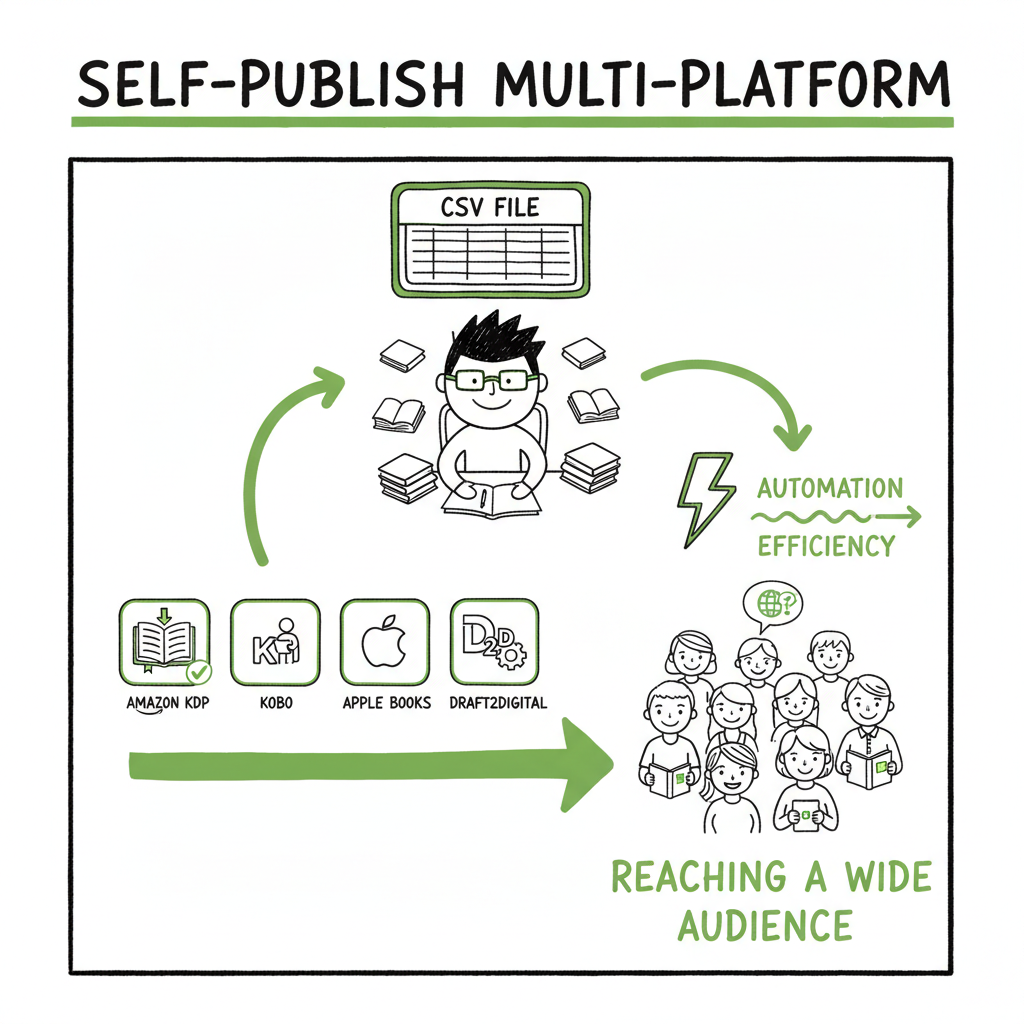
Self Publish on Multiple Platforms Practical Workflow
Self Publish on Multiple Platforms: A Practical Guide
Estimated reading time: 18 minutes
Key takeaways
- Going wide—self publish on multiple platforms—reaches readers beyond Amazon and protects long-term earnings.
- A repeatable, CSV-driven workflow and platform-specific checks cut time and errors; automation makes wide publishing practical.
- BookUploadPro automates uploads across Amazon KDP, Kobo, Apple Books, Draft2Digital, and Ingram, saving ~90% of manual time and reducing platform errors.
Table of Contents
- Why publish on multiple platforms
- A practical workflow for multi-platform self publishing
- Reduce errors and scale uploads
- FAQ
- Sources
Why publish on multiple platforms
If you plan to build a steady publishing business, you should self publish on multiple platforms. Relying only on one retailer limits reach and puts your catalog at the mercy of a single algorithm, policy change, or promotional swing. Going wide—publishing across retailers—means placing your ebook and print editions where readers already shop: Amazon, Kobo, Apple Books, B&N, and library channels through aggregators or IngramSpark.
Wide publishing matters for three practical reasons. First, reach: some stores have strong international audiences where Amazon is not the dominant buyer. Second, redundancy: if Amazon changes a program or account status, other retailers keep selling your books. Third, scale: authors with multiple titles benefit from small sales across many retailers adding up to meaningful revenue.
There are two common technical paths: direct publishing on each retailer, or using aggregators that push your files to many stores. Direct publishing offers finer control—cover sizing, metadata tuning, and platform-specific promos—but it requires more account work. Aggregators simplify distribution, often for a subscription fee, which can make wide publishing cheaper and more practical for authors with many titles.
For authors who want a clear, repeatable approach to going wide, a publish-wide system is the backbone of efficient operations. If you want a practical, documented Publish Wide Self Publishing Workflow to follow, it helps to start with a plan that treats each book as a batch upload unit, with a CSV of metadata, standardized file naming, and platform-aware templates. That combination turns a messy, one-off task into a repeatable process that scales.
Before you move files, think about formats. You will need an EPUB for most ebook stores, a print-ready PDF for on-demand paperbacks, and a cover that meets each retailer’s specs. If you handle cover variants in-house or with a designer, use a consistent naming scheme. If you are converting formats, using a reliable EPUB converter can save many hours of troubleshooting. If you need tools to generate or process covers, consider a book cover generator that handles size and bleed automatically. And if converting to EPUB is part of your workflow, a solid EPUB converter will reduce rejections and layout issues.
The rest of this guide walks through a practical workflow, platform choices, and how automation cuts time and mistakes when you publish across retailers.
A practical workflow for multi-platform self publishing
Start with a checklist you repeat for every book. The checklist should cover files, metadata, pricing, territories, and marketing fields. Then turn that checklist into two things: templates and a batch CSV. Templates capture platform rules (file types, image sizes, trim sizes). The CSV stores per-book metadata so you can upload many titles without typing the same fields repeatedly.
Step 1 — Standardize files and names
Create a folder per title with a predictable structure:
– metadata.csv (one row per edition)
– manuscript.epub
– paperback.pdf
– cover-front.jpg
– cover-full.pdf (if required by a printer)
– isbn.txt (if you use your own ISBNs)
Standard file names make scripted uploads, validation, and troubleshooting simple. For example: MyBook_Title_en_US_epub.epub, MyBook_Title_en_US_print.pdf, MyBook_Title_cover_front.jpg.
Step 2 — Build your CSV
A good CSV includes fields most platforms want: title, subtitle, series, author, contributors, description, language, primary category, secondary category, keywords, price, royalty option, territories, ISBN, trim size, paper type, and whether the file is print-ready. Keep one row per SKU (ebook vs paperback vs hardcover) so you can target different retailers as needed.
Step 3 — Format files correctly
Ebooks: EPUB is the standard for most retailers. Convert and validate your EPUB against retailer guidelines. A tested EPUB reduces rejections and fixes downstream issues like broken links or misapplied fonts. If you don’t have a conversion pipeline, an EPUB converter service will reduce the back-and-forth and keep formatting consistent.
Print: Create a print-ready PDF that matches your chosen trim size and includes bleed. Use the printer’s templates for bleed and margin settings. IngramSpark and KDP have slightly different requirements, so produce separate PDFs when necessary.
Covers: Produce a single front-cover image for ebook storefronts and a full cover (wrap) PDF for print-on-demand. If you need automated sizing or generator tools, a dedicated book cover generator can save time and avoid errors.
Step 4 — Choose distribution lanes
Decide which retailers you will upload to directly and which you will reach via aggregators. A common hybrid:
– KDP for Amazon ebook and direct paperback printing for Amazon customers.
– IngramSpark for wide print distribution to bookstores and libraries.
– Kobo, Apple Books, and B&N via their direct publish portals or via an aggregator for ebooks.
– Aggregators like PublishDrive or Draft2Digital to reach additional retailers and library channels.
The right mix depends on your priorities—maximum control vs. convenience and cost. Aggregators are attractive when you want broad reach with less account maintenance; direct publishing is better when you need fine control over prices, promotions, or platform-specific features.
Step 5 — Upload in batches and verify
When you publish many titles, manual uploads are inefficient and error-prone. Batch upload tools accept a CSV and a folder of files and push them to multiple stores with platform-specific intelligence. That intelligence applies correct metadata fields, converts files if needed, and flags conflicts before submission. Automation on this layer is the reason wide publishing is practical for serious indie authors.
Step 6 — Track and maintain
After live publication, collect sales and royalty feeds from each retailer. Reconcile monthly and watch for issues such as delisted titles, pricing mismatches, or royalty reporting delays. Keep a version history for every file and metadata row so you can roll back changes if a retailer rejects an update.
Why this workflow matters
A repeatable workflow turns a one-off release into a predictable operation. Errors fall, time drops, and you can publish more often. When you automate CSV batch uploads and platform-specific rules, wide distribution moves from a chore into a strategy. For authors who publish multiple titles per year, automation is an obvious upgrade once publishing becomes serious: it frees time to write, market, and manage rights instead of filling forms.
Practical note on tools and automation
Tools that handle CSV-driven uploads and platform intelligence save roughly 80–90% of the manual work. They do the repetitive matching: trim sizes to printers, EPUB checks, cover resizing, metadata mapping, and multi-retailer price math. For authors who prioritize time and reduced errors, those tools make wide distribution practical and affordable. Automate the upload. Own the distribution.
To deepen your understanding and see concrete steps, you can refer to the Publish Wide Self Publishing Workflow.
Reduce errors and scale uploads
Scaling from one title to a catalog of dozens means handling two predictable problems: human error and platform-specific rejection. Both are solvable with process design.
Common errors and fixes
- Wrong trim or bleed: Keep trim-size templates and a checklist for printers. Always proof a print proof copy before approving wide distribution.
- Bad EPUB: Validate the EPUB against a reading engine. Automated EPUB conversion and a lightweight QA pass will catch most layout errors. If you’re doing conversions in-house, build a short QA checklist: check TOC links, image placement, font embedding, and chapter divisions.
- Metadata mismatches: Use a single source of truth (your CSV) and generate platform-specific exports from it. That way, one change propagates everywhere and you avoid typos in store pages.
- Pricing mistakes: Define price rules in a single spreadsheet (for example, set a base net price and calculate regional prices). Automation tools can apply that rule consistently across retailers.
Batching and validation
- Validate locally before upload. Run automated checks (epub validation, PDF bleed checks, cover size) and generate a validation report you can scan quickly.
- Flag potential platform issues. Some platforms have stricter policies on metadata and content. Keep a list of known platform quirks, and let your upload process pre-check for them.
How automation helps
Automation tools do more than save clicks. They encode platform-specific intelligence so you don’t need to remember the quirks of every retailer. They also keep a record of submissions and responses so you can resolve rejections quickly.
Example: CSV-driven multi-retailer upload
Imagine you have a CSV that lists 50 titles. Each row maps to multiple SKUs and specifies pricing and territories. A batch upload tool reads the CSV, converts files where needed, applies platform rules (for example, IngramSpark’s pricing model vs. KDP’s), and submits each SKU to the right channels. When a platform responds with an error, the tool flags it and attaches the platform’s error text back to the CSV row for fast fixing.
Practical integrations
A good workflow connects to format tools and cover services. If you mention covers in your workflow, remember you can use a book cover generator to produce platform-ready art that meets size and bleed requirements. When you bring EPUB converter into your pipeline, a reliable EPUB converter cuts the back-and-forth with retailers and reduces listing delays.
Quality control and proofs
Always order or download a proof from print providers before you move to wide distribution. A live proof lets you inspect margins, spine text, and color. For ebooks, test the final EPUB on multiple reading apps and devices. Automation reduces manual steps but never replaces a final human check for formatting and marketing copy.
Managing rights and exclusivity
If you enroll in programs that require exclusivity (for example, Amazon KDP Select for certain promos), plan your timing. Many authors use KDP for Amazon-only promotions and rely on other channels for long-term, wide reach. Track exclusivity windows in your CSV so you don’t accidentally violate program rules.
Cost and speed trade-offs
Aggregators charge subscription fees or take a cut, while direct uploads are free but take time. Test both approaches on a small batch to measure cost per title, time to publish, and failure rates. For authors with large catalogs, subscription-based distribution plus automation often beats manual direct uploads when you consider the time cost.
Platform-specific notes (brief)
- Amazon KDP: Strong sales on Amazon, granular controls, but select programs can limit wide options.
- IngramSpark: Excellent print global reach, library distribution, and retailer access for physical books.
- Kobo & Apple Books: Important for international ebook reach; often higher royalty or different audience segments.
- Aggregators: Good for reaching niche retailers and library channels without managing many accounts.
Making scaling practical
If your goal is to publish several titles a year, design your process so that each book follows the same path: standardize, validate, batch, upload, verify. Automation and batch CSV uploads are what make wide distribution practical rather than a full-time admin job.
Final operational tips
- Keep a change log per title. When you update metadata or reupload a new file, record the reason and date.
- Version files with timestamps. If a retailer rejects a file, you want to revert quickly.
- Build a lightweight dashboard that shows submission status per retailer. Knowing what’s pending at a glance reduces chasing and double submissions.
FAQ
Q: What does “going wide” mean?
A: Going wide means publishing your book across multiple retail channels and distributors instead of limiting it to one exclusive program. It includes using direct portals and aggregators.
Q: Should I use an aggregator or publish directly to each retailer?
A: Use a hybrid strategy if you want both control and reach. Publish directly where you need fine control (for example, Amazon for storefront promos) and use aggregators for broad, painless distribution. The right balance depends on volume and how much time you want to spend on uploads.
Q: Do I need separate files for each platform?
A: Often yes. EPUBs and print PDFs must match retailer specs. Some automation tools can generate platform-specific variants from single source files, but you should expect to produce print PDFs that match printer trim sizes and EPUBs that validate cleanly.
Q: How does pricing work across retailers?
A: Pricing and royalties vary by platform and territory. Create a pricing spreadsheet and apply rules consistently. Automation tools can calculate and push prices based on your base price and regional multipliers.
Q: How do I handle ISBNs?
A: Use your own ISBNs if you want full control and better bookstore acceptance for print titles. Some services provide free ISBNs, but those can list the distributor or platform as the publisher. Track ISBNs in your CSV for accurate metadata.
Q: How can I reduce upload errors?
A: Standardize files, validate locally, and use an upload tool that includes platform-specific checks. Maintain templates and a validation checklist before submission.
Q: What about book covers and EPUB conversion?
A: Good covers and clean EPUBs matter. If you need automated cover sizing and processing, a book cover generator will save time. For EPUBs, an EPUB converter service or tool helps ensure your file meets retailer requirements. If you need a simple link to tools that handle covers, conversion, and book creation workflows, refer to trusted providers that specialize in those services.
Q: What about final proofs?
A: Always order or download a proof before wide distribution. A live proof lets you inspect margins, spine text, and color. For ebooks, test the final EPUB on multiple reading apps and devices. Automation reduces manual steps but never replaces a final human check for formatting and marketing copy.
Sources
- Self-Publishing Platforms Compared: Which One Is Right for You?
- The 5 Best Self-Publishing Platforms, Compared
- 8 Best Self Publishing Companies (Retailers & Aggregators)
- Self-publishing and print-on-demand platforms: which one we choose matters a lot
- The 17 BEST Self-Publishing Companies of 2026
Self Publish on Multiple Platforms: A Practical Guide Estimated reading time: 18 minutes Key takeaways Going wide—self publish on multiple platforms—reaches readers beyond Amazon and protects long-term earnings. A repeatable, CSV-driven workflow and platform-specific checks cut time and errors; automation makes wide publishing practical. BookUploadPro automates uploads across Amazon KDP, Kobo, Apple Books, Draft2Digital, and…