Publish Wide vs Exclusive KDP – Practical Guide for Authors
Publish wide vs exclusive KDP
Estimated reading time: 14 minutes
Key takeaways
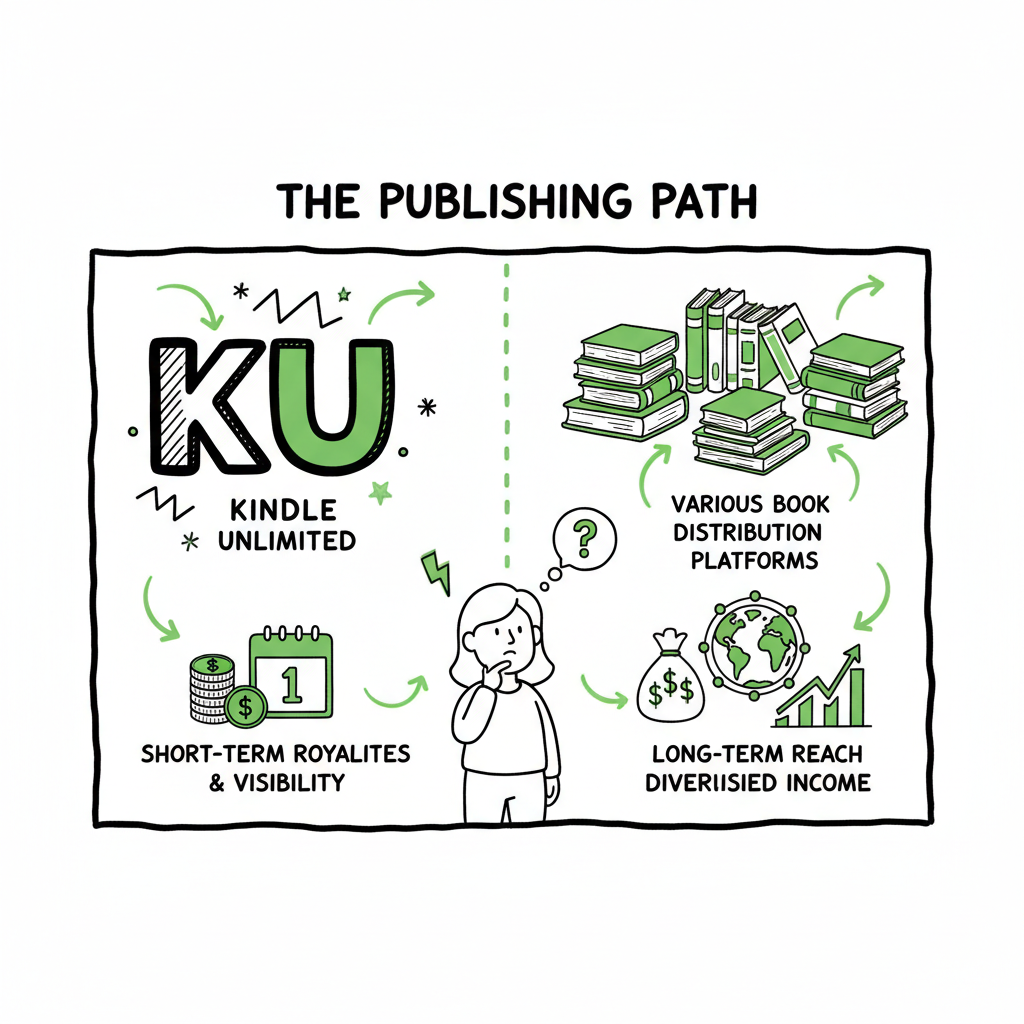
- Choosing between publish wide vs exclusive KDP depends on goals: short-term visibility and Kindle Unlimited royalties vs long-term reach and diversified income.
- A hybrid approach often wins: enroll some books in KDP Select and distribute others wide to test channels and reduce risk.
- Operational scale matters: if you publish multiple titles, automation (CSV batch uploads, platform-specific intelligence) makes wide distribution practical and saves ~90% of manual time.
- Tools that unify Amazon, Kobo, Apple, Draft2Digital, and Ingram simplify pricing, metadata, and format checks—reducing errors and making wide publishing affordable.
- Automate the upload. Own the distribution.
Table of Contents
- How exclusivity and wide distribution work
- Wide vs KDP Select — side-by-side comparison
- Strategy and operations for real publishing
- FAQ
How exclusivity and wide distribution work
The question publish wide vs exclusive KDP sits at the center of many publishing decisions. At its simplest: KDP Select requires 90 days of exclusivity for the ebook. In return you can enroll in Kindle Unlimited (KU) and get paid from the KU pool when readers borrow and read your book. Wide publishing means you distribute your ebook to multiple stores — Apple Books, Kobo, Barnes & Noble (via partners), and library channels — and you keep full control of pricing and promotions.
If you plan to test where your readers live, consider this early: enrollments in KU can deliver faster visibility for binge-read genres, but exclusivity locks you out of other storefronts for the 90-day period. For authors publishing many titles, that trade-off can be expensive in lost international or library sales. If you want to scale publishing across platforms, you’ll reach a point where a Publish Wide Self Publishing Workflow becomes essential for efficiency and consistency. (See the Publish Wide Self Publishing Workflow for a practical path to scale.)
How the rewards differ
- KDP Select: KU page-reads, promotional tools (Countdown Deals), and stronger Amazon-specific algorithmic boosts. Payouts from KU are variable and depend on the monthly KU fund and reading patterns.
- Wide: Direct sales across multiple storefronts, potential entry to library and subscription channels outside Amazon, and more pricing flexibility. Royalty rates can be higher on some platforms for certain price points.
Genre fit matters. KU favors subscription-driven reading patterns — romance, thriller, cozy mystery, and some serial nonfiction. Wide fits authors building long-term readership across geographies, formats, and channels. If you are testing a new series or trying to maximize short-term discoverability, a Select period can be useful. If you want consistent presence in libraries, in-app storefronts, and non-Amazon markets, wide is the natural path.
Technical reality: format and asset requirements
Publishing wide means you must manage multiple file types, covers, and metadata formats. For example, Apple Books and Kobo require clean EPUBs; Amazon accepts MOBI/AZW but also EPUB uploads now. If you need a reliable EPUB conversion pipeline or want to automate cover checks, those steps should be part of your workflow. Tools exist that convert manuscripts to EPUB automatically and validate files before upload to avoid rejections. If you’re producing paperback and ebook versions together, linking those workflows reduces errors and saves time — and a good tool will handle batch uploads and platform-specific rules.
When you talk about creating a paperback or ebook, or converting to EPUB, build those steps into your process early so distribution is smooth. For EPUB conversion you can use a reliable converter to stay consistent and save time.
Wide vs KDP Select — side-by-side comparison
Here’s a practical comparison that focuses on what matters to authors by revenue, reach, and operations.
Visibility and discoverability
- KDP Select (Exclusive)
- Pros: Appears in Kindle Unlimited, which can produce page-read income and can boost visibility within Amazon. Promotions like Kindle Countdown Deals and Kindle Free Promotions (when eligible) are Amazon-only and can spike downloads and reader acquisition.
- Cons: Visibility is Amazon-centric. If your readers are on Apple or Kobo, you lose those sales for 90 days.
- Wide
- Pros: Presence across multiple stores increases the chance of discovery outside Amazon. Platforms like Apple Books and Kobo can be especially strong in specific regions (Australia, Canada, parts of Europe).
- Cons: You’ll need tailored marketing for each storefront and platforms differ in how discovery works.
Revenue and royalty mechanics
- KDP Select
- Pros: KU pays per page read; if you can keep readers reading multiple books in a series, KU can be lucrative. Amazon’s royalty rates for direct sales are also competitive for many price points.
- Cons: KU payouts are variable. You give up external sale channels during exclusivity.
- Wide
- Pros: Multiple revenue streams — direct sales, library sales, foreign markets. Some platforms give higher royalties on certain formats. You own pricing strategy across stores.
- Cons: No KU page-read income. You may earn less immediately if Amazon is your largest market.
Marketing and promotions
- KDP Select
- Pros: Amazon promotions are easy to use within the KDP dashboard. Concentrating inventory on Amazon simplifies some marketing funnels.
- Cons: Promotions only reach Amazon customers.
- Wide
- Pros: You can run targeted campaigns on different platforms, use BookBub ads for specific retailers, and reach libraries and subscription services.
- Cons: More complexity — different ad systems, tracking, and reporting.
Operational overhead
- KDP Select
- Pros: One platform to manage for ebooks. Simple upload and fewer regional formatting considerations.
- Cons: If you want paperback or international formats, you still need a strategy for print distribution.
- Wide
- Pros: Once systems are in place, wide gives you a presence everywhere. That’s valuable if you publish frequently.
- Cons: Manual uploads across platforms are slow and error-prone without automation. This is where tools that support CSV batch uploads, platform-specific intelligence, and automated checks cut the work by roughly 90% for authors publishing multiple titles.
Risk and diversification
- KDP Select concentrates risk on Amazon; policy changes or fluctuations in the KU fund affect your income more.
- Wide diversifies risk across platforms and currencies; if Amazon changes rules, other channels can keep revenue flowing.
Practical takeaway
If your catalog is small and you want immediate Kindle-centric traction, KDP Select can be a tactical start. If you plan to publish a series, or several titles over time, and care about global reach and libraries, wide distribution is strategically stronger. Many authors mix both approaches: enroll a high-performing, bingeable title in Select for a period and publish other titles wide.
Strategy and operations for real publishing (what to do next)
Deciding is one thing. Implementing at scale is another. This section walks through a practical framework that applies whether you go wide, Select, or hybrid.
Step 1 — Define measurement goals
Decide what success looks like for each book:
– Short-term acquisition (page reads, KU borrowers).
– Direct sales across multiple platforms.
– Long-term reader lifetime value (series reads, backlist sales).
Track these per title. Treat each book as an experiment: enroll one title in KDP Select for 90 days and publish another wide, then compare metrics over a 6–12 month window.
Step 2 — Choose the right title for the channel
– KU-friendly: fast-paced series, bingeable genre fiction, or titles where readers tend to read big chunks.
– Wide-friendly: reference books, niche nonfiction, titles with slow-but-steady sales, and books that perform well in international stores or libraries.
Step 3 — Build an operational workflow that scales
Manual uploads don’t scale. If you publish multiple books, implement a repeatable workflow for metadata, cover files, and formats. A typical efficient workflow:
– Create a master CSV with ISBNs, titles, descriptions, and price tiers.
– Generate validated EPUBs and platform-specific cover crops.
– Use a system that maps a single metadata record to platform-specific fields.
– Batch upload to each store, or use a tool that automates the process.
This is exactly where unified multi-platform publishing software earns its keep. Automation handles the small but critical differences between stores — taxonomies, territory pricing, and format validation — so you spend time on marketing and writing, not re-keying metadata. In practice, this can reduce manual upload time by about 90% and dramatically reduce human errors that cause rejections. Book creation workflow is a helpful reference here. For a complete book creation workflow, see Book creation workflow.
Step 4 — Format and assets — get them right once
Don’t treat formatting as a last step. Create consistent assets:
– Clean EPUBs with validated navigation and embedded fonts when required.
– Print-ready PDFs for paperbacks with correct bleed and spine calculations.
– High-resolution covers and platform-specific crops.
If you use an EPUB converter or a cover generator, integrate that tool into the workflow so conversions are repeatable. A reliable EPUB converter will save hours when you batch-process titles. EPUB converter can streamline this. If you produce paperbacks, link the paperback creation workflow to your ebook metadata to ensure ISBN and pricing consistency.
Step 5 — Pricing and promotions
Set pricing tiers that work across markets. Use platform analytics to test price elasticity. When a title is in KDP Select, use Kindle Countdown Deals to test price points on Amazon. When wide, coordinate price promotions across stores where possible to avoid confusing readers.
Step 6 — Distribution channels and library sales
Wide distribution opens library channels and offers institutional sales that Select does not. If libraries are important to you, target distributors and aggregators that support library platforms and consider pricing and metadata practices that help discoverability in those venues.
Step 7 — Monitoring and iteration
Collect sales, page-reads, and engagement data. Compare performance across channels with consistent reporting windows. Use those insights to decide whether to repeat Select periods or move titles permanently wide.
Operational tools and automation
Scaling this workflow without automation means hiring help or spending hours on repetitive tasks. A platform that supports CSV batch uploads, platform-specific intelligence, error checking, and automated distribution to Amazon, Apple Books, Kobo, Draft2Digital, and Ingram changes the calculus. At scale, the value is practical: time saved, fewer upload errors, consistent metadata, and the ability to publish more titles without hiring extra staff. For authors who publish seriously, that’s an obvious upgrade.
Links to technical assets
When you talk about converting to EPUB as part of the pipeline, reliable tools reduce friction and rejections. Likewise, if you are creating paperbacks or ebooks repeatedly, it makes sense to use a production system that standardizes outputs. Finally, cover generation and processing should be automated where possible to ensure consistent branding across formats.
Practical hybrid example
– Book 1 in a new romance series: enroll in KDP Select for the first 90-day period to capture KU readers and spike visibility.
– Book 2 (standalone): publish wide to capture readers who don’t use KU and to test Apple Books and Kobo markets.
– Backlist: gradually move successful Select titles wide after testing.
This hybrid approach balances short-term discoverability with long-term diversification.
Final thoughts on costs and efficiency
Wide distribution feels expensive only until you account for operational costs and the time you spend on manual uploads. When you adopt a unified publishing system that handles batch uploads, platform rules, and automated checks, wide distribution becomes affordable and practical — especially if you plan to build a catalog rather than a single title. A modest subscription that saves you hours per book and reduces costly errors is often cheaper than repeated manual labor or paying per-title setup fees.
BookUploadPro is designed for authors at the point where they publish seriously. It automates repetitive book uploads across Amazon KDP, Kobo, Apple Books, Draft2Digital, and Ingram, supports CSV batch uploads, and applies platform-specific intelligence to reduce errors. The result is unified multi-platform publishing, roughly 90% time savings, and fewer manual mistakes — an obvious upgrade once authors start publishing seriously. Automate the upload. Own the distribution.
FAQ
Q: What happens if I enroll in KDP Select and then want to go wide?
KDP Select is a 90-day commitment. After the enrollment period ends, you can choose not to re-enroll and publish your ebook to other platforms. Many authors use Select as a timed experiment and then expand wide if the title performs well across channels.
Q: Can I put some books in KDP Select and others wide?
Yes. A hybrid approach is common. Use Select for bingeable series entries to capture KU readers and publish other titles wide to reach libraries and international storefronts.
Q: Will I lose readers if I stop using KDP Select?
You might see a shift in how readers find you. Amazon’s algorithm favors sales activity on its platform, and being in KU can increase visibility within Amazon. However, wide distribution opens other discovery paths and diversifies income streams. Track results and decide per title.
Q: Do I need different covers or formats for wide?
You may need different cover crops and validated EPUB files for platforms like Apple Books and Kobo. It’s best to plan ahead: generate platform crops and validate EPUBs with conversion tools before upload. If you produce paperbacks, confirm spine and bleed specs for print-on-demand services.
Q: How do I manage pricing across platforms?
Use a pricing matrix and, where possible, tools that map that matrix to each store automatically. Keep international pricing and currency conversions in mind, and use promotions strategically rather than changing prices inconsistently across stores.
Q: Is automation safe? Will it introduce mistakes?
Automation reduces human error by enforcing consistent rules and checks. Choose tools with platform-specific intelligence and validation to catch issues before submission. Human review remains important, but automation handles repetitive and error-prone tasks efficiently.
Sources
- Amazon KDP Select vs Wide: Which is Better for Authors?
- Wide vs Kindle Unlimited – Pros, Cons, and Best Distribution
- Should You Publish Your Book Wide or Go Exclusive with Amazon?
- Pros & Cons of Self-Publishing Your Book WIDE – YouTube
- Wide vs. Exclusive: A Tale of Two Marketing Systems
Publish wide vs exclusive KDP Estimated reading time: 14 minutes Key takeaways Choosing between publish wide vs exclusive KDP depends on goals: short-term visibility and Kindle Unlimited royalties vs long-term reach and diversified income. A hybrid approach often wins: enroll some books in KDP Select and distribute others wide to test channels and reduce risk.…