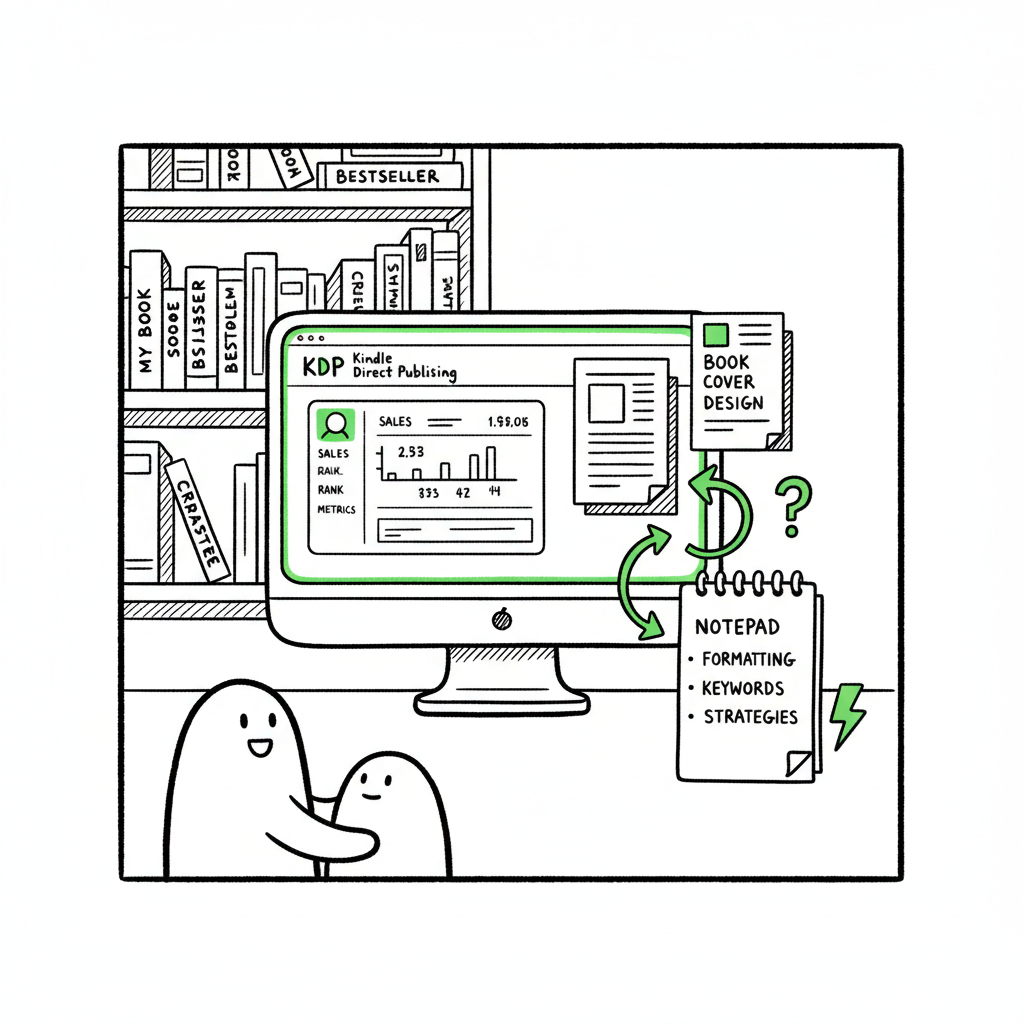
Beginner KDP Author Guide to Publish Your First Book
Beginner KDP Author
Estimated reading time: 14 minutes
Key takeaways
- Publishing your first book on KDP is straightforward if you prepare files, metadata, and pricing ahead of time.
- Good formatting, a clean cover, and optimized keywords matter more than complicated launch tactics.
- When you publish repeatedly, distributing uploads across platforms saves time, reduces errors, and enables wide distribution.
Table of Contents
- What to prepare before you publish
- First KDP book steps, explained simply
- Scale beyond Amazon: multi-platform publishing
- FAQ
What to prepare before you publish
What to prepare before you publish
If you are a beginner KDP author, the process is easier when you treat publishing like a small production: manuscript, cover, metadata, and testing. In the first 150 words it’s important to be practical—so here is a quick rule: get your files ready, decide your distribution, and know how you will format and price the book. If you want an official primer on the platform itself, see Amazon KDP for Authors.
Start with the manuscript
- Finalize a clean manuscript file. For eBooks, a properly formatted Word document or EPUB is fine; for print, export a print-ready PDF sized to your trim dimensions.
- Include front and back matter: title page, copyright, table of contents (for nonfiction), and an author bio.
- Keep chapter breaks and page flow predictable. KDP preview tools detect obvious errors; the cleaner your file, the faster you clear review.
Cover and visual assets
A cover is the single most important asset for discoverability. If you don’t have a designer, a reliable cover generator or processing workflow can save time and produce consistent results—especially if you publish multiple books. For authors handling covers in-house, consider a tool built for batch processing and template control to keep series covers consistent (see book cover processing).
Metadata and keywords
Metadata is how Amazon and other stores find and link your book. Titles, subtitles, author name, and keywords need to be exact across formats so Amazon can link ebook and print versions. Choose 7–12 targeted keywords or short phrases that reflect search intent and category placement. Keep your description clear and readable for customers.
ISBNs and format decisions
- eBooks: no ISBN required for KDP; Amazon assigns an ASIN.
- Paperbacks and hardcovers: you can use free Amazon ISBNs or your own. If you plan wide distribution outside Amazon, use your own ISBN.
- Decide formats early; matching metadata across formats makes linking simple.
Previewing and test purchases
Use KDP’s previewer for both ebook and print. For print, order a proof copy if possible; nothing replaces seeing paper in hand. For ebooks, check on a real device or in multiple readers to confirm line breaks, images, and the table of contents.
First KDP book steps, explained simply
This section walks through the first KDP book steps from account setup to hitting Publish, with practical tips that work for new authors.
-
1) Create your KDP account
Head to kdp.amazon.com, sign in with an Amazon account, and fill in tax and payment information. This is administrative but necessary; it only needs doing once.
-
2) Start a new title
Click “Create” and choose eBook, paperback, or hardcover. One common beginner mistake is uploading inconsistent titles or author names across formats—keep them identical if you want Amazon to link them automatically.
-
3) Enter book details
- Language, title, subtitle, author name
- Description: write for readers, not algorithms. Use one or two strong bullets but keep it human.
- Keywords and categories: pick categories that truly fit and keywords focused on what readers search for.
- Series info: if this is part of a series, set the series name and number; Amazon uses this to group titles.
-
4) Upload manuscript and cover
- eBooks: Word (.doc/.docx) or EPUB. Properly formatted Word files are acceptable; EPUB is often cleaner if you’re comfortable producing it.
- Print: a PDF sized to your chosen trim with correct margins and bleed.
- Cover: For print, use a single PDF with front, spine, and back, or use KDP’s Cover Creator. If you need automated help converting covers or creating consistent designs across titles, look to tools that support cover templates and batch processing.
-
5) Preview and proof
Use the KDP online previewer. For print books, order a proof copy when you can. Fix any misaligned images, orphaned lines, or wrong page numbering before you publish.
-
6) Pricing and rights
Choose territories and royalty options (35% or 70% for ebooks, depending on price and distribution). Price competitively, check Amazon’s minimums, and remember you can always adjust price after publication.
-
7) Publish and monitor
Hit Publish. KDP review commonly opens titles in hours, but allow up to 72 hours. After live, monitor listing details, reviews, and sales reports.
Practical tips for a first-time author
- Keep file names simple and descriptive: title_format_version.pdf.
- Use a short style guide (font, chapter heading style, image DPI) and apply it consistently.
- If you plan multiple books, script or batch the repetitive parts: cover templates, description templates, and keyword lists.
- Build a small checklist you follow every upload. That habit reduces mistakes and speeds future publishing.
Scale beyond Amazon: multi-platform publishing
Once you’ve published one book and understand the steps, the next challenge is scale. Publishing two or twenty books manually becomes a time sink. That’s where multi-platform publishing and automation matter.
Why publish beyond KDP?
- Reach readers who shop on Kobo, Apple Books, or through bookstores that use Ingram.
- Diversify revenue streams and protect against platform-specific changes.
- Some readers prefer EPUB stores or libraries that don’t use Amazon.
Common obstacles when scaling
- Repeating the same upload steps to multiple platforms is tedious.
- Each store has its own metadata forms, cover specs, and file requirements.
- Manual uploads increase the risk of typos, mismatched metadata, or wrong file formats.
What a cross‑platform publishing setup should include
- Unified intake (manuscript, cover, metadata) for multiple stores.
- CSV batch uploads for series or multiple titles to reduce repetitive typing.
- Platform-specific intelligence that adapts files for each store without manual rework.
- Error reduction through validation checks before submitting to stores.
How BookUploadPro helps
If you start publishing seriously, handling uploads becomes not a luxury but an obvious upgrade. BookUploadPro helps by automating repetitive book uploads across Amazon KDP, Kobo, Apple Books, Draft2Digital, and Ingram. The service is designed for scale:
- Unified multi-platform publishing that reduces duplicate work.
- CSV batch uploads for authors and small publishers pushing multiple titles.
- Platform-specific intelligence to adjust file formats and metadata for each store.
- Approximately 90% time savings on repetitive tasks and fewer human errors.
- Affordable pricing and a free trial to test the workflow.
Practical process for scaling authors
- Keep a canonical manuscript and one set of metadata in a CSV or database.
- Generate platform-specific files automatically: EPUB variants, print PDFs, and cover wraps.
- Validate files with pre-flight checks (fonts embedded, images at correct DPI, table of contents links).
- Push to stores using a single dashboard or batch upload process.
- Track published versions and store links in one place so updates are straightforward.
File formats and conversions to handle at scale
- EPUB variations: some stores accept fixed-layout EPUBs, others prefer reflowable. A reliable EPUB converter helps you produce both without manual edits.
- Cover templates: batch create covers sized for paperback spines and digital thumbnails. Tools that support book cover processing let you maintain consistent branding across a series.
- Print PDFs: make sure bleed and trim are correct and that spines are calculated for page count.
When to choose cross-platform publishing
- You plan more than three titles in a year.
- You publish multiple formats per title (ebook, paperback, hardcover).
- You operate a small press or manage multiple authors.
- You want fewer rejections and faster time-to-market.
Operational benefits you’ll notice quickly
- Faster releases: batch updates and bulk uploads cut days of work to minutes.
- Fewer mistakes: validation steps reduce rejected uploads and listing errors.
- Better distribution: being on more stores increases visibility and sales opportunities.
- Repeatable process: templates and automation make each release predictable.
FAQ
Q: How long does it take for a new KDP title to appear on Amazon?
Amazon usually reviews and lists titles within hours, but allow up to 72 hours for all markets to show the book.
Q: Do I need an ISBN for my ebook on KDP?
No. KDP assigns an ASIN for ebooks. You need an ISBN only if you want your own identifier for print books or wide distribution outside Amazon.
Q: What’s the best file format for KDP uploads?
For ebooks, EPUB or a well-formatted Word document works. For print, PDF sized to the trim with embedded fonts is standard.
Q: How do I choose keywords and categories?
Pick keywords readers actually search for and categories that accurately describe your book. Avoid vague or misleading choices—relevance improves conversion.
Q: Can I publish to Apple Books, Kobo, and libraries without Amazon?
Yes. You can upload directly to each store or use aggregators and services that distribute to multiple platforms. Multi-platform services can simplify this and handle distinct file requirements.
Q: Will automation fix a bad manuscript or poor cover?
No. Automation speeds the publishing steps but does not replace editing or professional design. A clean manuscript and strong cover are still essential.
Q: Is it worth paying for a service to automate uploads?
If you publish multiple titles or formats, automation pays back through time saved and error reduction. Many authors consider it an obvious upgrade once they publish seriously.
Final thoughts
Publishing as a beginner KDP author is a step-by-step craft. Start small: polish your manuscript, get a decent cover, and follow KDP’s upload steps. After your first title, focus on repeatability. If you plan to publish multiple books or formats, automation and multi-platform distribution make publishing practical at scale. Tools that convert EPUBs cleanly, process covers in batches, and push consistent metadata to stores remove friction and reduce errors.
Useful tools for common tasks
- For consistent cover production across titles, consider a cover processing workflow that supports templates and batch export (book cover processing).
- For clean eBook files, use a dedicated EPUB converter to reduce formatting issues before upload (EPUB converter).
- If you create both print and ebook versions, leverage book creation tools that handle both formats and generate the right files for each store.
Automate the upload. Own the distribution.
Sources
- https://kdp.amazon.com/help/topic/G202172740
- https://kdp.amazon.com/help?topicId=G200645680
- https://kdp.amazon.com/help/topic/GHKDSCW2KQ3K4UU4
- https://www.youtube.com/watch?v=31iBzb6nwjI
- https://www.youtube.com/watch?v=KbLANWm0pbA
- https://reedsy.com/blog/guide/kdp/
- https://barkerbooks.com/how-to-publish-a-novel-on-kindle/
Beginner KDP Author Estimated reading time: 14 minutes Key takeaways Publishing your first book on KDP is straightforward if you prepare files, metadata, and pricing ahead of time. Good formatting, a clean cover, and optimized keywords matter more than complicated launch tactics. When you publish repeatedly, distributing uploads across platforms saves time, reduces errors, and…