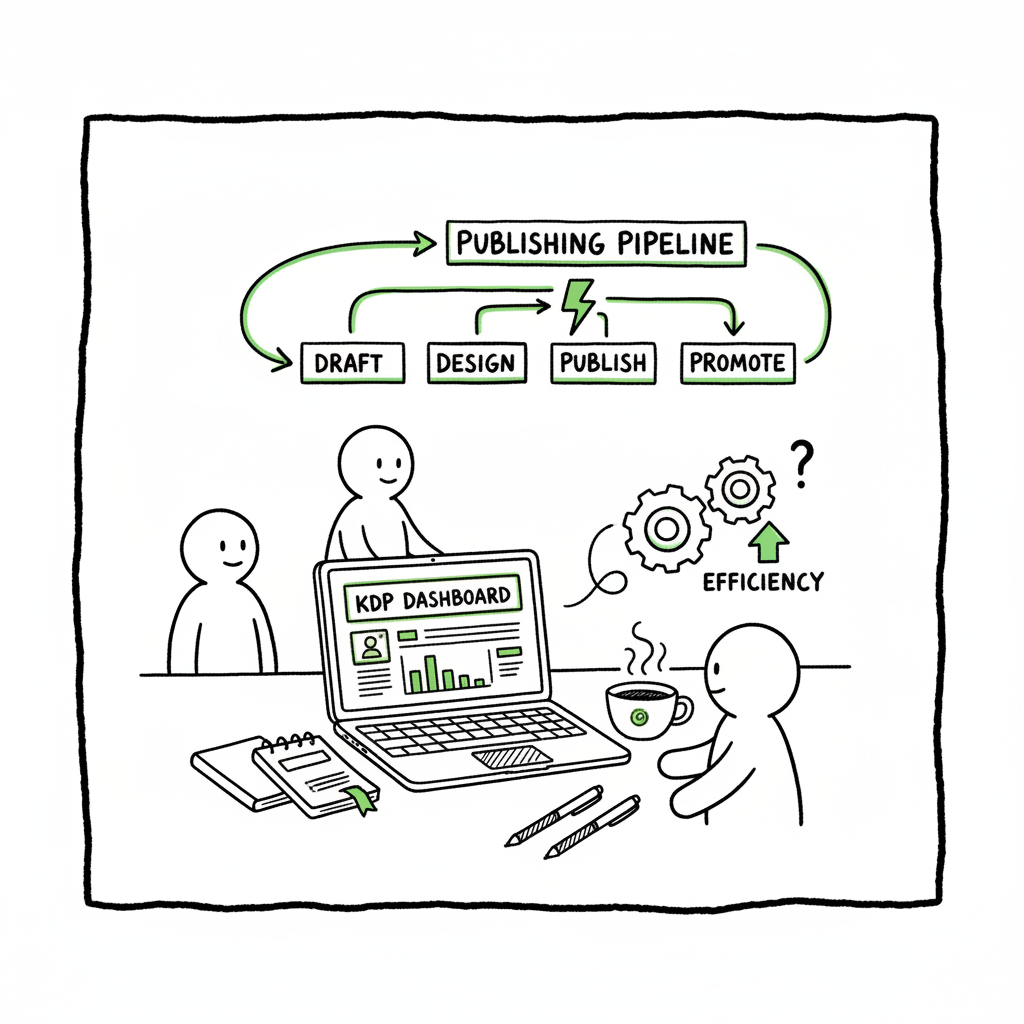
KDP author workflow step-by-step for repeatable publishing
KDP Author Workflow: Build a Repeatable, Efficient Publishing Pipeline
Estimated reading time: 14 minutes
Table of Contents
- Overview — Why a Repeatable Publishing Process Matters
- Streamlined KDP Publishing Steps, Step by Step
- Automating and Scaling Multi-Platform Publishing
- FAQ — Common Questions About the KDP Author Process
- Sources
Overview — Why a Repeatable Publishing Process Matters
If you publish more than one title, the way you publish is just as important as the writing. The kdp author process isn’t a single action — it’s a sequence you repeat dozens of times: prepare the manuscript, format files, design a cover, write metadata, upload, preview, set pricing, and publish. Small mistakes in any step waste time and cost sales. For authors aiming to scale beyond one or two books, a repeatable process is the difference between a hobby and a sustainable publishing operation.
For authors who need a focused KDP-specific walkthrough, see Amazon KDP for Authors for details on the platform-specific steps and settings. That guide walks through the KDP console and the fields you’ll meet every time you publish.
This article explains how to build a practical, repeatable process: which files to keep, what to automate, and where manual checks still matter. It also explains how to expand a KDP-first process across Kobo, Apple Books, Draft2Digital, and Ingram without repeating effort.
Streamlined KDP Publishing Steps, Step by Step
A clear publishing process breaks KDP publishing into three predictable phases: prep, upload, and verify/post-publish. Below I describe an operator’s version of each phase—what files you keep, which tools to use, and how to minimize repetitive work.
Phase 1 — Prep: source files and metadata
- Master manuscript: Keep a clean, single-source file (DOCX or a well-structured EPUB). Use styles for headings, body text, and front/back matter. That single file should be your source for all formats.
- Front matter templates: Create a standard front matter for the series or imprint (title page, copyright, dedication, author bio). Paste it into every manuscript rather than re-creating it.
- Metadata sheet: Maintain a CSV or spreadsheet with title, subtitle, author name, contributors, description, keywords (7 for KDP), categories, BISAC codes, ISBNs, and planned price. A consistent metadata template prevents typos and speeds bulk actions.
- Cover assets: Save a print-ready paperback cover (PDF or high-res PNG) and a separate thumbnail for ebook. If you use a cover generator or want a fast iteration, consider an automated option like the cover generator processing to process images and get consistent sizing.
- File naming: Use a rigid naming convention (Author_Title_Version_Date) so uploads and CSV rows align without guessing.
Phase 2 — Format and convert
- Ebook workflow: Export a clean, validated EPUB from your single-source file. If your writing app doesn’t produce a clean EPUB, run it through a converter to ensure compatibility. For straightforward EPUB creation, an EPUB converter tool speeds the process and avoids layout issues that commonly fail KDP previewer. EPUB converter
- Paperback workflow: Prepare a separate PDF interior in the final trim size and a full-bleed cover in the correct dimensions. Use templates for common trim sizes (6×9, 5×8) so margins and gutters are consistent.
- Keep both EPUB and PDF outputs stored alongside the master DOCX and the metadata row for that title. That file set is what you re-use for reprints, new editions, or wide distribution.
Why these steps matter: KDP accepts EPUB for ebooks and PDF/DOCX for print. Converting early and validating the output prevents last-minute rework during the upload stage. Saving the converted files as canonical versions saves hours when you repeat the process for new titles.
Phase 3 — Upload and set options
- Upload checklist: Always follow a short upload checklist derived from your metadata sheet—title, subtitle, contributors, description, keywords, categories, ebook file, cover file, pricing, territories. Copy-paste directly from your CSV to avoid typing errors.
- Previewer pass: Use KDP’s previewer and check the table of contents, image placement, margins, and front/back matter. For paperbacks, check gutter and spine elements on the mock-up.
- ISBN and edition strategy: Assign one ISBN per format. If you use KDP’s free ISBN for print editions, note that ISBN in your metadata CSV so future updates link correctly.
- Pricing and territories: Decide price tiers ahead of upload using a pricing grid. Keep a standard royalty strategy for each market to avoid second-guessing on upload day.
For broader distribution, consider the book creation workflow approach.
Quick operational tips
- Save descriptions in plain text and a separate promotional file formatted for different retailers (KDP allows longer descriptions and HTML tags; Apple Books and Kobo may handle formatting differently).
- Keep a record of cover variations and which file maps to which edition in your spreadsheet.
- When creating paperbacks or ebooks, centralize the creation process so a single method outputs both formats. That makes reprints and edition updates predictable.
Three short examples of anchor usage in automation sentences
– Use a cover processor to produce both ebook thumbnails and print-ready PDFs from a single design; a book cover generator can handle this reliably.
– Convert DOCX to a validated EPUB and run a quick EPUB converter pass to catch common formatting issues.
– When generating a paperback and an ebook from one source, keep a single “book creation workflow” folder that contains all final assets and the metadata row for that edition.
Automating and Scaling Multi-Platform Publishing
Once the manual process is repeatable, automation is the next practical step. Automation reduces repetitive tasks, cuts entry errors, and makes wide distribution realistic.
Where automation delivers the most value
- Batch uploads: If you publish multiple books at once or release series entries on a schedule, CSV batch uploads push rows of metadata and file paths to multiple platforms. That’s where CSV-based automation saves ~90% of the time compared with logging into each portal and repeating the fields.
- Platform-specific intelligence: Each retailer uses different category codes, metadata lengths, and file requirements. A robust automation layer applies retailer rules automatically—for example, mapping one set of BISAC categories into Kobo or Apple equivalents.
- Error reduction: Automation scripts check for common problems—missing cover, incorrect trim size for print, invalid EPUB—before files are sent. Early validation removes the back-and-forth and rejected uploads.
- Local vs. cloud: Keep your master files and CSV in a secure cloud folder. Automations should read from that single source of truth so updates propagate without manual copying.
How to automate without losing control
- Automate the uploads, not the decisions. Your automation should handle file submission, category mapping, and routine validation. Pricing decisions, special promos, or variant covers still deserve a manual review.
- Use CSV rows as the unit of work. For each title, one CSV row includes paths to EPUB, print PDF, cover, ISBN, descriptions, keywords, and target platforms. When the CSV is correct, the system can push to all platforms in one run.
- Keep a rollback plan. When an automated batch produces an error, the system should flag only the problematic rows, not halt the entire job. That makes fixes fast and keeps the rest moving.
- Track audit logs. Each automated upload should produce a simple log: time, platform, response, file IDs. Those logs are invaluable when editions don’t link or when support asks for a proof.
How BookUploadPro fits
BookUploadPro is designed for authors who have outgrown single-portal publishing. It automates repetitive uploads across Amazon KDP, Kobo, Apple Books, Draft2Digital, and Ingram using CSV batch uploads and platform-aware validation. It applies platform-specific intelligence so you don’t have to translate categories or recut covers for each retailer. For authors publishing regularly, BookUploadPro is an obvious upgrade: automate the upload. Own the distribution.
Practical automation examples
- Series rollout: Create a CSV with 10 titles, schedule staggered publication dates, and push a single batch. The system validates files and submits to each platform with the right metadata.
- Edition update: When you update an interior file or cover, upload only those rows; the system updates existing editions and keeps audit logs so you can confirm correct linking.
- Wide distribution standardization: Create a distribution profile with default territories and royalty settings; apply it to multiple titles so settings are consistent across retailers.
Technical considerations
- EPUB validation: Automations should validate EPUBs for common failures (table of contents, embedded fonts). If the automation flags an EPUB problem, fix it in the source and re-run the row.
- Covers and templates: Keep template files for print covers; automation can merge cover layers (spine text, barcode area) to generate final print-ready PDFs.
- Platform rate limits and throttling: Retailers rate-limit programmatic uploads. A good automation tool queues jobs and retries safely to avoid suspended API connections.
Integrations that matter
- Cover generation: If you iterate covers frequently, integrate a reliable cover processor that can output thumbnails and print-ready files. A dedicated generator simplifies consistent sizing and variations across retailers.
- EPUB conversion: Automations should accept DOCX and produce validated EPUBs. If your toolchain produces EPUBs with issues, use a conversion tool to standardize output.
- Wide delivery connectors: Connectors to Draft2Digital and Ingram broaden reach and reduce the need to individually submit to dozens of storefronts.
When to keep manual steps
- Content-sensitive formatting: Complex interiors with images, tables, or special layouts may require a manual formatting pass.
- Major cover redesigns: Human review of cover iterations is essential for market testing and branding decisions.
- Pricing and promotions: Choose manual management for time-sensitive promotions or KDP Select enrollments where timing precision matters.
Automation checklist for operators
- Central source folder with master DOCX, EPUB, PDF, and cover assets.
- Metadata CSV with a row per title and required platform columns.
- Validation rules for EPUB, print PDFs, and cover dimensions.
- A batch submit tool with audit logs and error reporting.
- A rollback or retry mechanism.
Three short examples of anchor usage in automation sentences
– Use a cover processor to produce both ebook thumbnails and print-ready PDFs from a single design; a book cover generator can handle this reliably.
– Convert DOCX to a validated EPUB and run a quick EPUB converter pass to catch common formatting issues.
– When generating a paperback and an ebook from one source, keep a single “book creation workflow” folder that contains all final assets and the metadata row for that edition.
FAQ
Q: What file formats should I keep as canonical sources?
A: Keep a master DOCX (or your authoring app file), an EPUB for ebooks, and a print-ready PDF for paperbacks. Store the files alongside a metadata CSV row for each title.
Q: How many keywords should I use on KDP?
A: KDP allows seven keyword slots. Use them to cover search phrases, alternative titles, series names, and audience descriptors. Keep them in your metadata CSV so they’re consistent across uploads.
Q: Can I upload multiple books at once to KDP?
A: KDP’s web interface is manual, but batch upload tools can submit to KDP via approved workflows or API-like connectors. For multi-platform publishing, use a CSV-driven process that handles KDP and other retailers together.
Q: How do I avoid edition-linking problems on Amazon?
A: Match metadata exactly across ebook and print editions: same title, subtitle, and author names. Use the same metadata CSV row and record the ISBNs used. Preview and confirm via the KDP console that editions are linked after publishing.
Q: Is it safe to automate pricing and territories?
A: Yes—if you set clear default profiles. Automate routine pricing and territory decisions, but keep manual oversight for promotions or region-specific strategies.
Q: What’s the best way to manage cover variations for different platforms?
A: Start with a master cover file and export platform-specific crops. Use a cover processor that outputs both the full-bleed print cover and the ebook thumbnail to avoid manual resizing errors.
Q: What are common automation failures and how do I handle them?
A: Common failures include invalid EPUBs, incorrect print trim sizes, and missing metadata fields. Design your automation to validate files first and produce clear error messages for problematic rows so you can fix and re-run them.
Final thoughts
A practical kdp author process blends disciplined file management with smart automation. The manual steps—writing, editing, and final design—remain creative work. Repetitive, error-prone tasks (file conversion, metadata entry, and multi-platform submission) should be automated once your process is stable. That reduces friction and makes wide distribution financially and operationally realistic.
If you’re publishing seriously, moving to a system that handles platform-specific rules is an obvious upgrade. BookUploadPro can help you automate the upload. Own the distribution.
Visit BookUploadPro to explore multi-platform publishing and start a free trial.
Sources
- https://livingwriter.com/blog/how-to-publish-a-book-on-amazon-2025-kdp-guide/
- https://jackrighteous.com/en-us/blogs/ai-writing/ai-assisted-kdp-publishing-guide
- https://kdp.amazon.com/help/topic/G202172740
- https://reedsy.com/blog/guide/kdp/how-to-publish-a-book-on-amazon/
- https://www.automateed.com/kdp-author-central/
- https://kdp.amazon.com/help/topic/GHKDSCW2KQ3K4UU4
KDP Author Workflow: Build a Repeatable, Efficient Publishing Pipeline Estimated reading time: 14 minutes Table of Contents Overview — Why a Repeatable Publishing Process Matters Streamlined KDP Publishing Steps, Step by Step Automating and Scaling Multi-Platform Publishing FAQ — Common Questions About the KDP Author Process Sources Overview — Why a Repeatable Publishing Process Matters…