Beginner KDP Author Practical Guide for First Book
Beginner KDP Author: A Practical Guide to Your First KDP Book
Estimated reading time: 18 minutes
Key takeaways
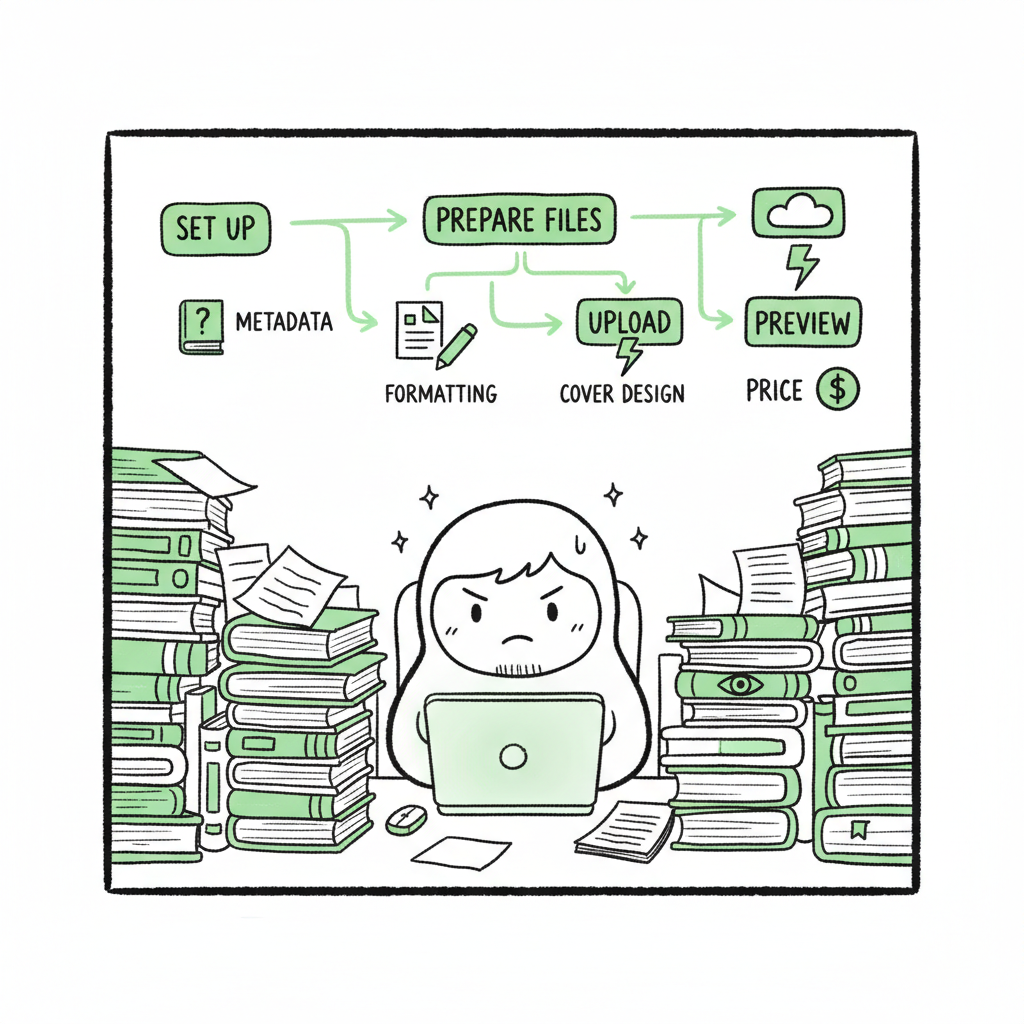
- Publishing on KDP is a clear, repeatable process: set up, prepare files, upload, preview, and price.
- Attention to metadata, formatting, and cover quality prevents delays and improves discoverability.
- When you publish more than one or two books, multi-platform automation like BookUploadPro saves time and reduces errors.
Table of Contents
- Getting started as a beginner KDP author
- Manuscript, formatting, and covers
- Uploading, pricing, and discoverability
- Multi-platform publishing at scale
- FAQ
- Sources
Getting started as a beginner KDP author
If you are a beginner KDP author, the first step is to understand the basic flow. Amazon Kindle Direct Publishing (KDP) accepts eBooks, paperbacks, and hardcovers. The platform is free to use and built for authors who want control without an agent or publisher. You will create an account, click “Create” on your Bookshelf, and choose a format. From there you provide book details, upload your manuscript and cover, preview the files, and choose pricing and distribution.
For a compact walkthrough that focuses on the KDP interface and required fields, see Amazon Kdp For Authors. That guide shows where to enter language, title, subtitle, author name, and the seven keyword slots KDP provides. Treat those fields like the backbone of your listing. They must match manuscript metadata exactly; mismatches slow approval and can create problems with print linking.
Practical first steps
- Set up your KDP account with the same author name and email you use for payments and tax information. Keep records organized from the start.
- Choose your initial format. eBook only is fastest to launch. Paperback adds design work and an ISBN decision.
- Prepare a short, clear book description focused on readers. Keep the first lines tight — this affects conversion on Amazon.
- Make a launch checklist. Even a simple, consistent checklist reduces mistakes that delay publication.
Why the metadata matters
Search and category placement on Amazon are driven by metadata more than anything else. Your title, subtitle, keywords, and the two categories you select determine where readers find you. Use phrases readers search for — think “slow burn historical romance” instead of single words. Save your keyword ideas in a file so you can test and iterate after launch.
Manuscript, formatting, and covers
Good content matters, but presentation determines whether readers buy. Formatting and cover design are the two biggest technical hurdles for new authors.
Manuscript basics
Start with a clean file. For eBooks, KDP accepts several formats but common practice is to upload a well-formatted Word document or an EPUB. The file should include a title page, copyright page, an HTML-friendly table of contents if you have one, and clean chapter breaks. Use consistent paragraph styles and avoid manual line breaks. For print, include trim size, margins, and page numbering in your manuscript before you export a PDF for print preview.
If you need to convert to EPUB, use a tool that preserves your table of contents and basic formatting. A reliable converter saves time and prevents odd layout issues that show up in the Kindle Previewer. If you prefer a service, try the epub converter to handle conversion with fewer surprises.
Cover design
Cover quality matters more than many new authors expect. Amazon is visual: your cover is the thumbnail that must sell the book. For a quick, reliable cover, consider a dedicated tool rather than assembling layers manually. A fast option is a book cover generator that produces print-ready files and adapts to trim sizes for paperback or hardcover.
When to hire help or use a tool
- If you are publishing your first book and want tight control, use affordable templates or generators to avoid layout errors.
- If you plan multiple releases or variants, standardize cover dimensions and keep a source file you can edit.
- For print covers, ensure the spine thickness is calculated correctly, and the bleed and margins meet KDP’s specs.
Paperback and eBook creation
KDP supports both paperback and eBook versions. For paperbacks, you need to select trim size, paper color (white or cream), and upload a print-ready PDF. You can use tools that simplify these steps so you don’t guess at margins. For authors preparing lots of titles, batching this work is more efficient than repeating manual steps for each book. Book creation tools can speed that process and keep technical specifications consistent across titles.
Uploading, pricing, and discoverability
Uploading can feel routine, but small errors here create big delays. Approach the upload step with the same discipline as the manuscript.
The upload flow
- Start on the KDP Bookshelf and choose the format you’re publishing.
- Enter book details exactly as they appear in the manuscript. Title, subtitle, author name, and language should match.
- For keywords, use seven reader-focused phrases. Avoid stuffing single words. Think about how readers describe the story or topic.
- Choose categories carefully. You get two category slots on KDP; pick the most specific ones that honestly describe your book.
- Upload files: manuscript and cover. Use previewer tools to check both eBook layout and print spreads.
- Set pricing and royalty options last. For eBooks, choose 35% or 70% royalty options based on price and territory.
Pricing strategy
Start simple. For a debut eBook, many authors price low to attract readers and gather reviews. For paperbacks, account for print cost: your royalty equals list price minus print cost, so run the numbers in KDP’s calculator. Remember that changing price after launch is normal; track performance for a few weeks before making big changes.
Preview and quality checks
The previewer is not optional. Always scroll through every chapter and check the table of contents links, image placements, and any special formatting. For print, inspect spine text and margins in the PDF preview. Don’t publish until you’ve checked both the download-ready file and the Amazon preview.
Discoverability tips for beginner KDP authors
- Use readable, search-focused phrases in your keywords.
- Choose categories with realistic competition — being buried in a massive category reduces visibility.
- Optimize your description: the first two lines need to hook readers. Use short paragraphs and a clear call to action.
- Collect initial reviews from trusted readers but follow Amazon’s review policy. Early honest reviews matter for conversion.
Multi-platform publishing at scale
Many authors start on KDP and then want wider distribution. Publishing to multiple stores increases reach but also multiplies repetitive tasks. This is where automation matters.
Why multi-platform matters
Selling only on Amazon limits your audience. Kobo, Apple Books, Draft2Digital, and Ingram reach different readers and retail channels. Paperbacks on Ingram expand bookstore availability. If you plan to publish more than a handful of titles, doing each upload manually is slow and error-prone.
How automation changes the work
Automation tools let you prepare one source package — manuscript files, covers, metadata stored in CSV — and distribute across platforms with platform-specific adjustments applied automatically. This cuts repetitive data entry. A practical automation service includes:
- Unified multi-platform publishing so one upload reaches Amazon, Kobo, Apple Books, Draft2Digital, and Ingram.
- CSV batch uploads for dozens or hundreds of titles.
- Platform-specific intelligence that tweaks metadata and file settings per retailer.
- Error reduction by validating fields before upload.
- Significant time savings — around 90% for repeated uploads once your templates are set.
Why BookUploadPro fits here
When authors move from a single title to multiple releases, BookUploadPro becomes an obvious upgrade. The service automates repetitive uploads across Amazon KDP and other stores. It supports CSV batch uploads, applies platform-specific rules, and reduces manual errors that cause delays. Authors keep control of metadata and files while removing the tedious parts of distribution. Automate the upload. Own the distribution.
Practical workflow for scaling
- Build a single source of truth: maintain one master CSV with metadata and file pointers.
- Use consistent templates for covers and manuscript formatting so conversions are predictable.
- Batch-validate files with a preview step before pushing to stores.
- Monitor sales channels and adjust metadata as needed; automation lets you push updates without redoing every entry manually.
Pricing and next steps
Automation services come in different tiers. Look for one that offers a free trial so you can test real uploads with your files. The core value is time saved and fewer rejections from manual mistakes. If you publish seriously — more than a couple of titles — automation pays for itself fast.
FAQ
Q: How long does it take for a new KDP book to go live?
A: eBooks often appear within hours after approval. Paperbacks can take longer because of print checks. Allow up to 72 hours for full distribution in some cases.
Q: Do I need an ISBN for a KDP paperback?
A: KDP offers a free ISBN for paperback, but you can supply your own if you prefer to control the imprint. For wide distribution through Ingram, using your own ISBN can help with consistency.
Q: Can I publish to other stores without leaving KDP?
A: KDP is Amazon-only. For other retailers like Kobo and Apple, use a distributor or distribution tool. If you want to be wide and avoid exclusivity, don’t enroll in KDP Select.
Q: What file format should I upload?
A: For eBooks, EPUB is the standard. KDP accepts Word and converts it, but EPUB gives more control. For print, upload a print-ready PDF with correct trim size and bleed settings.
Q: How do I create a good cover quickly?
A: Use proven templates or a generator that outputs both ebook and paperback-ready files. If you need a fast solution, try a book cover generator for a consistent, print-ready result.
Q: What if my manuscript needs conversion to EPUB?
A: Use a reliable converter to preserve chapter breaks and links. If you’d rather not handle conversion yourself, consider an epub converter that reduces layout issues and speeds the process.
Q: How long does it take to publish to multiple stores?
A: Distribution speed varies by retailer; automation and proper metadata help minimize delays, but expect a few hours to a couple of days depending on the platform.
Q: Should I enroll in KDP Select?
A: Consider factors like enrollment terms and exclusive distribution. Evaluate if the benefits align with your broader strategy before opting in.
Final thoughts
Becoming a competent beginner KDP author means learning a small set of repeatable tasks: prepare clean files, write accurate metadata, create a strong cover, preview carefully, and price smartly. The first book teaches the system. The second and third show the cost of repetitive work. That is the turning point where automation is no longer a luxury but a tool to maintain quality while scaling output.
BookUploadPro is designed for that point. It unifies multi-platform publishing, supports CSV batch uploads, applies platform-specific intelligence, and reduces errors that slow distribution. For authors who plan to publish seriously, it’s an obvious upgrade: big time savings, fewer mistakes, and wider reach without extra manual steps.
If you want to test multi-platform automation with your next book, visit BookUploadPro.com and try the free trial.
Sources
- https://www.youtube.com/watch?v=31iBzb6nwjI
- https://kdp.amazon.com/help/topic/G202172740
- https://barkerbooks.com/how-to-publish-a-novel-on-kindle/
- https://kdp.amazon.com/help?topicId=G200645680
- https://kdp.amazon.com/help/topic/GHKDSCW2KQ3K4UU4
- https://reedsy.com/blog/guide/kdp/
- https://www.youtube.com/watch?v=klnIsGHa2kQ
Beginner KDP Author: A Practical Guide to Your First KDP Book Estimated reading time: 18 minutes Key takeaways Publishing on KDP is a clear, repeatable process: set up, prepare files, upload, preview, and price. Attention to metadata, formatting, and cover quality prevents delays and improves discoverability. When you publish more than one or two books,…