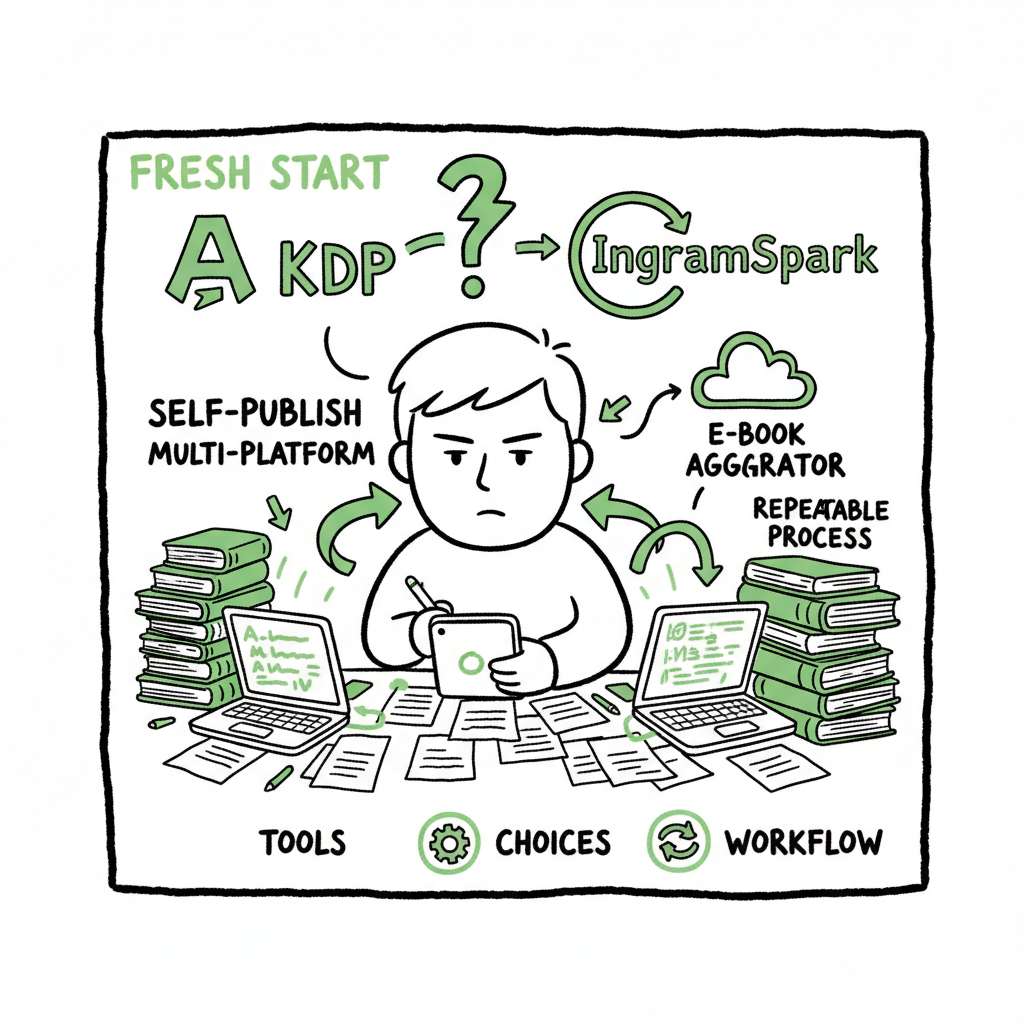
Self Publish on Multiple Platforms Practical Workflow
Self publish on multiple platforms: A practical guide for serious authors
Estimated reading time: 11 minutes
Key takeaways
- Wide distribution multiplies reach but requires clear choices: aggregators for e-book breadth, IngramSpark for print, and KDP for Amazon focus.
- A repeatable workflow—manuscript prep, formats, metadata, pricing, and batch upload—keeps errors low and lets you scale.
- Automation and multi-platform upload tools save time (often ~90%), cut manual mistakes, and make wide publishing practical for active authors.
Table of Contents
- Why wide distribution matters — #why-wide
- How to self publish on multiple platforms — #how-to-publish
- A practical multi-platform workflow (step-by-step) — #workflow
- Common pitfalls and how automation helps — #pitfalls
- FAQ — #faq
- Sources — #sources
Why wide distribution matters
Most authors begin with one platform and find the limits fast: Amazon dominates book retail, but readers live across ecosystems. Libraries, independent bookstores, and international retailers often buy through Ingram channels. Apple Books, Kobo, and Barnes & Noble each reach audiences Amazon doesn’t capture easily.
Publishing on multiple platforms does three practical things for a working author:
– It increases visibility across buyer habits and devices.
– It reduces dependence on any single retailer’s algorithm or policy.
– It makes niche titles discoverable in markets where Amazon is not dominant.
Wide distribution is not about “everywhere at once.” It’s about choosing routes that deliver real sales for your title set. For e-books, aggregators like Draft2Digital or PublishDrive route files to many retailers without forcing exclusivity. For print, IngramSpark opens bookstore and library channels. Amazon KDP remains essential for Amazon sales and promos; many authors use it alongside other channels.
If you plan to publish more than a handful of titles, you’ll quickly outgrow single-platform habits. The trick is an operational approach that treats distribution like a repeatable process, not a one-off task.
A practical model of a production process that scales from one title to many is described in the Publish Wide Self Publishing Workflow.
How to self publish on multiple platforms
This section walks through the practical options and shows where each fits.
The basic choices
- Direct platform publishing: Upload separate accounts to KDP, Apple Books, Kobo, and B&N. You control settings per retailer but repeat the same work many times.
- Aggregators (multi platform self publishing): Use a service that delivers your e-book to many retailers from one dashboard. Aggregators simplify distribution and can reduce the work of listing titles.
- Combined approach: Use KDP for Amazon exclusives or specific programs, and use an aggregator plus IngramSpark for wide reach on other retailers and print.
What each route gives you
- Amaz on KDP: Best for Amazon-focused strategies, fast setup, competitive royalties. Limitations come with KDP Select exclusivity if you enroll.
- Aggregators (Draft2Digital, PublishDrive): Good for reaching multiple retailers with one upload. Some offer subscription models or take a cut per sale. They’re useful for authors who want simplicity and broad reach.
- IngramSpark: Strong for print-on-demand wide distribution. It places print books into bookstore and library channels that aggregators don’t always reach. Setup is often more hands-on, but the reach is valuable for print-first strategies.
Choosing for your goals
- If you want the widest e-book reach with minimal manual work, an aggregator is often the right first choice.
- If bookstore and library placement for print matters, plan to use IngramSpark.
- If Amazon promotions and Kindle-exclusive features are central to your plan, keep KDP in the mix and coordinate pricing and ISBN strategy.
Format and rights checklist
- Before upload, confirm:
- Clean interior: professional formatting for paperback and epub.
- Correct cover dimensions and print-ready PDF for paperbacks.
- Metadata: Title, subtitle, series, contributors, categories, keyword strategy, language, and accurate description.
- Rights: Confirm worldwide rights or territory limits per contract, and how exclusivity (KDP Select) would affect your plans.
Practical note on covers and formats: If you need a quick, reliable way to create a print-ready cover, consider a dedicated cover generator that produces the exact sizes and spine calculations for print. If you need a robust EPUB conversion from Word or other sources, use an EPUB converter that preserves layout and chapter structure.
A practical multi-platform workflow (step-by-step)
Publishers work in systems. For authors who want to self publish on multiple platforms reliably, the discipline is the same as a small press: one reliable input, many outputs. Below is a compact workflow you can repeat across projects.
1. Finalize the manuscript and assets
- Finish an editorial pass and lock the manuscript. Revisions after distribution add friction.
- Build a single master manuscript file (Word or Markdown) and a separate design folder with cover elements and author photo.
- Produce a print-ready interior (PDF) if you plan paperback or hardcover; produce a well-validated EPUB for e-book distribution.
2. Create canonical metadata
- Use one metadata sheet (CSV or spreadsheet) for each title. Include ISBN, BISAC categories, keywords, series data, and pricing tiers.
- Decide territory and rights once and carry those settings across platforms.
- Keep a column for platform-specific notes (e.g., KDP price restrictions).
3. Format for each channel
- E-book: Generate a validated EPUB. Test on several devices or use an EPUB inspector.
- Print: Produce a PDF bleed-ready interior and a cover with correct spine width.
- Audiobook: If you’re producing audio, prepare separate metadata and files.
If you need a fast, reliable EPUB conversion to avoid manual rework, consider using a tested EPUB converter to ensure your chapters, TOC, and images are preserved.
4. Prepare a batch upload package
- For serious authors, batching is the only scalable approach. Put your master assets and the metadata CSV into a single folder.
- Use consistent file naming: title_ISBN_format_date. This prevents mistakes when uploading many files.
5. Choose your distribution routes
- E-book aggregator for wide e-book distribution (non-exclusive).
- KDP for Amazon listing and promotions if you want to exploit Amazon-specific features.
- IngramSpark for print distribution to bookstores and libraries.
6. Upload and reconcile
- Upload e-books via your aggregator and verify retailer confirmations.
- Upload print files to IngramSpark and set distribution options.
- Upload to KDP for Amazon: ensure pricing alignment and check KDP-specific settings like print proof, Expanded Distribution (if using), and Kindle MatchBook options.
7. Track and fix errors
- Maintain a checklist for common errors: cover size mismatch, missing metadata, incorrect ISBN, or DRM settings.
- Reconcile retailer metadata after 48–72 hours. Aggregators usually provide status for each retailer; some require manual correction on the retailer side.
8. Price and promotions
- Decide price ladders per territory. Aggregators and IngramSpark allow pricing per market.
- Coordinate promotions: if you plan a Kindle Countdown or KDP Select promotion, schedule the timing so it doesn’t conflict with other retailer pricing.
9. Reporting and royalties
- Aggregators consolidate royalties; IngramSpark reports separately; KDP reports on its dashboard.
- Use a single spreadsheet or dashboard to capture royalties and units sold across platforms for each ISBN.
10. Iterate and scale
- Use the CSV metadata and batch upload workflow to publish future titles faster.
- Regularly prune or optimize metadata based on sales data and discoverability testing.
About automation and scaling: Tools that automate repetitive uploads save time and reduce manual errors. If you’re publishing many titles, automation becomes an obvious upgrade: CSV batch uploads, platform-specific intelligence for field mapping, and automated checks that catch common errors before you push files live. Services that centralize the many small but repetitive tasks of multi-platform publishing often deliver ~90% time savings compared to manual uploads.
For authors ready to scale, a documented, repeatable workflow is the difference between occasional publishing and a sustainable publishing program. If you want to see a production process in practice, our Publish Wide Self Publishing Workflow shows how to structure metadata, batch CSVs, and map fields for each retailer. It’s a practical example of moving from handfuls of titles to dozens without burning time on each upload.
Practical examples of platform choices:
– Fiction backlist to all e-book retailers: aggregator + KDP for Amazon.
– New paperback release targeting bookstores: IngramSpark for print + distributor for e-book.
– Serial indie author releasing frequent short works: aggregator subscription models and batch uploads for speed.
Operational tips
- Use one ISBN per format (e-book, paperback, hardcover) to avoid confusion.
- Keep marketing copy in a simple text file so you can paste into retailer description fields.
- Use consistent category and keyword strategies across retailers to maximize discoverability.
Common pitfalls and how automation helps
Publishing widely looks simple until you face the operational details. Here are common failure points and practical fixes.
Pitfall: Inconsistent metadata across retailers
Why it matters: Retailers use metadata to categorize and display your book. Inconsistent fields create duplicate listings, wrong categories, or poor discoverability.
Fix: Use a single CSV metadata source for every upload. Map CSV fields to each retailer’s required fields in your upload tool before you publish.
Pitfall: Wrong cover or trim size for print
Why it matters: Print uploads fail checks or produce ugly results if the cover doesn’t match the interior trim or spine width.
Fix: Use a cover template or a cover generator that outputs print-ready PDFs sized correctly for your chosen trim and page count. Always proof a printed copy.
Pitfall: EPUB conversion errors
Why it matters: Bad EPUBs lead to broken chapter navigation, poor rendering on devices, and negative reader experiences.
Fix: Convert to EPUB with a tool that validates the file and allows corrections. Test on multiple devices and use an EPUB inspector.
Pitfall: Manual repetition that steals time
Why it matters: Uploading the same title to five retailers by hand wastes hours and increases risk of errors.
Fix: Batch uploads, CSV imports, and platform intelligence reduce manual entry. Many authors find a predictable pipeline—format once, distribute many—saves enormous time.
Automation reduces the risk of these pitfalls. Practical automation features to look for:
– CSV batch uploads that create listings across multiple retailers from a single spreadsheet.
– Platform-specific intelligence that maps your metadata fields into retailer formats automatically.
– Error checks for common problems (cover size mismatch, missing ISBN, invalid EPUB).
– Unified reporting and royalty reconciliation to track performance across channels.
When automation is an “obvious upgrade”
If you publish more than a few titles a year, or you plan to run multiple series, automation stops being optional. When you want to:
– Publish dozens of backlist titles across retailers,
– Maintain multiple print formats across markets,
– Use different price points in multiple territories,
automation and batch upload tools make distribution feasible without hiring a stack of contractors.
The business case is simple: save time, cut errors, and make wide distribution practical. Automation is not a magic bullet — you still need good covers, clean interiors, and thoughtful metadata — but it removes the repetitive drag that kills momentum.
Operational note on covers and EPUB
You will save time if you rely on tools for repeatable tasks:
– Use a reliable cover generator when you need consistent print-ready and e-book covers produced to exact sizes.
– Use an EPUB converter service to ensure your e-book is valid and shows a clean table of contents.
These tools handle the technical work so you can focus on writing and marketing.
Final thoughts
Wide self-publishing is an operational problem as much as a creative one. The decisions you make about platforms—aggregator versus direct, IngramSpark for print, and KDP for Amazon—should flow from clear goals for reach, royalties, and effort. Build a repeatable workflow, use batch uploads and platform-aware tools, and validate assets before distribution. For authors publishing seriously, automation becomes an obvious upgrade: it reduces time spent on uploads, cuts errors, and makes reaching diverse retailers practical.
If you want a working model of a production process that scales from one title to many, visit our Publish Wide Self Publishing Workflow for a step-by-step example that maps metadata, batch CSVs, and retailer field mapping into a repeatable system. That workflow shows how to move from ad-hoc uploads to a predictable, automated publishing pipeline.
Automate the upload. Own the distribution.
FAQ
Q: Do I have to use an aggregator to publish on multiple platforms?
A: No. You can publish directly to each retailer, but aggregators speed up e-book distribution and reduce manual work. Choose the route that matches your priorities for control, royalties, and simplicity.
Q: Will using an aggregator reduce my royalties?
A: It depends. Some aggregators take a percentage, others use a subscription model. Compare costs against the time saved and the potential revenue from wider distribution.
Q: Should I use IngramSpark for print?
A: If you want bookstores and libraries to be able to order your print book, IngramSpark is the primary route. It has a steeper learning curve than KDP print, but it reaches channels that KDP does not.
Q: How do I handle ISBNs across platforms?
A: Use unique ISBNs per format (e-book, paperback, hardcover). If you sell the same format across retailers, reuse the same ISBN for that format.
Q: What tools do you recommend for covers and EPUB conversion?
A: For reliable cover output, use a cover generator that produces print-ready PDFs sized to trim and page count. For EPUBs, use a validated EPUB converter that preserves the table of contents and chapter structure. These tools lower technical rework and speed the upload process.
Sources
- https://www.selfpublishingreview.com/2025/01/self-publishing-platforms-compared-which-one-is-right-for-you/
- https://blueberryillustrations.com/self-publishing-platform-comparisons.php
- https://miltonandhugo.com/blog/post/14-best-self-publishing-platforms-for-new-authors
- https://danieljtortora.com/blog/5-best-self-publishing-platforms-compared
- https://reedsy.com/blog/best-self-publishing-companies/
- https://kindlepreneur.com/best-self-publishing-companies/
Self publish on multiple platforms: A practical guide for serious authors Estimated reading time: 11 minutes Key takeaways Wide distribution multiplies reach but requires clear choices: aggregators for e-book breadth, IngramSpark for print, and KDP for Amazon focus. A repeatable workflow—manuscript prep, formats, metadata, pricing, and batch upload—keeps errors low and lets you scale. Automation…