Publish Wide vs Exclusive KDP Pros Cons and Workflow
Publish wide vs exclusive kdp
Estimated reading time: 14 minutes
Key takeaways
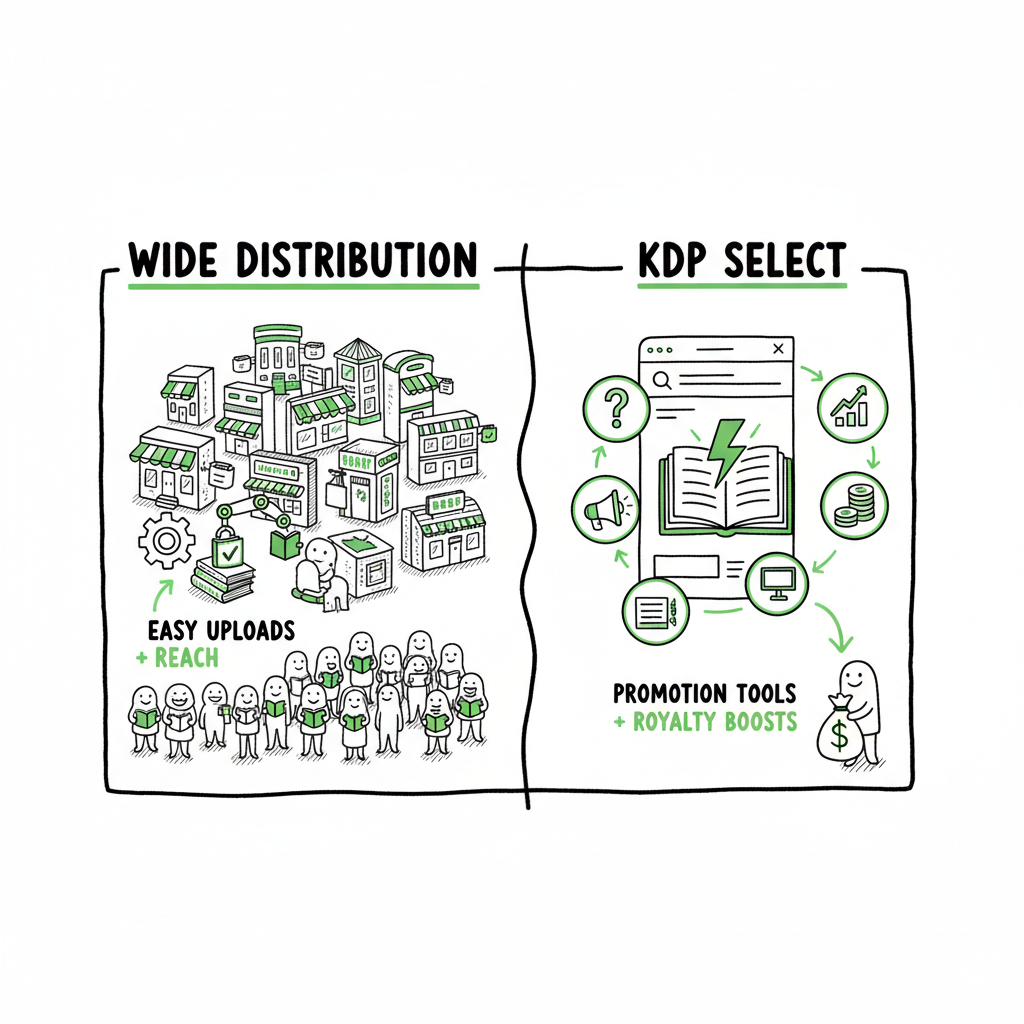
- Publish wide vs exclusive KDP is a trade-off between reach and promotional tools. KDP Select buys marketing features; wide distribution buys more storefronts and passive reach.
- For authors who publish multiple titles or aim for long-term audience growth, automating wide uploads saves time and reduces errors.
- Tools that handle CSV batch uploads, platform-specific intelligence, and format conversion make wide distribution practical at scale.
Table of Contents
- What “publish wide vs exclusive kdp” really means
- How to choose: goals, genre, and math
- Operational workflow for scaling wide distribution
- FAQ
What “publish wide vs exclusive kdp” really means
When authors compare publish wide vs exclusive KDP, they are deciding where and how their ebook will be sold. KDP Select (Amazon’s exclusive program) requires 90 days of exclusivity for the ebook in exchange for marketing tools like Kindle Unlimited participation, Kindle Countdown Deals, and certain promotional placements. “Wide” distribution means you make the ebook available on multiple stores at the same time—Amazon, Kobo, Apple Books, Draft2Digital, Ingram, and others—so readers can buy it where they prefer.
This choice is not only about stores. It affects:
- Visibility: KDP Select can boost visibility inside Amazon and Kindle Unlimited; wide distribution spreads presence across many storefronts.
- Revenue model: KU pays per page read through Kindle Unlimited; wide sales rely on list price purchases and different royalty models across platforms.
- Control: Wide lets you set different prices, test territories, and reach library and wholesale channels faster.
If you’re interested in a practical, repeatable way to set up wide distribution for many titles, see Publish Wide Self Publishing Workflow. That guide shows how to move from a single-book mindset to a system that scales.
Why authors ask this question
- New authors want exposure fast and hear that KU can spike downloads.
- Experienced authors want sustainable income and audience ownership across platforms.
- Publishers and serial authors need a predictable operational process to get many books live without wasting time.
The rest of this article breaks down the pros and cons and shows a realistic approach for authors who want to publish wide without losing the advantages that Amazon offers.
How to choose: goals, genre, and math
Making the right choice starts with honest goals and numbers. Ask what you want in the next 12–24 months: fast discoverability, steady long-term income, or broad platform presence? The answer changes the math.
-
If your goal is fast discoverability inside Amazon
KDP Select can make sense. Kindle Unlimited readers browse and sample inside Amazon, which often leads to higher page-read revenue for certain genres. This works well when:- You write in KU-friendly genres like romance, thriller, mystery, or certain non-fiction niches.
- You publish frequently (every 4–8 weeks) to keep the KU readership engaged.
- You want Amazon-specific features that can amplify a single title quickly.
-
If your goal is durable audience and platform diversification
Publish wide. Wide distribution reduces dependence on any single storefront. It gives:- More storefronts where readers can discover your book.
- Opportunities in markets where Amazon is weaker and other stores are stronger.
- Access to library/wholesale via Ingram and others.
-
If your goal is maximized net revenue per book
Compare revenue streams. KU pays per page read and can produce higher income for readers who binge inside Amazon, but wide sales capture list-price purchases across stores. For some books, especially non-franchisable nonfiction or single-title fiction, wide can produce higher long-term revenue. -
Hybrid strategies and timing
You can use both strategies over time. Some authors do timed exclusivity: run KDP Select for one or more 90-day windows while using that period for promotion, then go wide. Be mindful of readers who expect your work in certain stores; switching frequently can confuse distribution tracking and pricing.
Genre and reader behavior
- Genres with heavy KU consumption often benefit from exclusivity. Genres with diverse reader preferences—business, academic, or specialized nonfiction—tend to do better wide because buyers use Apple, Kobo, and library channels.
Psychology of readers and price sensitivity
- Some readers pick stores based on device (Apple Books for Apple users, Kobo for international buyers). Wide distribution reduces friction by meeting readers where they already are.
Practical decision checklist
- How many titles will you publish this year? If >4, wide often wins operationally.
- Can you commit to regular KU-style promotions? If yes, Try Select for a title or two.
- Do you care about libraries and physical distribution? If yes, wide via Ingram is necessary.
Operational workflow for scaling wide distribution
Choosing wide is a strategy. Making it practical at scale is an operations problem. Systems that automate repetitive uploads, handle file conversions, and apply platform rules save enormous time and reduce errors. This is where multi-platform automation moves from “nice to have” to essential.
Core elements of a scalable workflow
- Single source files
Keep one master manuscript and one master cover source. Update those, then generate platform-specific outputs. That reduces version drift and mistakes. - File conversions and formatting
Different platforms accept different file types. EPUB is the standard for most stores outside Amazon. Use a reliable EPUB conversion step that preserves layout, metadata, and images. If you need EPUB conversion for many books, consider a dedicated converter that handles bulk jobs quickly. - Cover processing
Covers require different sizes and color profiles for paperback vs ebook and for various retailers. A consistent cover-processing step saves rework and rejected uploads. - Metadata and pricing matrix
Store metadata in a CSV or spreadsheet: title, subtitle, series, contributors, keywords, categories, description, ISBN, list price per region, launch date, and royalty preference. This becomes the single source for batch uploads. - Batch uploading and platform intelligence
Manual uploads are slow and error-prone. CSV batch uploads that map your metadata to each platform’s required fields save hours. Platform-specific intelligence—rules that adjust file settings, image resolution, or category mapping for each store—prevents rejections.
How automation helps
- ~90% time savings when you move from manual single-title uploads to CSV+batch systems.
- Error reduction through validation before upload.
- Consistent metadata across platforms, preserving discoverability.
- Easier re-releases and updates for corrections or new editions.
Tools and integrations
Some services specialize in converting and processing book files and covers. For example, if you create paperback and ebook files repeatedly, a solution that streamlines that step reduces friction. If you work with EPUB daily, a dedicated EPUB conversion tool will process consistent output.
Practical example workflow (high level)
- Step 1: Maintain a central project folder per book with manuscript, cover sources, and metadata CSV row.
- Step 2: Run automated EPUB conversion and cover processing to produce final assets.
- Step 3: Validate files against each store’s rules (file size, image DPI, metadata length).
- Step 4: Use a CSV batch upload to send metadata and assets to multiple platforms.
- Step 5: Monitor upload reports, correct flagged issues, and publish.
Where BookUploadPro fits
When authors move beyond one or two books, BookUploadPro becomes an obvious operational upgrade. It automates the repetitive parts: CSV batch uploads, platform-specific intelligence, and error reduction that makes wide distribution practical. For authors publishing seriously, this kind of automation is the difference between workable scale and burnout. Automate the upload. Own the distribution.
Practical notes on linked tools
- Cover generator and processing helps produce consistent variants and speed publishing.
- EPUB converter handles batch jobs and preserves styling, metadata, and images.
- Book creation workflow resources can streamline broader publishing tasks.
What to prepare before you scale
- Standardize ISBN use across formats.
- Keep a launch calendar and coordinate pricing across stores.
- Track ASIN/ISBN assignments and platform-specific links.
- Prepare a one-line pitch and a longer description tailored for different storefronts.
Publishing paperback and ebook at once
If you want to publish paperback and ebook together, the workflow must include print-ready PDF creation and distribution via Ingram or other POD services. That requires a separate cover spread and different file validation steps for paperbacks versus ebooks. Streamline these by automating the paperback generation and verifying proofs before wide rollout.
FAQ
Q: Can I switch from KDP Select to wide later?
A: Yes. KDP Select enrollments are 90 days. After a term ends, you can opt out and distribute the ebook wide. Be mindful of timing and promotional plans; some authors run a Select window for initial traction then expand wide.
Q: Does wide mean I lose Kindle readers?
A: Not necessarily. Amazon still lists ebooks that are available wide. You can earn sales on Amazon even if your ebook is not exclusive. You lose KU-specific page-read revenue and some KDP promotional tools, but you gain access to other storefronts and channels.
Q: Will I earn less per sale on other stores?
A: Royalties differ by store and territory. Some platforms offer competitive rates; others may charge different fees. Calculate expected revenue per sale per store and mix that with expected traffic. Often the broader market offsets per-sale differences.
Q: How do I handle different pricing across stores?
A: Keep a pricing matrix and be consistent with key markets. Consider regional pricing where feasible. Automation tools can store and apply pricing per platform during batch uploads.
Q: What about ISBNs for wide publishing?
A: Some platforms provide their own identifiers (ASIN on Amazon), but for paperbacks and wider distribution through retailers and libraries, owning ISBNs gives you control. Decide whether to buy your own ISBNs or use platform-provided ones.
Q: Do I need separate files for each platform?
A: Generally you need platform-specific outputs (EPUB for most ebooks, MOBI/preserve for legacy Amazon uploads, print-ready PDF for paperbacks). Automation that creates these from a single source reduces manual file preparation.
Q: How much time can automation save?
A: Time savings depend on volume. For authors with multiple titles, automation and CSV batch uploads can save roughly 80–90% of the manual upload time. That turns publishing from a multi-day task per title into a repeatable, mostly unattended process.
Final thoughts
Publish wide vs exclusive KDP is not a moral choice—it’s a business decision guided by goals, genre, and how many books you want to maintain. If you publish one book and you need a quick spike in visibility, KDP Select can be useful. If you publish repeatedly, want broader reach, or care about libraries and physical distribution, wide is the scalable choice.
For authors ready to scale, tools that handle CSV batch uploads, platform-specific intelligence, EPUB conversion, and cover processing turn wide publishing from a chore into a repeatable system. When publishing becomes a regular part of your work, automation is an obvious upgrade.
Sources
- KDP Help Topic
- Kobo Writing Life
- Apple Books for Authors
- Draft2Digital
- IngramSpark
- Book cover generator processing
- EPUB converter
- BookAutoAI
Publish wide vs exclusive kdp Estimated reading time: 14 minutes Key takeaways Publish wide vs exclusive KDP is a trade-off between reach and promotional tools. KDP Select buys marketing features; wide distribution buys more storefronts and passive reach. For authors who publish multiple titles or aim for long-term audience growth, automating wide uploads saves time…