Write a Book with AI Practical Workflow for Self-Publishers
Write a Book with AI: A Practical Process for Self-Publishers
Estimated reading time: 9 minutes
Key takeaways
- AI speeds drafting and lowers the cost of testing book ideas, but it still needs human planning and editing.
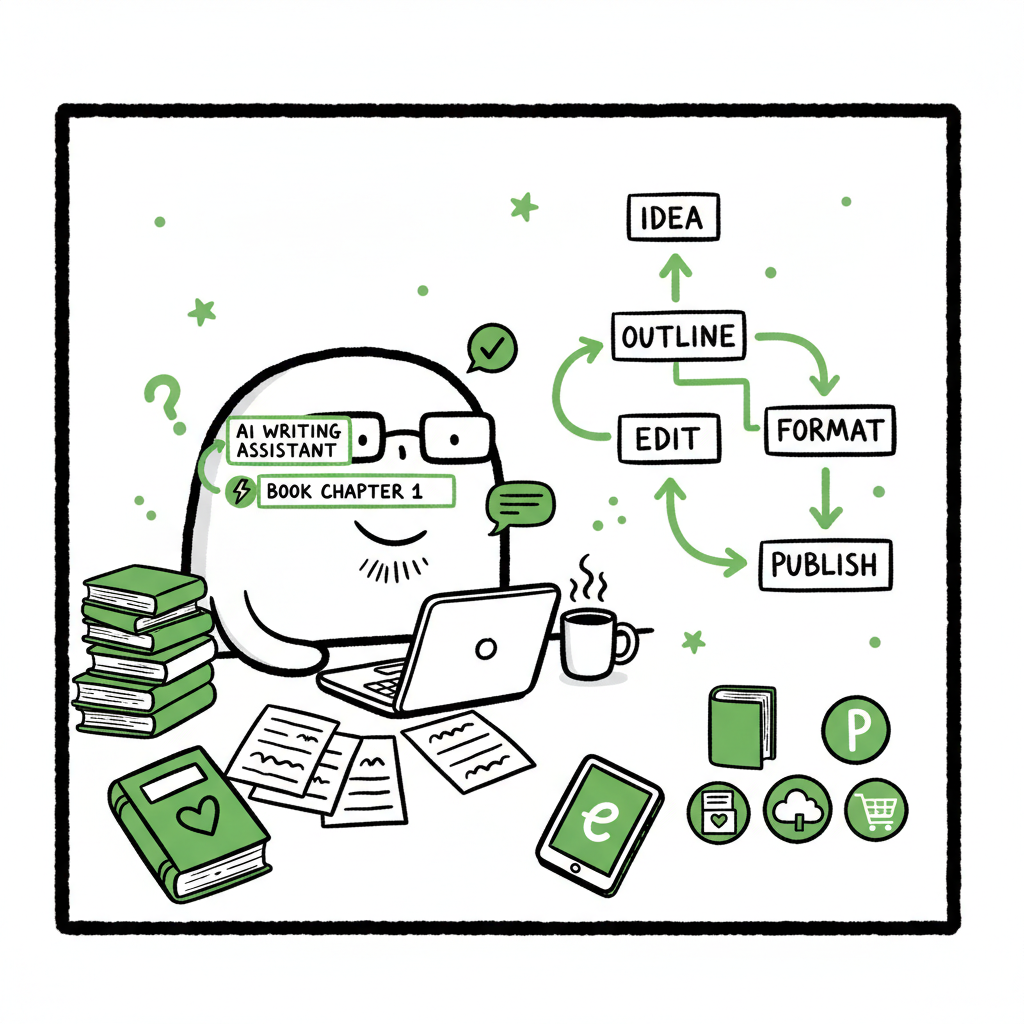
- Use a repeatable process: idea > outline > draft > edit > format > publish across platforms to scale production.
- Automate uploads and distribution to save time and reduce errors; BookUploadPro makes multi-platform publishing practical.
Table of Contents
- How to write a book with ai
- A practical AI-powered book process
- Publishing and multi-platform distribution
- FAQ
- Sources
How to write a book with ai
Start simple: pick a clear idea and the audience for the book. Authors who want to write a book with ai often think the tool will handle everything. It won’t. AI is best used as a fast drafting and organizing tool, not a full substitute for editorial judgment. Use AI to generate options—synopses, chapter headings, scene drafts—then decide what fits your voice.
If you plan to publish on Amazon or test Amazon-focused ad copy and descriptions, a good next step is to pair AI drafting with platform-aware editing and upload routines. For platform-specific guidance, see Amazon KDP AI Writing. Amazon KDP AI Writing.
Why this works
- Speed: AI turns days of blank-page work into hours of rough drafts.
- Cost efficiency: You can prototype multiple titles and niches without paying for full ghostwriting.
- Iteration: Rapid drafts let you test covers, blurbs, and chapter structures before committing to wide distribution.
A practical AI-powered book process
This section describes a process you can use repeatedly to publish faster and keep quality consistent.
1) Define the project
Decide format (novel, short nonfiction, workbook), target length, and the reader’s main benefit. Write a one-paragraph promise for the reader. Keep it short; this becomes the blurb and mission for the outline.
2) Generate outlines and chapter briefs
Use AI to produce several outlines and pick the best. Ask the model for chapter goals, key beats, and word targets per chapter. Treat these as working documents you will refine.
3) Draft by section, not whole book
Tell AI to draft chapter by chapter using your chapter brief. This keeps tone consistent and makes revisions easier. Save each draft to a versioned file so you can track changes.
4) Edit with a human-first pass
AI drafts often need structural fixes and voice polishing. Do a first human edit focusing on structure, then a second pass for line edits. If you use freelance editors, give them the outline and your notes to shorten turnaround.
5) Produce cover and interior files
Create a cover that matches market expectations. If you need a fast option for covers, consider a cover generator to test multiple looks quickly. For ebook formatting, convert the manuscript to EPUB with a reliable EPUB converter and check layout on devices. For paperback, confirm trim size, margins, and barcode placement. If you want tools that handle cover generation or EPUB conversion, those services can save time and reduce manual errors: try a cover generator or an EPUB conversion tool to speed these steps.
6) Final validation
Run a spell and consistency check, then preview the files on target devices and the paperback proof. Confirm metadata: title, subtitle, author name, series info, categories, and keywords.
Why batch publishing matters
If you want to publish seriously, repeatability is the multiplier. Producing multiple titles using the same process allows you to test covers, blurbs, and positioning across niches. Batch tasks like metadata entry and file uploads are tedious but essential. CSV-based batch tools let you upload metadata and files in bulk, cutting repetitive time by up to 90% and reducing manual errors.
Publishing and multi-platform distribution
Publishing is no longer a single-platform job. Readers buy on Amazon, Apple Books, Kobo, and bookstores supplied through Ingram. Getting into all those channels manually is slow and error-prone.
Platform-specific intelligence
Each retailer has its own rules for file specs, cover spine math, and metadata fields. A platform-aware tool adjusts files and fields automatically, so your EPUB, paperback, and metadata meet each retailer’s format requirements without repeated manual tweaks.
Automated uploads at scale
When you reach the point of multiple titles, automation is an obvious upgrade. Automated publishing tools let you:
- Upload files to Amazon KDP, Kobo, Apple Books, Draft2Digital, and Ingram from one place.
- Use CSV batch uploads to push titles in bulk.
- Apply platform-specific fixes automatically to covers and EPUBs.
This is where automation changes the economics of self-publishing. Instead of spending days on each new title, you can publish many titles with consistent quality. BookUploadPro focuses on unified multi-platform publishing, CSV batch uploads, platform-specific intelligence, error reduction, and ~90% time savings. Automate the upload. Own the distribution.
Practical notes on format and assets
- EPUB and reflowable text are standard for most retailers; convert carefully and preview on multiple readers. If you need a reliable tool for conversions, an EPUB converter will speed validation and reduce formatting mistakes.
- Paperback interiors require accurate trim and bleed. Use templates or trusted layout exports to avoid printing errors.
- Covers must be market-appropriate. A quick cover generator can help you split-test designs before committing to a final version.
Integration tips
- Keep a master spreadsheet with one row per title for easy CSV exports and batch uploads.
- Store final assets in predictable folders (manuscript, ebook, paperback, cover, metadata).
- Use consistent naming conventions so automated tools map files to the right fields without manual intervention.
FAQ
Q: Can AI write a whole book for me?
A: AI can produce a draft quickly, but the result needs human direction and editing. Treat AI as a drafting assistant, not a finished product.
Q: Is content created by AI usable on Amazon and other retailers?
A: Generally yes, but you must ensure originality, accuracy, and compliance with retailer policies. Edit for voice, fact-check nonfiction, and avoid copying training data.
Q: How do I keep voice consistent across AI drafts?
A: Use a style guide: sample paragraphs, tone notes, and a small set of dos and don’ts. Feed these into the prompts for each section.
Q: Will automated processes reduce costs?
A: Automated processes reduce time and errors, which lowers operational costs. They don’t replace editing and design, but they make wide distribution practical once you publish seriously.
Q: What should I automate first?
A: Start with batch metadata and file uploads, then add platform-specific formatting checks. Automating repetitive tasks gives the biggest time savings fast.
Sources
- BookUploadPro — unified multi-platform publishing and batch uploads: https://bookuploadpro.com
- BookAutoAI — EPUB converter: https://www.bookautoai.com/epub-converter
- BookAutoAI — book cover generator and processing: https://www.bookautoai.com/book-cover-generator-processing
- BookAutoAI — book creation workflow: https://www.bookautoai.com
Write a Book with AI: A Practical Process for Self-Publishers Estimated reading time: 9 minutes Key takeaways AI speeds drafting and lowers the cost of testing book ideas, but it still needs human planning and editing. Use a repeatable process: idea > outline > draft > edit > format > publish across platforms to scale…