The Squibler AI Book Writer Explained for Self-Publishers
What the squibler ai book writer is
Estimated reading time: 9 minutes
Key takeaways
- Squibler’s AI tools can speed manuscript drafting, but publishing still needs platform-aware formatting and distribution work.
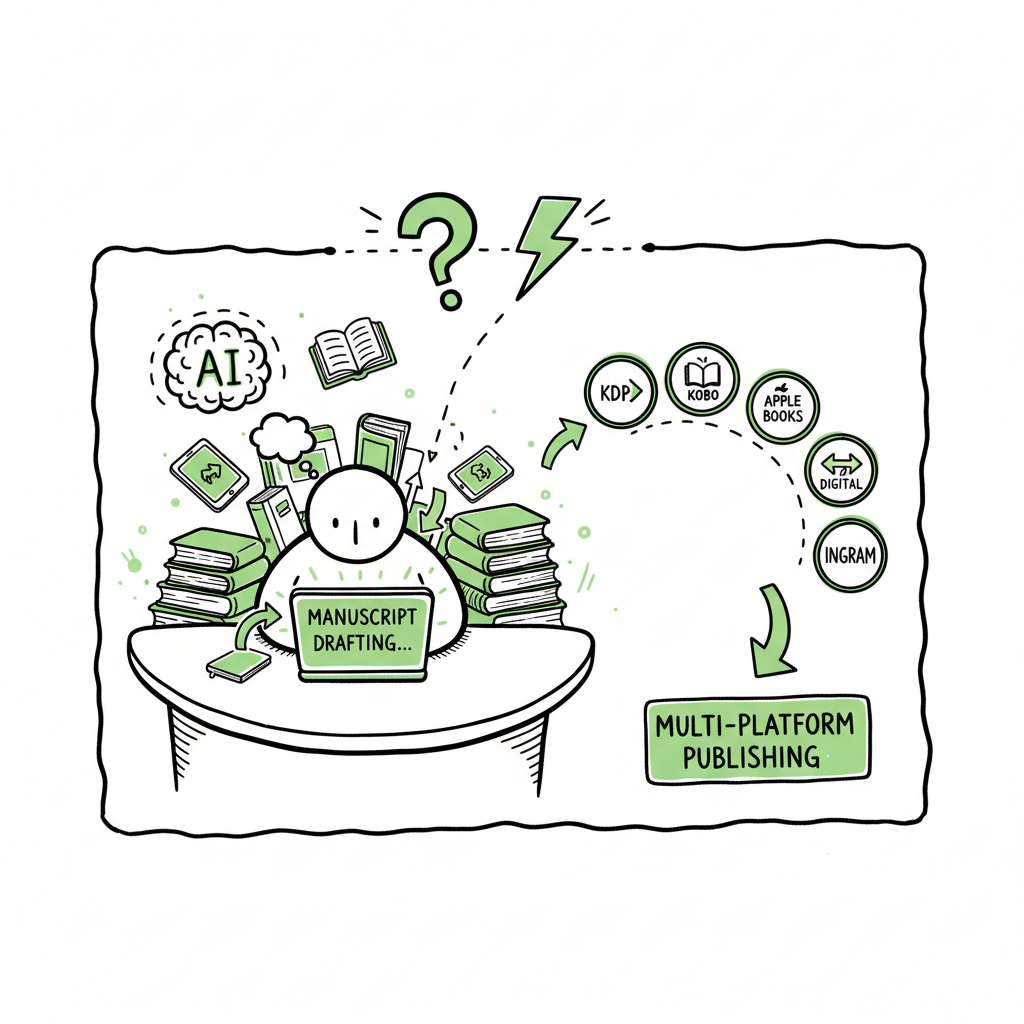
- For wide distribution, automating uploads across KDP, Kobo, Apple Books, Draft2Digital and Ingram saves time and reduces errors.
- BookUploadPro makes multi-platform publishing practical at scale with CSV batch uploads, platform intelligence, and ~90% time savings.
Table of Contents
- What the squibler ai book writer is
- How Squibler fits a multi-platform publishing workflow
- Practical steps to publish a Squibler manuscript across stores
- Final thoughts
- FAQ
- Sources
The squibler ai book writer is a writing platform that adds AI-assisted drafting to a simple book editor
It helps authors produce outlines, chapters, and images faster than writing from scratch. Users report that the AI is useful for breaking writer’s block, expanding scenes, and assembling first drafts that are ready for revision.
AI drafts are only the start. When you move from manuscript to market, you must handle formatting, cover files, ISBNs, and metadata the way each retailer expects. If you plan to publish on Amazon KDP, learn the platform rules and how AI-generated text is treated by visiting Amazon KDP AI Writing for guidance on KDP-specific requirements and best practices. That clarity helps you avoid rejects and rework when you upload. Amazon Kdp Ai Writing.
BookUploadPro is designed for that scale: CSV batch uploads, platform-specific intelligence, and error reduction. For authors who publish repeatedly, it’s an obvious upgrade once you start publishing seriously. BookUploadPro.
For covers and file conversion it’s wise to use tools that produce print-ready outputs and validated EPUB files before batch upload. A cover generator can speed the process and produce print-ready files that match size and spine calculations. For EPUB conversion, an EPUB converter helps ensure compatibility across retailers.
How Squibler fits a multi-platform publishing workflow
Squibler is a drafting and export tool, not a distribution service. It exports manuscripts to common formats (Word, PDF, Kindle-ready files), which makes it easy to prepare ebooks and paperbacks. But distribution still requires separate uploads and platform-specific packaging.
That’s where multi-platform automation makes a difference. Instead of repeating form fields and uploads for KDP, Kobo, Apple Books, Draft2Digital, and Ingram, a unified upload process handles the same files and metadata once, adapts them to each store, and tracks errors. For covers, if you need a quick image that meets publisher specs, a cover generator can speed the process and produce print-ready files that match size and spine calculations. Automating these steps reduces manual copy/paste, cuts mistakes, and lets you publish wide without doubling the workload.
BookUploadPro is designed for that scale: CSV batch uploads, platform-specific intelligence, and error reduction. For authors who publish repeatedly, it’s an obvious upgrade once you start publishing seriously.
Practical steps to publish a Squibler manuscript across stores
- Finish the draft and lock the manuscript file
- Export from Squibler in a format your formatter prefers (DOCX is common). Do a single final pass for structure, chapter breaks, and content consistency.
- Prepare ebook and print files
- Convert the manuscript to validated EPUB for ebook stores and generate a print-ready PDF for paperbacks. If you want a fast, reliable conversion step, consider an EPUB converter that handles images, table of contents, and CSS adjustments to match each retailer’s requirements.
- Create a cover sized for both ebook and print. A cover generator can give you bleed, spine, and back-cover layouts that meet printer specs and save rework.
- Build clean metadata and ISBN strategy
- Write titles, subtitles, blurbs, series info, contributor roles, keywords, categories, and BISAC codes in a single master CSV. That CSV will be the source for batch uploads. Keep descriptions short (for smaller retailers) and long (for Amazon) in separate fields.
- Validate files before upload
- Run basic checks: EPUB validation, image DPI for covers, trim size match, and embedded fonts for print. Catching issues before upload avoids platform rejections that slow launch schedules.
- Automate uploads and monitor results
- Using a multi-platform uploader, map your CSV fields to each store’s input fields, upload files in batches, and let platform-specific rules adjust files where needed. This approach saves roughly 90% of the time compared with manual uploads and reduces obvious mistakes like missing keywords or wrong trim size.
- If a platform returns an error, the system highlights which SKU failed and why so you can correct and retry instead of hunting through each retailer dashboard.
- Publish, distribute, and track
- After files pass validation and the stores accept them, use reporting tools to confirm distribution and check formatting on live pages. Maintain a single source CSV and archive your original Squibler export, final EPUB, and print PDF in a folder tied to that book record.
Why this workflow matters
AI can generate content quickly, but distribution is repetitive and error-prone at scale. Automating the upload and distribution lets you focus on writing and promotion rather than copying metadata into multiple dashboards. BookUploadPro helps you scale efficiently.
Final thoughts
Squibler provides speed at the drafting stage, and that speed is valuable when paired with a practical publishing process. The missing piece for many authors is reliable, repeatable distribution. Systems that handle multi-platform uploads, platform-specific intelligence, and batch CSV input turn a one-off KDP process into a reproducible pipeline for dozens of titles.
If you plan to publish more than a few books, the efficiency gains are real: less manual work, fewer errors, and faster time-to-market. For covers and file conversion it’s wise to use tools that produce print-ready outputs and validated EPUB files before batch upload.
FAQ
Question?
Is AI content allowed on Amazon KDP? Amazon requires that you follow their content policies and disclose AI use where applicable. The platform can have rules about originality and rights, so check KDP guidelines before publishing.
Question?
Do I need separate ISBNs for each retailer? For print books, you typically assign a unique ISBN per edition. Some services offer free ISBNs that are platform-specific; if you want full control, buy your own ISBNs. For ebooks, many retailers do not require an ISBN.
Question?
Can a single file work for both ebook and paperback? No. Ebooks use EPUB or MOBI-style formats; paperbacks need PDF with correct bleed and spine. Prepare both files from your master manuscript.
Question?
Will the AI keep my author voice? AI can approximate a voice but often needs human editing to ensure consistent tone and quality across the manuscript.
Question?
How do I distribute across stores efficiently? Use a multi-platform uploader and a master metadata CSV to map fields for each store, minimizing manual entry and errors.
Question?
What about ISBNs for ebooks?
Many retailers do not require an ISBN for ebooks, but having one can help with cataloging and management across several stores.
Sources
- https://www.squibler.io/pricing/
- https://reedsy.com/studio/resources/squibler-review
- https://self-publishingschool.com/squibler-review/
- https://kindlepreneur.com/squibler/
- https://www.automateed.com/squibler-review
What the squibler ai book writer is Estimated reading time: 9 minutes Key takeaways Squibler’s AI tools can speed manuscript drafting, but publishing still needs platform-aware formatting and distribution work. For wide distribution, automating uploads across KDP, Kobo, Apple Books, Draft2Digital and Ingram saves time and reduces errors. BookUploadPro makes multi-platform publishing practical at scale…