Wide Publishing Workflow Practical Guide for Authors
Wide publishing workflow: a practical guide for self-published authors
Estimated reading time: 8 minutes
Key takeaways
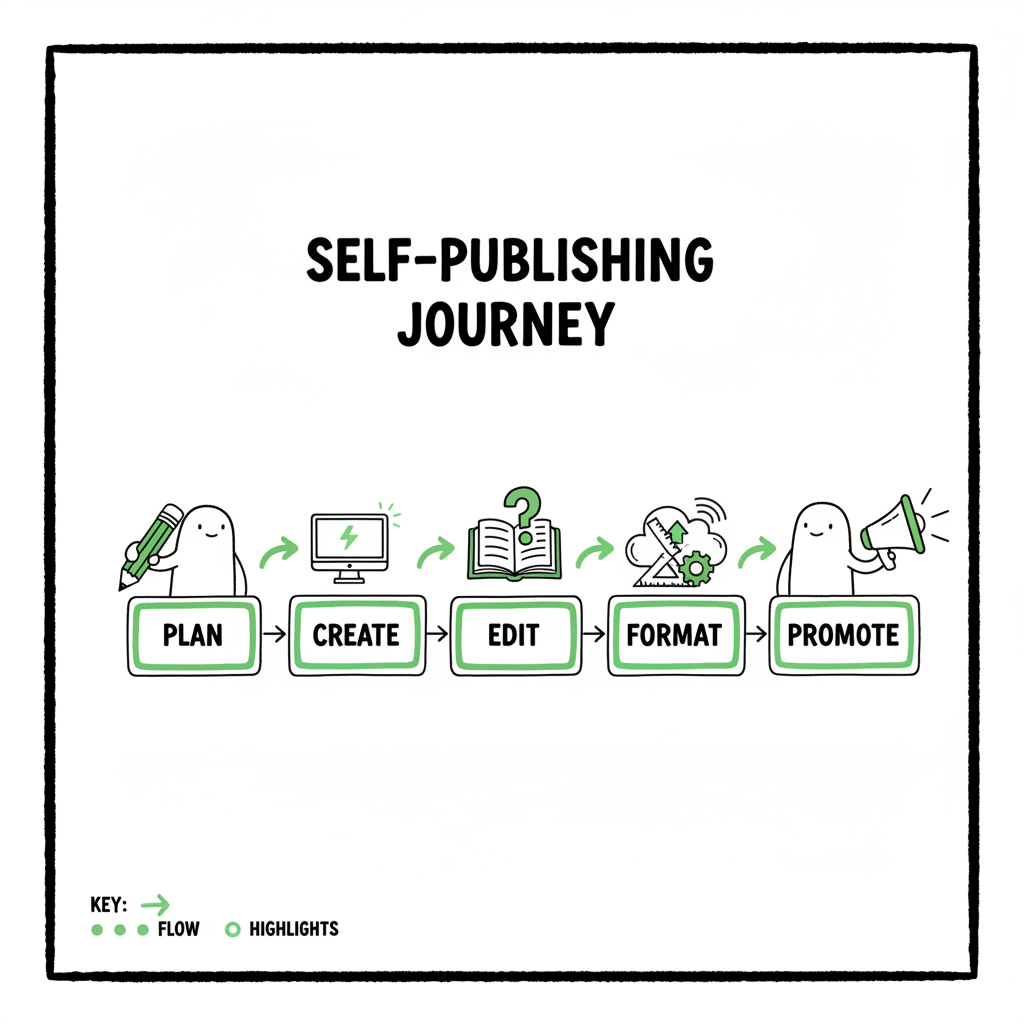
- A wide publishing workflow breaks the book process into clear stages: plan, create, edit, format, upload, and promote.
- Use standard templates, CSV batch uploads, and platform-aware checks to reduce repetitive work and cut time by ~90%.
- When you scale, choose tools that handle multi-platform uploads and platform-specific intelligence so wide distribution is practical.
Table of Contents
- What a wide publishing workflow looks like
- Core steps in a wide publishing process
- Tools, time-savers, and operations for multi retailer upload workflow
- FAQ
- Sources
What a wide publishing workflow looks like
A wide publishing workflow is a repeatable, trackable path that takes a book from idea to stores across many retailers. It puts the same simple stages in front of every title so you can measure time, spot bottlenecks, and hand off tasks without confusion. For a self-published author, it matters because the same file often needs different packaging, metadata, and checks for Amazon KDP, Kobo, Apple Books, Draft2Digital, and Ingram. If you want to scale beyond one platform and remove guesswork, study the Publish Wide Self Publishing Workflow early in your production process to map tasks and responsibilities.
At its core, a wide publishing workflow does three things well:
- Standardization: every title follows the same steps and uses the same templates.
- Platform checks: known differences (cover bleed, EPUB quirks, metadata fields) are captured and validated.
- Batch handling: several titles can be pushed through the process with CSV files and batch uploads.
Why that matters: once you remove manual repetition, you free creative time. And when you publish several titles a year, the time savings multiply. With the right approach you can run wide distribution like an operations team, not a one-off hobby project.
Core steps in a wide publishing process
This section walks through the practical stages you will use on every book. Treat these as the backbone of your process. Each step has a clear output you can check off.
- Planning and market fit
Before writing, decide the format mix (ebook, paperback, audiobook), the core retail channels, and the launch window. Set measurable goals: sales targets, advertising budget, and timeline. Planning prevents last-minute format changes that slow everything down.
Output: title brief that lists formats, retailers, target keywords, and release date.
- Manuscript finalization
This is the writing and editing stage. Use version control so you never accidentally upload a draft. Keep a single canonical Word or Google Doc that becomes source of truth.
Output: final manuscript file, with scene/line edits applied and a clear version number.
- Editing and quality control
Copyedit and proofread. For fiction that might be one round of line editing plus proofread. For non-fiction, add a fact-check pass. Keep change logs so you can trace corrections.
Output: edited manuscript in ready-to-format state.
- Formatting and file creation
Create the paperback interior PDF and the ebook file(s). For ebooks you will usually need a clean EPUB. Convert with a tested tool and validate the EPUB before uploading. If your process mentions converting to EPUB, use a reliable converter that preserves styles and images — consider an EPUB converter that automates common fixes.
Output: final EPUB, print-ready PDF, and any audiobook files.
- Cover and packaging
Make covers that meet each retailer’s specs. Paperback covers need correct spine width and bleed. Ebook covers must look good at thumbnail size. If you are creating covers in-house or using a generator, keep a master PSD or layered file for quick edits. For automated cover processing, try a dedicated cover generator to speed layout and export.
Output: ebook cover (JPEG/PNG), print cover (PDF), and layered master files.
- Metadata and store-ready files
Create a metadata sheet with title, subtitle, series, author name, publisher name, description, keywords, BISAC categories, price, and territories. Keep this in a CSV so you can reuse it across platforms. Accurate metadata prevents rejections and makes your book discoverable.
Output: metadata CSV and platform-specific metadata notes.
- Upload and publish
Upload files to each retailer, or use a multi-platform upload tool that accepts CSVs and pushes files to multiple stores. If you upload by hand, follow each store’s checklist carefully: file types, image DPI, pricing tiers, and territory settings.
Output: live listings or scheduled pub dates.
- Post-publish checks and promotion
Confirm listings appear correctly in each store. Check the product page, EPUB rendering, and buy links. Then execute your promotion plan: newsletter, ads, social posts, and price promotions.
Output: verified live entries and a promotion calendar.
Tools, time-savers, and operations for multi retailer upload workflow
Practical tactics make a wide publishing process efficient. Here are the operational moves that save time and reduce mistakes.
Use templates and a single source of truth
Keep a standard project template with fields for every metadata item, format spec, and payment info. Use it for every title. Store the template in a shared place so editors, designers, and contractors can access the same file.
Adopt batch uploads and CSV workflows
When you have several titles, manual uploads are the bottleneck. A CSV batch upload lets you map columns to retailer fields and push many titles at once. If your process includes CSV batch uploads, treat the CSV as canonical metadata. Running batch uploads cuts repetitive entry and keeps metadata consistent.
Keep platform compatibility notes
Retailers differ in small but important ways: KDP accepts certain file types and image sizes, Apple Books often requires stricter EPUB validation, and Ingram has unique print formatting rules. Maintain a short compatibility guide and check it when you format. This reduces rejections and back-and-forth.
Leverage platform-specific intelligence
A wide publishing process benefits from tools that know platform quirks. For example, a system that flags missing keywords for KDP, or warns if an EPUB fails Apple Books checks, saves time. Platform-specific intelligence reduces trial-and-error and prevents lost hours that come from repeated manual fixes.
Consider unified multi-platform publishing
If you publish seriously, a unified publishing tool becomes an obvious upgrade. A platform that automates uploads to Amazon KDP, Kobo, Apple Books, Draft2Digital, and Ingram, accepts CSV batch uploads, and includes platform-aware checks can reduce upload time by roughly 90% versus manual work. That level of time savings makes wide distribution practical rather than painful. Automate the upload. Own the distribution.
Practical formatting notes
- EPUBs: Validate every EPUB with a validator and preview on a dedicated reader. When you mention converting to EPUB in your checklist, include a validation step to catch broken internal links, missing fonts, and image problems. Use an EPUB converter that preserves styling and produces a clean, valid file.
- Print interiors: For paperbacks, check margins, gutter, and page-count calculation for spine width. A single mis-sized element can force reprints.
- Covers: Keep a master file with bleed and spine layers. If you use a tool for cover processing, it should export correctly sized print-ready files.
Where to add human checks
Even with strong tools, you need human checks at key points:
- Read a proof copy for print books.
- Do a final EPUB read-through on a phone or tablet.
- Confirm metadata is SEO-friendly and accurate.
These checks catch the edge cases that software might miss.
Operational checklist for go wide operations
This checklist is written as a sequence you can repeat for each title. Use it in your project management tool or spreadsheet so anyone on the team can pick up work midstream.
Before production
- Confirm title plan and retailer list.
- Complete project template and metadata CSV.
- Reserve ISBNs and assign ASINs where needed.
During production
- Lock manuscript version and log edits.
- Complete copyedit and proofread passes.
- Build print interior and EPUB; validate both.
Pre-publish
- Generate final covers for ebook and print.
- Run platform compatibility checks.
- Fill metadata CSV and verify fields for each retailer.
Upload and verification
- Use batch CSV upload where possible.
- Upload store files and set pricing/territories.
- Verify live listings and test-buy where feasible.
Post-publish
- Monitor sales channels for errors or missing formats.
- Update metadata if needed (keywords, descriptions).
- Schedule promotions and track performance.
How BookUploadPro fits into operations
When you reach a steady pace of releases, repetitive uploads start to cost real time. This is where a service that handles unified multi-platform publishing becomes practical. BookUploadPro automates repetitive book uploads across Amazon KDP, Kobo, Apple Books, Draft2Digital, and Ingram. It supports CSV batch uploads, applies platform-specific intelligence, and reduces errors that slow you down. For authors publishing at scale, BookUploadPro is an obvious upgrade: it makes wide distribution practical, cuts hands-on upload time by up to ~90%, and keeps version control tight across stores. Affordable pricing and a free trial make it easy to test in a real project.
Intake and team handoffs
Intake and team handoffs
Build a simple intake form for each title. The form should collect manuscript files, cover masters, metadata CSV, and payment/publishing account info. Make it part of your process that nothing moves forward until the intake is complete. This eliminates back-and-forth later and keeps your pipeline moving.
Design notes on covers and EPUBs
Covers
- Keep a layered master for fast changes.
- Produce both ebook and print exports from the same master.
- If you use automated cover processing, verify spine math and text legibility at thumbnail sizes. For automated cover work, a book cover generator can take care of sizing and basic layout.
EPUBs
- Create EPUBs from clean HTML or from a trusted converter.
- Remove unnecessary styling and test on multiple readers.
- When you convert to EPUB, run a validation pass and a manual read to catch image issues.
Publishing wide is a systems problem
The biggest single thing that separates sporadic publishing from steady publishing is not a marketing trick; it’s systems. A repeatable process with clear outputs, a shared metadata source, and batch upload capability means you can schedule several books per year without chaos. Focus on the small details — metadata accuracy, EPUB validation, cover sizing — because those are the items that cause the most rework.
FAQ
Q: What is the most time-consuming part of a wide publishing workflow?
A: Manual uploads and correcting platform-specific errors. Standardizing files and using CSV batch uploads drastically reduce time spent here.
Q: Do I need separate ISBNs for each retailer?
A: ISBN rules depend on format and retailer. Print versions often require unique ISBNs per edition. Keep a log of assigned ISBNs and the formats they correspond to.
Q: How do I validate an EPUB before uploading?
A: Use an EPUB validator and open the file on at least two different reading apps. Look for missing images, font issues, and broken links.
Q: Should I use a distribution aggregator or upload directly to each store?
A: Both options work. Aggregators simplify distribution but may take a revenue cut or limit some store features. If you publish many titles, a tool that supports direct uploads to multiple retailers while managing CSVs and platform specifics gives you more control.
Q: How does BookUploadPro help with error reduction?
A: By applying platform-specific checks and accepting standardized inputs like CSVs and final files, it reduces manual entry errors and enforces consistent metadata across retailers.
Sources
- https://www.activepieces.com/blog/content-publishing-workflow
- https://www.automateed.com/publishing-workflow-management
- https://www.multicollab.com/blog/guide-editorial-workflow/
- https://www.smartsheet.com/content-approval-workflow
- https://eliteediting.com/resources/writing/how-to-develop-an-editorial-workflow/
- https://publishone.com/5-tips-for-the-perfect-publishing-process/
- https://blog.bookuploadpro.com/publish-wide-self-publishing-workflow
- https://www.bookautoai.com/epub-converter
- https://www.bookautoai.com/book-cover-generator-processing
- https://www.bookautoai.com
Wide publishing workflow: a practical guide for self-published authors Estimated reading time: 8 minutes Key takeaways A wide publishing workflow breaks the book process into clear stages: plan, create, edit, format, upload, and promote. Use standard templates, CSV batch uploads, and platform-aware checks to reduce repetitive work and cut time by ~90%. When you scale,…