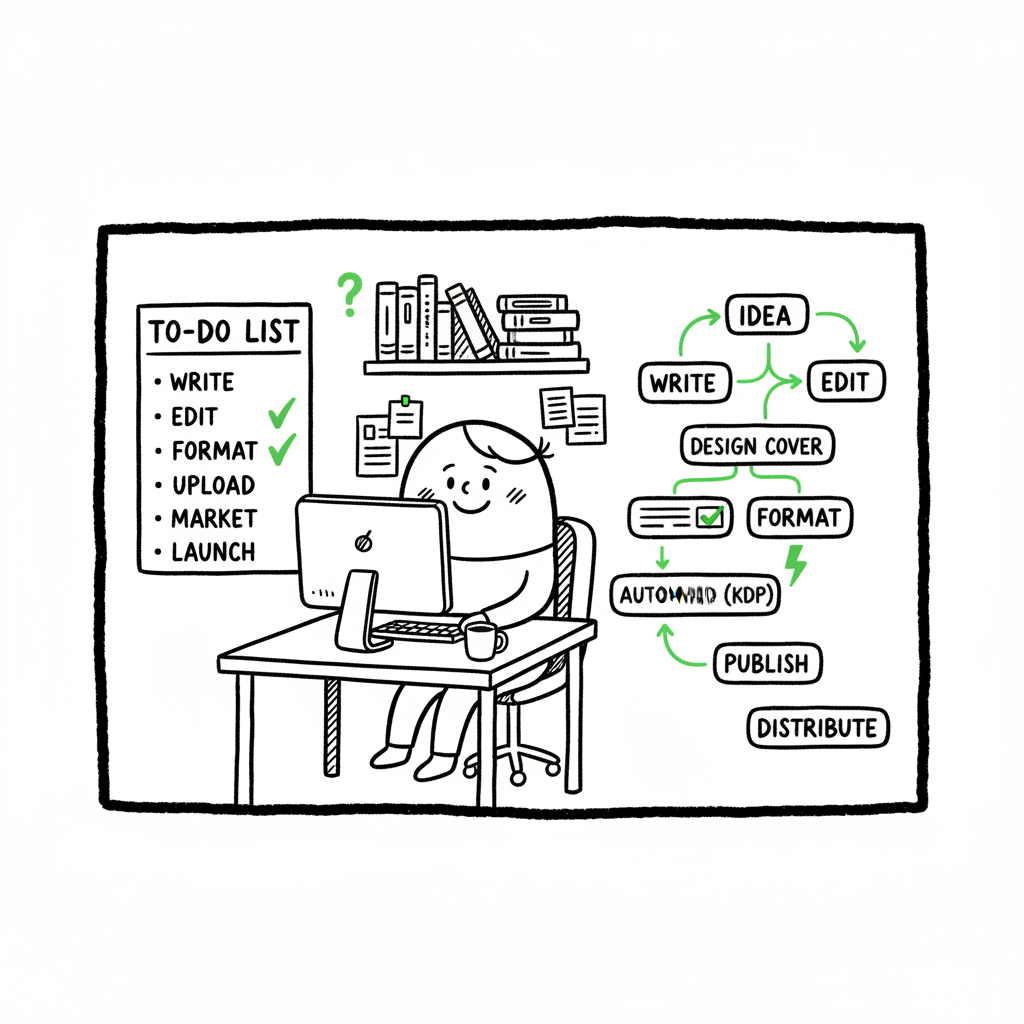
KDP Author Workflow to Build a Repeatable Publishing System
kdp author workflow: how to build a repeatable publishing system
Estimated reading time: 14 minutes
Key takeaways
- A reliable kdp author workflow turns one-off publishing tasks into repeatable steps you can batch and automate.
- Focus first on formatting, metadata, and edition matching to avoid rework; then add batch uploads and distribution to scale.
- Tools that export EPUB/DOCX, generate covers, and handle CSV uploads save time and reduce errors—so the publishing pipeline becomes the bottleneck, not manual entry.
Table of Contents
- What the kdp author workflow covers
- Formatting, covers, and file prep that prevent rework
- Batching, automation, and publishing across platforms
- FAQ
- Final thoughts
- Sources
What the kdp author workflow covers
The phrase kdp author workflow describes the full set of steps an author follows to take a manuscript from draft to live on Amazon. At its simplest, the workflow includes preparing the manuscript, creating a cover, writing metadata, uploading files, previewing, and setting pricing and rights. If you want to streamline kdp author process at scale, you must treat these steps as a system rather than one-off chores.
Start by documenting every action you take when you publish a book: file names, export formats, cover dimensions, keyword lists, and the exact metadata fields you fill on KDP. That documentation becomes a playbook. When you have ten books, you should be repeating the same sequence with predictable files and labels. And when you want to publish beyond Amazon, the same playbook becomes your template for other platforms.
If you’re new to Kindle publishing, an early reference that helps is Amazon KDP for Authors; it explains how KDP expects files and metadata and why some fields can’t be changed after publishing. Use that guidance to design each step of your workflow so you avoid common traps like mismatched series titles or incorrect trim sizes.
Why the workflow matters
- Consistency reduces errors. The same metadata pattern applied across editions means Amazon will link ebook and paperback editions automatically.
- Speed scales. When you batch preparation, uploads move from minutes per title to seconds per title.
- Control improves. Predictable files mean fewer surprises in previews and fewer corrections after review.
Formatting, covers, and file prep that prevent rework
A large share of publishing problems come from files that don’t match platform specs. Fixing those problems after upload wastes time. Invest first in formats and assets that meet requirements across platforms so you can reuse them.
Manuscript files
KDP accepts EPUB for ebooks and DOCX for some print options. Use a tool that exports clean EPUBs and validated DOCX. Clean means proper headings, consistent chapter breaks, a working table of contents, and correct image handling. Good exports avoid manual cleanup in the KDP previewer.
If you need a reliable conversion step in your workflow, consider an EPUB converter that handles common issues like image sizing, TOC generation, and CSS cleanup. Converting early and checking the EPUB in multiple readers catches layout issues before upload.
Covers and print templates
Covers fail for two reasons: wrong dimensions or wrong file type. For ebooks, the image must meet pixel dimensions and file size limits. For paperbacks and hardcovers, the cover must include a spine and back if you submit a full wrap. Use a consistent cover template for each trim size to stop repetitive resizing.
If you do cover design inside your workflow, use a cover generator that produces platform-ready files and accounts for bleed, spine width, and text-safe areas. A generator that outputs both ebook and print-ready covers speeds the process and reduces mistakes.
Creating ebook and paperback files
When you create an ebook or print-ready PDF in the same system, you cut down duplicate work. A predictable file naming scheme is essential: title_trim_format_version (for example, QuietHours_6x9_paperback_v1). That naming pattern helps your batch upload tool match files to metadata rows.
Practical checks before upload
- Open the EPUB in two readers and the PDF in a print-preview app.
- Confirm page counts and spine width for print.
- Check that the title and author match exactly across ebook and print files for series linking.
- Verify images are embedded and at acceptable resolutions.
Batching, automation, and publishing across platforms
Once you have reliable files, the time sink is manual metadata entry on multiple storefronts. That’s where batching and automation change the game.
Why multi-platform matters
Publishing only to Amazon limits reach. Distributing to Kobo, Apple Books, Draft2Digital, and Ingram widens availability. The downside is more places to upload the same metadata and files. A smart process treats multi-platform publishing as a single operation: prepare once, publish many.
Batch uploads with CSV
Create a spreadsheet that contains one row per edition and columns for each platform’s required metadata. Include file paths for the manuscript and cover. When you use a CSV-driven upload tool, you can submit hundreds of titles without retyping descriptions or keywords. CSV batch uploads are how publishers scale from a few titles to dozens.
Platform-specific intelligence
Not every platform uses the same fields. Your process must include a translator step that maps your standard metadata fields to each storefront’s requirements. For example, a “subtitle” column in your master sheet might be split into “edition subtitle” and “marketing subtitle” for different stores. A platform-aware upload system applies those mappings automatically.
Where automation helps most
- Repeating metadata entry across stores
- Matching ebook and paperback editions for auto-linking
- Generating platform-appropriate cover and interior files
- Applying price and royalty rules consistently
BookUploadPro and the operational lift
When authors start publishing seriously, a service that automates repetitive uploads becomes an obvious upgrade. BookUploadPro automates unified multi-platform publishing with CSV batch uploads and platform-specific intelligence. For many users, that delivers around 90% time savings on upload tasks, fewer format errors, and a practical way to own wider distribution.
How to phase automation into your process
- Validate a single title manually, and lock the file and metadata templates.
- Move to a small batch of similar titles and test CSV uploads.
- Let the system handle platform mapping and monitor the first automated run.
- Scale up once you confirm error rates are low and links between editions work.
Common automation pitfalls and how to avoid them
- Not standardizing fields: Use a single metadata schema before batching.
- Missing file naming rules: Files must match the CSV exactly.
- Skipping previews: Even automated uploads should include a preview step on each platform.
Operational tips for efficient kdp publishing steps
- Keep a reference spreadsheet with KDP’s required fields and validation rules.
- Use consistent keywords and categories across editions, but test variations through marketing experiments.
- Keep a changelog for any updates to metadata or files so you can trace problems later.
Practical examples
- Series editions: Make the series name and numbering identical in the spreadsheet so Amazon auto-links the editions.
- Price updates: Store a pricing plan in your spreadsheet and apply it as a single batch update.
- Territory rights: Use a rights column and let the upload system set distribution options consistently.
Internal tools in the workflow: what to build and what to buy
A small team can build scripts that rename files and generate a CSV. For authors and small publishers, a hosted service that understands each platform saves more time than building custom tooling. The break-even point is usually when you publish several titles per year and want predictable, low-effort distribution.
Integrating cover and format helpers
Include a cover generator in your process so the cover files are output-ready for every platform. Add an EPUB conversion step so ebook files pass KDP’s validation the first time. These are small investments that cut review cycles.
- If you create covers regularly, add a checked cover step linked to your template library using a book cover generator that enforces bleed and spine rules.
- If you convert manuscripts often, include an EPUB converter in your pipeline to standardize output for ebook stores.
By building these steps into the process, you prevent manual fixes that break batch runs and reduce the chance of rejections or poor previews.
FAQ
Q: What is the single most important change to improve a kdp author workflow?
A: Standardize your files and metadata. Once you create repeatable templates for manuscript files, covers, and metadata, most other improvements (batching, automation, wider distribution) follow quickly.
Q: Do I need special software to publish on multiple platforms?
A: You don’t strictly need new software, but a service that supports CSV batch uploads and platform mappings will save significant time and reduce errors compared with manual entry.
Q: How does formatting differ between ebook and print?
A: Ebooks use flowing layouts (EPUB) with reflowable text. Print requires fixed page sizes, margins, and often a different interior file (PDF) or a correctly styled DOCX that generates a PDF. Make both formats part of your standard output.
Q: Can I change title or author after publishing?
A: Some fields are locked or difficult to change after publishing. That’s why consistency across files and metadata before release is critical. If you rely on series linking, titles and author names must match exactly.
Q: Where do I start if I want to publish 20+ titles?
A: Start with one clean template, test batch uploads for a small set of similar titles, and then move to fully automated CSV uploads once errors are minimal.
Final thoughts
A repeatable kdp author process is not about shortcuts. It’s about turning ad hoc tasks into predictable operations. That predictability makes scaling realistic. You reduce errors, speed up releases, and open distribution to multiple stores without multiplying busywork.
If you publish across formats, link your cover and file prep to the upload step. Use a cover generator that produces print-ready and ebook art. Use an EPUB converter to standardize ebook output. Both cut preview problems and avoid rework.
When you reach the point that manual uploads cost more time than you can spare, a batch-driven service that understands each platform becomes an obvious upgrade. BookUploadPro automates unified multi-platform publishing with CSV batch uploads, platform-specific intelligence, and error reduction—making wide distribution practical and affordable. Automate the upload. Own the distribution.
Sources
- https://livingwriter.com/blog/how-to-publish-a-book-on-amazon-2025-kdp-guide/
- https://kdp.amazon.com/help/topic/G202172740
- https://damyantiwrites.com/kindle-direct-publishing/
- https://kdp.amazon.com/help/topic/GHKDSCW2KQ3K4UU4
- https://kdp.amazon.com/help/topic/GUGQ4WDZ92F733GC
kdp author workflow: how to build a repeatable publishing system Estimated reading time: 14 minutes Key takeaways A reliable kdp author workflow turns one-off publishing tasks into repeatable steps you can batch and automate. Focus first on formatting, metadata, and edition matching to avoid rework; then add batch uploads and distribution to scale. Tools that…