Publish Same Book Everywhere Practical Guide for Authors
How to publish same book everywhere: a practical guide for authors
Estimated reading time: 18 minutes
Key takeaways
- You can publish same book everywhere without exclusivity if you plan metadata, ISBNs, and timing carefully.
- Use a mix of direct retailer accounts and aggregators, and automate repetitive uploads to save time and reduce errors.
- BookUploadPro and simple conversion tools make wide distribution practical for authors who publish at scale.
For a practical blueprint to automate multiple uploads, see Publish Wide Self Publishing Workflow.
Table of Contents
- Why go wide and what it means
- Planning and timing for simultaneous releases
- Technical steps to publish same book everywhere
- Frequently asked questions
Why go wide and what it means
Many authors ask whether they should publish same book everywhere. “Going wide” means listing your book on as many stores as makes sense: Amazon, Apple Books, Kobo, Barnes & Noble, Google Play, and independent channels through aggregators. The goal is simple—more stores, more readers, and more stable income streams.
Going wide matters when you want discoverability outside Amazon, want to reach readers who prefer other stores, or plan to sell in bookstores that rely on Ingram distribution. It also reduces single-point reliance: if one retailer changes policy, other channels can keep selling.
If you’re looking for an operational blueprint to automate multiple uploads, see our Publish Wide Self Publishing Workflow. That page walks through how to move from single uploads to repeatable, batchable publishing tasks.
What wide distribution does not mean
- It does not require different titles on each store. Using the same title and consistent metadata is usually best.
- It does not require giving up Amazon entirely. You can list across stores but must avoid KDP Select if you want ebook sales outside Amazon during the Select period.
- It does not remove the need for basic quality control: clean interior files, correctly sized covers, and accurate metadata still matter.
Why authors choose wide distribution
- Diversified revenue: different stores differ by region and audience.
- Long-term discoverability: library and bookstore access often require Ingram distribution.
- Control: you own your files and publishing process, which makes pricing and updates easier.
Planning and timing for simultaneous releases
A realistic schedule makes simultaneous or near-simultaneous publishing possible. Wide distribution requires coordination across formats: ebook, paperback, and audiobook. Each format has its own lead times and distribution quirks.
Basic timeline rules
- Ebook: can be uploaded and put on preorder at most retailers. Give yourself 4–8 weeks if you want all stores to show the preorder.
- Paperback: Amazon KDP does not support proper preorders. If you want a preorder that reaches bookstores, use IngramSpark or a POD provider that supports preorder and allow 8–12 weeks lead time.
- Audiobook: production and distribution (ACX, Findaway) require separate timelines and approvals; allow 8–12 weeks depending on narrator and QA.
Metadata and ISBN planning
- Use consistent metadata (title, subtitle, author name, series data) across platforms. Inconsistent metadata fragments sales and reviews.
- ISBN strategy:
- You can use the same ISBN for a single format across retailers (one ISBN per format edition).
- If you publish the same paperback through KDP Print and IngramSpark, decide whether to use the same ISBN and manage distribution territories carefully.
- Some authors use platform-assigned ISBNs for convenience, but that can complicate bookstore orders later. Own your ISBNs where possible.
Avoiding exclusivity traps
- Amazon KDP Select requires 90-day ebook exclusivity. If you enroll, you cannot distribute the same ebook elsewhere during the active period. If wide distribution is the plan, do not enroll the ebook in Select.
- If you want to test Amazon benefits first, consider delaying wide release until after Select ends, but remember this adds complexity for preorder and print coordination.
A few practical checks before launch
- Confirm EPUB and MOBI (where used) meet retailer specs.
- Double-check cover spine, margins, and bleed for print.
- Verify EPUB reflow and table of contents.
- Make a simple schedule that lists each retailer, required file format, preorder status, and expected publication date.
Technical steps to publish same book everywhere
This section walks through the actual work you will do. The aim is not to be exhaustive for every retailer but to give a repeatable process you can use across titles.
Step 1 — Prepare master files
- Manuscript: clean, final interior in a neutral source (Word or final print PDF).
- Ebook: a validated EPUB for most retailers. Use a reliable converter or service to avoid reflow and TOC issues. If you need a dependable converter, consider tools that specialize in EPUB conversion.
- Paperback: print-ready PDF with correct trim size, margins, and embedded fonts.
- Cover files: separate images sized for each retailer’s spec (ebook covers, print wrap PDFs). If you need a fast way to create and process covers, use a cover tool that handles retailer sizes and export presets.
Step 2 — Choose distribution channels
- Direct-to-retailer: Create accounts at Amazon KDP, Apple Books, Kobo Writing Life, and Barnes & Noble Press. Direct accounts give the most control over pricing and detail.
- Aggregators: Use Draft2Digital, Smashwords, or similar services to push to multiple retailers with one upload. Aggregators simplify rules and regional distribution but charge a cut of sales.
- Print via IngramSpark: For bookstore reach beyond Amazon, IngramSpark plus your chosen print partner is essential. KDP Print handles Amazon printing well, but IngramSpark enables wider bookstore distribution.
Step 3 — ISBN and edition mapping
- Assign one ISBN per format edition (ebook, paperback, hardcover, audiobook). Use the same ISBN for the same paperback edition across retailers if you want stores to recognize the same edition; otherwise, expect separate listings.
- Keep a simple spreadsheet mapping ISBN, retailer IDs (ASIN, Apple ID), price, and publication date.
Step 4 — Upload sequence and timing
- Upload the ebook first if you plan a preorder. Set the same publication date across retailers where possible.
- Upload print files to IngramSpark early if you want bookstore-friendly distribution. KDP Print can follow, but be careful with expanded distribution settings.
- Upload audiobooks independently.
Step 5 — Pricing and royalties
- Price consistently but adapt to retailer norms: some stores require specific minimums or percentages.
- Check royalty splits: aggregator-distributed titles often have different payout structures.
- Set pricing and currency per retailer. Some authors set a central list price and let retailers convert local currency.
Tools and quality control to scale
When you publish multiple books, repetitive tasks take time. Automating uploads, tracking metadata, and using CSV batch processes saves hours per title.
Batch uploads and CSVs
CSV batch uploads let you push multiple titles at once to services that support them. Keep a master CSV template that matches the retailer or aggregator format. A consistent naming scheme for files helps automation tools pair cover and interior files correctly.
Automation and platform intelligence
Manual uploads are fine for one title. As you scale, automation shifts work from repetitive uploads to strategy. Automation tools that know platform-specific rules reduce submission errors and save time.
How BookUploadPro helps
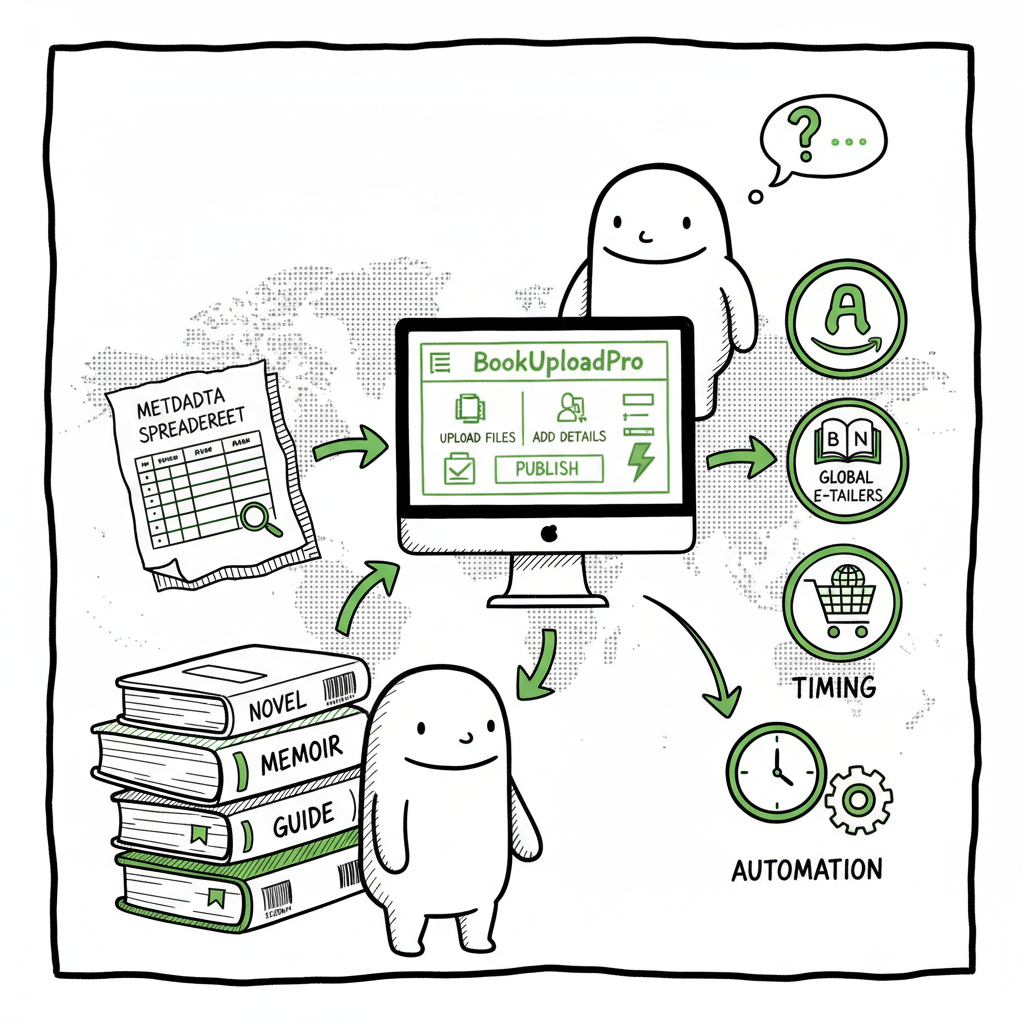
BookUploadPro helps by providing unified multi-platform publishing, batch uploads, and intelligent field mapping.
– Unified multi-platform publishing: push to Amazon KDP, Kobo, Apple Books, Draft2Digital, and Ingram from a single interface.
– ~90% time savings on repetitive uploads through batch CSV uploads and intelligent field mapping.
– Platform-specific intelligence that sets correct file types and retailer fields to avoid common rejections.
– Error reduction by validating files and metadata before upload.
– Affordable pricing and a free trial make it an obvious upgrade once authors publish seriously. Automate the upload. Own the distribution.
Automate the upload. Own the distribution.
Visit BookUploadPro.com to try the free trial.
Cover, EPUB, and ebook creation (tool notes)
- If you need a cover generator or processing pipeline that outputs retailer-ready images, see a cover processing tool.
- For EPUB conversion, use a converter that preserves structure and generates clean navigation and TOC.
- For generating paperback or ebook files, use a trusted file creator that manages templates and fonts.
Links to specific helpers
- A reliable cover processor can speed up repeated projects and ensure compliance with specs.
- A dedicated EPUB converter reduces reflow issues and retailer rejections.
- For bulk book creation and automated steps, use platforms that support batch operations and store-specific presets.
BookAutoAI links (tool references)
- For automated cover preparation, consider a cover processing tool that standardizes sizes and export options.
- For reliable EPUB generation, consider an EPUB converter that validates output for retail platforms.
- For creating and managing paperback and ebook files in one place, consider services that support both formats and batch workflows.
Quality checks and post-launch
After publication, confirm listings at each retailer and compare metadata.
Monitor reviews and delivery reports for download errors.
Keep a change log for each title so updates are trackable and reversible.
Making wide distribution practical
The strategy is straightforward, but the work can be tedious. The practical path is to set up a reliable process, then automate what you can. That means templates for metadata, a master CSV for uploads, consistent ISBN use, and a batch file for cover and interior naming.
If you have a growing catalog, the time saved compounds. One title’s manual upload might take several hours; a catalog of 20 titles becomes a project without automation. That’s where unified multi-platform publishing tools and batch processes shift publishing from a one-off task to a managed operation.
FAQ
Q: Can I put the same ebook on Amazon and other stores?
A: Yes, as long as you do not enroll in KDP Select for that ebook. KDP Select requires 90-day exclusivity, so skip Select or wait until the period ends to go wide.
Q: Do I need different ISBNs for each store?
A: Not for ebooks. For print editions, assign one ISBN per edition and format. Using the same ISBN for the same paperback edition across retailers helps bookstores and systems recognize the title as the same product.
Q: Should I use aggregators or upload directly?
A: Use both where it makes sense. Direct uploads give control; aggregators reduce hands-on time for many stores. Aggregators take a cut but simplify workflow. For bookstore reach, use IngramSpark for print.
Q: How do I avoid duplicate listings?
A: Keep metadata consistent—same title, subtitle, author name, and ISBN where appropriate. If platforms create duplicates, contact the retailer to merge listings or update metadata until entries align.
Q: What file formats do I need?
A: EPUB for most ebook stores, PDF for print (print-ready with correct trim and bleed), and platform-specific audio files for audiobooks. Validate EPUB files and test them in reader apps.
Q: How long will it take to publish across stores?
A: If you prepare files and metadata in advance, ebook uploads can be done in a few days across multiple stores; print takes longer due to review and proofing; expect 4–12 weeks if you want preorder and broad distribution.
Q: Can automation tools handle price and territory differences?
A: Yes. The best tools map a single price to retailer-specific fields and let you adjust territory settings. Platform intelligence reduces configuration errors.
Sources
- Self-Publish all formats and publish them on the same day
- Can You Self-Publish a Book on Multiple Sites? – BookBaby Blog
- Publish Your Ebook on Multiple Platforms Without Breaking Terms
- How to Self-Publish With More Than One Print on Demand Company
- Publishing books at another platforms along with KDP (KDP Community)
How to publish same book everywhere: a practical guide for authors Estimated reading time: 18 minutes Key takeaways You can publish same book everywhere without exclusivity if you plan metadata, ISBNs, and timing carefully. Use a mix of direct retailer accounts and aggregators, and automate repetitive uploads to save time and reduce errors. BookUploadPro and…