How to Self Publish on Multiple Platforms Step-by-Step
How to self publish on multiple platforms without burning time
Estimated reading time: 9 minutes
Key takeaways
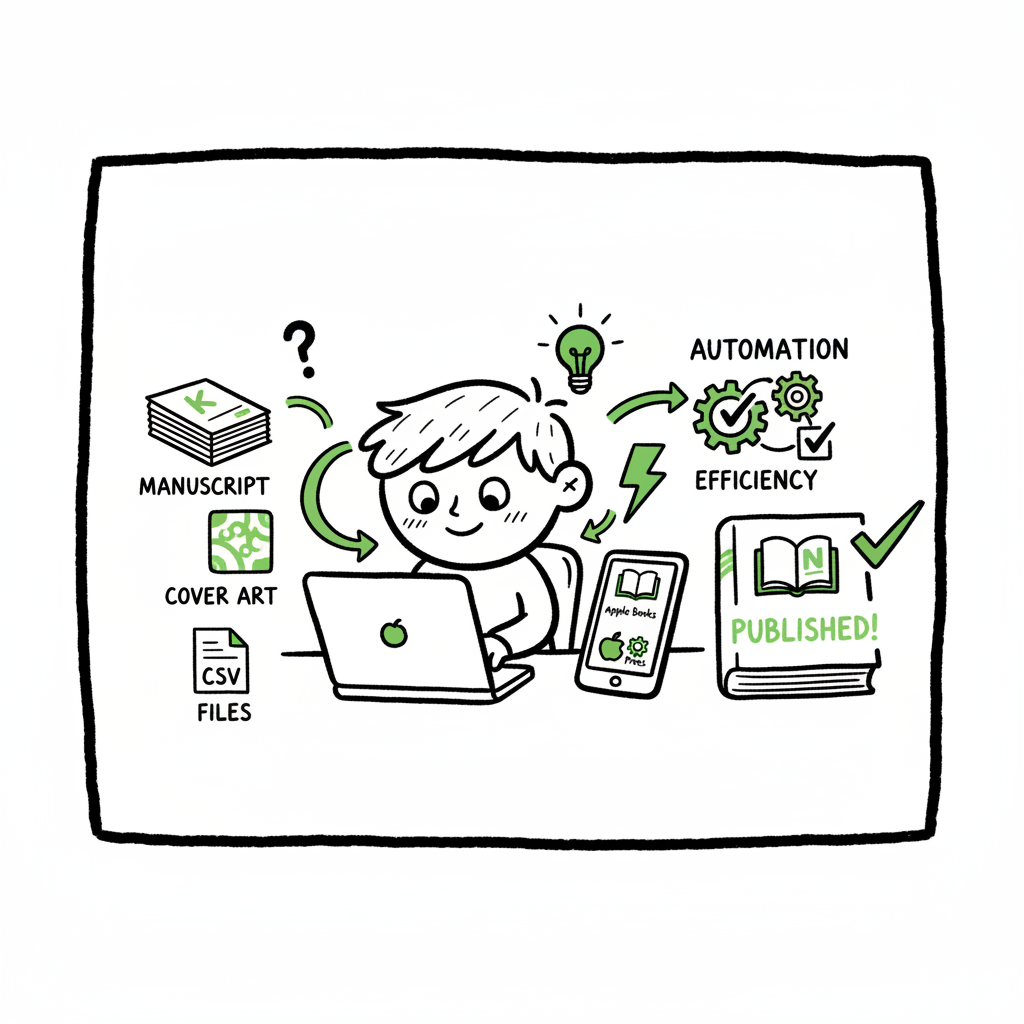
- Publishing wide means preparing a single master package (manuscript, metadata, cover) that fits multiple retailers and formats.
- Multi-platform self publishing is practical when you automate uploads, use CSV batch tools, and apply platform-specific intelligence.
- BookUploadPro automates repetitive uploads across Amazon KDP, Kobo, Apple Books, Draft2Digital and Ingram, saving roughly 90% of the manual work.
- Focus on clean files, consistent metadata, and a repeatable workflow — then scale by batching and monitoring distribution.
Table of Contents
- Why self publish on multiple platforms
- Build one master package, output many editions
- Automate uploads and scale with CSV batches
- Pricing, rights, and managing updates across retailers
- Operational checklist and final thoughts
- FAQ
- Sources
Why self publish on multiple platforms
Most indie authors start on a single retailer and then decide to self publish on multiple platforms when they want wider reach or more control. That decision is sensible, but it changes how you operate. Instead of uploading one book once, you need a repeatable, low-friction process that adapts to differences in file requirements, royalties, and distribution windows.
A practical way to approach this is to design a single master package that you can reuse and adapt. If you want a tested, repeatable path for scaling distribution, our Publish Wide Self Publishing Workflow explains how to move from single uploads to a predictable, repeatable process that reduces mistakes and keeps all editions in sync. This is the kind of operational change that turns occasional publishing into a scalable program.
Build one master package, output many editions
Start by treating each book as a product with a canonical source. That source is what you keep updated and use to generate every retailer-specific file. The master package typically contains:
- Clean manuscript files: a plain-text or Word source plus format-specific exports
- Interior formatting styles: templates for paperback and ebook
- High-resolution cover art: one master design that can be cropped or resized for each platform
- Metadata spreadsheet: title, subtitle, series, author name(s), BISAC, keywords, description, language, ISBNs, pricing, territories
- Distribution plan: which retailers, which formats, whether you opt for exclusive programs (like KDP Select) or wide distribution
Why this matters
- Consistency prevents listing errors and wrong metadata that kills discoverability.
- One source of truth makes updates (price changes, new covers, corrections) trivial to propagate.
- It simplifies royalty tracking and sales reconciliation.
Files and format notes
- EPUB is the universal ebook format for most stores, but each platform has specific quirks. Convert your master document to a clean EPUB and validate it. If you need a reliable conversion tool, consider an EPUB converter to generate compliant files quickly.
- Pocket and hardcover interiors use print-ready PDFs with exact trim, bleed, and margin settings. Keep a single layout file and export to the required PDF specs for each retailer.
- Covers should begin with a single high-resolution design. Use a book cover generator when you need consistent, fast iterations or multiple sizes for different distributors.
Automate uploads and scale with CSV batches
When you move beyond a few titles, manual uploads become the bottleneck. Automation and batch uploads are how you scale without hiring dozens of contractors. Automation does three things well: it repeats the correct steps, applies platform-specific intelligence, and prevents human errors.
Why batch uploads matter
- Uploading dozens or hundreds of titles by hand multiplies small mistakes. CSV or XML batch imports let you push consistent metadata and files in one go.
- Platform-specific intelligence means your tool knows KDP expects a different file name or metadata field than Ingram or Apple Books. That intelligence translates to fewer rejected uploads.
- Error reduction saves time. One rejected record can stop a week of work; automation flags the exact issue so you can fix it quickly.
How to set up a batch workflow
- Create a metadata spreadsheet that matches the fields required by your target retailers.
- Link each row to the correct master EPUB, PDF, and cover files.
- Use a publishing tool that supports multi-platform CSV uploads and maps your spreadsheet fields to each retailer’s API or portal.
- Run a dry import to catch syntax, ISBN, or file errors before you go live.
- Monitor the upload queue and adjust settings for territories and pricing.
Practical tools and what they do
- Multi-platform publishing services let you automate the mapping and upload. They handle CSV templates, API differences, throttling, and error reports.
- If you still need quick manual conversions, use a trusted EPUB converter that cleans and validates the file before upload.
- For covers, a consistent source plus a book cover generator reduces the time spent resizing and re-exporting art for different trim sizes and marketplaces.
BookUploadPro fits here as the automation layer that connects your master package to retailers. It automates repetitive uploads across Amazon KDP, Kobo, Apple Books, Draft2Digital, and Ingram. Features that matter at scale:
- CSV batch uploads that map to each platform’s requirements
- Platform-specific intelligence to reduce rejects
- Centralized error reports and fixes
- Significant time savings — about 90% for routine uploads
- Affordable pricing and a free trial, making it an obvious upgrade once authors start publishing seriously
If you’re trying to move from a handful of titles to a steady program of releases, automating the upload is what changes the math: fewer hours spent on logistics and more hours on writing and promotion. Automate the upload. Own the distribution.
Pricing, rights, and managing updates across retailers
When you publish wide, you control pricing and rights per retailer. That control is valuable but adds operational work: different platforms have different royalty tiers, minimum list price rules, and promotional options.
Basic pricing rules per platform
- Amazon KDP: different royalties depending on list price bands and delivery costs for KDP Select vs. wide trade.
- Ingram and print distributors: net terms and wholesale discounts affect list prices and returns policies.
- Apple Books, Kobo, and others: often simpler royalty bands but still require correct metadata and territory settings.
Rights and exclusivity
- Exclusive programs like KDP Select require exclusivity for certain ebook files. If you enroll, you must withhold that manuscript from other ebook retailers during the enrollment period.
- Paperback and hardcover formats are usually fine to distribute widely, but you need consistent ISBNs and distributor settings.
A practical approach to pricing and rights
- Maintain a single pricing sheet in your master metadata. Use it to calculate list price, net, and expected royalties across retailers.
- When you change a price or update content, propagate the update through your workflow tool so all retailers receive the change.
- Track territories carefully. If you withhold world rights from a retailer, reflect that in the distribution flags before upload.
Handling updates and corrections
- Small corrections are common: typos, formatting issues, or cover tweaks. Your workflow should make it simple to replace a file and resubmit metadata without reentering everything.
- Use a publisher dashboard or CSV process that supports versioning or update mode so a single row change triggers an update across the selected retailers.
- Keep change notes for every revision so you can explain changes during audits or support requests.
Operational checklist and final thoughts
At scale, publishing is operational work. The authors who succeed are the ones who systematize the process and reduce friction. Here’s an operational checklist you can follow and adapt:
- Master assets
- Keep one source manuscript, one interior template for print, and one EPUB master.
- Keep one high-resolution cover file and export platform-specific versions from it.
- Use a book cover generator when you need multiple sizes quickly and consistently.
- Metadata control
- Maintain a single metadata spreadsheet that covers all retailer fields you use.
- Include fields for territories, pricing, ISBNs, keywords, categories, and series order.
- Conversion and validation
- Convert to EPUB and validate it before any upload; use an EPUB converter to ensure compliance.
- Export print-ready PDFs for paperbacks and hardcovers, checking trim, bleed, and margins.
- Upload automation
- Use CSV batch uploads with platform-specific mapping to push many titles at once.
- Monitor error reports and fix issues by editing the source row, then re-running the upload.
- Distribution management
- Decide on exclusivity vs. wide distribution per title.
- Track promotions and windowed pricing across platforms.
- Pricing and royalties
- Keep price calculations in your master spreadsheet and update them across retailers via the batch process.
- Record expected royalty splits and verify actual royalties with monthly reports.
- Post-release ops
- Set a schedule to check listings, cover displays, and retailer pages after release.
- Track sales channels and prioritize support tickets from the retailers with the highest revenue.
At any stage, a multi-platform publishing automation service becomes an obvious upgrade. When you start publishing seriously, you don’t want to waste time copying and pasting metadata into five different portals. A service that provides CSV batch uploads, platform-specific intelligence, and centralized error handling reduces rework and keeps your catalog consistent.
Final thoughts
Scaling multi-platform self publishing is not a mystery. Treat each book as a product, keep a canonical source, and invest in automation for repetitive work. The combination of clean files, a strict metadata regime, and batch upload tooling makes wide distribution practical — not just for big presses, but for independent authors who want steady, reliable distribution across retailers.
FAQ
Q: Can I publish the same ebook everywhere at once?
A: Yes. You can publish the same EPUB to Amazon, Apple Books, Kobo, and others, but watch exclusivity programs. If you enroll in an exclusive program (for example, KDP Select), you must keep that ebook exclusive to that platform for the enrollment period.
Q: Do I need different ISBNs for each format?
A: Yes. Each distinct format (ebook, paperback, hardcover) should have its own ISBN. Some retailers will provide platform-specific identifiers, but using proper ISBNs keeps distribution clean.
Q: How do I handle cover specs for different retailers?
A: Start with a single high-resolution source. Export sizes for each retailer based on trim size and bleed requirements. If you need a fast way to produce multiple sizes, use a book cover generator to create compliant variants from the master file.
Q: What’s the best way to update a book after publication?
A: Update the master source, export new files, and push the update via your batch upload tool. Avoid re-uploading as a new title. Use the update function so your listings keep the same sales history and links.
Q: Is it cheaper to go wide or stay exclusive on one platform?
A: It depends on your goals. Exclusivity can boost promotional options on a single platform, but wide distribution increases discoverability across different reader ecosystems. Operationally, automation reduces the incremental time and cost of going wide.
Sources
- https://kdp.amazon.com
- https://www.ingramspark.com
- https://www.draft2digital.com
- https://www.kobo.com
- https://books.apple.com
How to self publish on multiple platforms without burning time Estimated reading time: 9 minutes Key takeaways Publishing wide means preparing a single master package (manuscript, metadata, cover) that fits multiple retailers and formats. Multi-platform self publishing is practical when you automate uploads, use CSV batch tools, and apply platform-specific intelligence. BookUploadPro automates repetitive uploads…