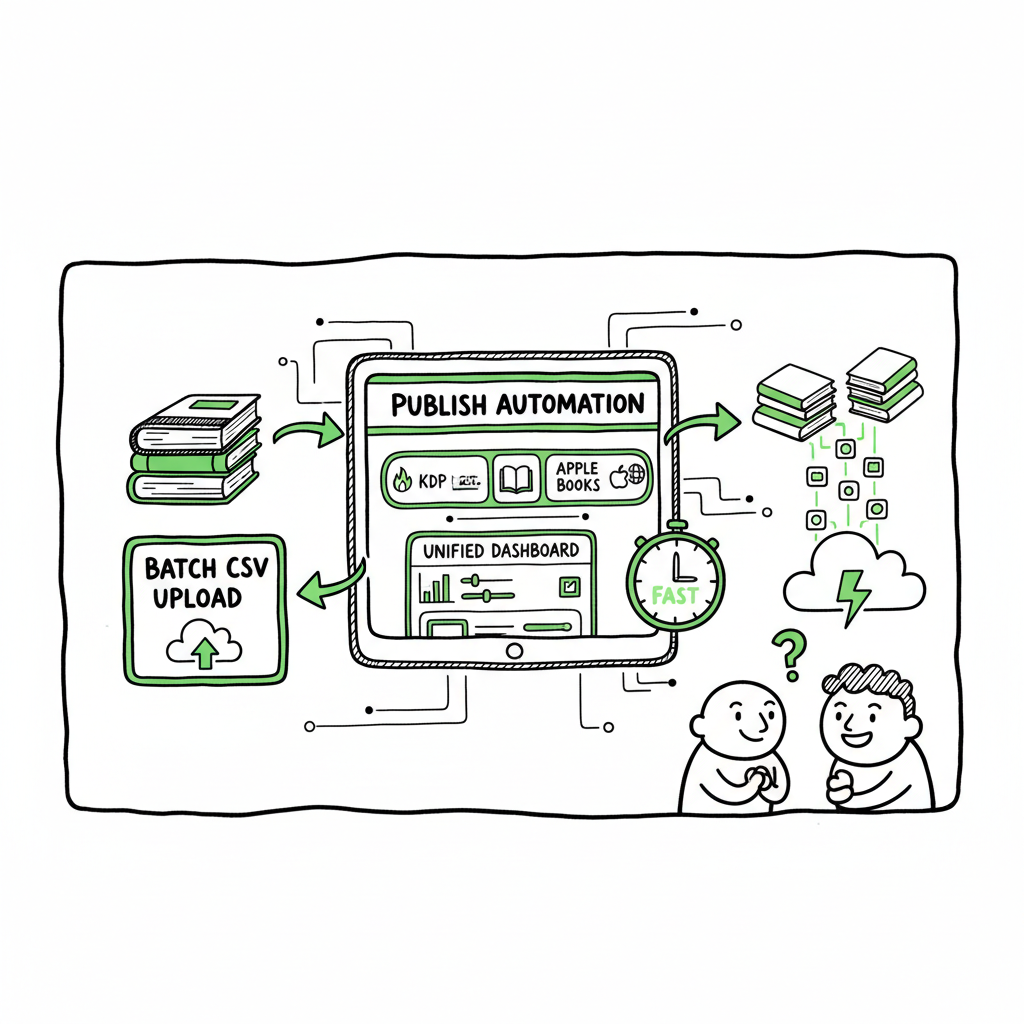
Book Publishing Automation for KDP, Kobo and Ingram
Book Publishing Automation: How to Publish Faster Across KDP, Kobo, Apple Books, and Ingram
Estimated reading time: 8 minutes
Key takeaways
- Book publishing automation cuts repetitive upload work and centralizes distribution across major stores.
- Use batch CSV uploads and platform-specific settings to avoid errors and speed scaling.
- BookUploadPro offers a unified dashboard that saves roughly 90% of upload time for authors publishing seriously.
Table of Contents
- What is Book Publishing Automation?
- Why automation matters for multi-platform authors
- Implementing automated uploads with BookUploadPro
- FAQ
What is Book Publishing Automation?
Book publishing automation uses tools to take repetitive publishing steps off your plate. Instead of logging into Amazon KDP, Kobo, Apple Books, Draft2Digital, and Ingram one by one, you prepare a single set of files and metadata and let software push them to each store with platform-aware settings.
Automation handles:
- Batch uploads from a CSV or spreadsheet.
- Format checks for EPUB, PDF, and platform specs.
- Per-store options like territories, price, and categories.
- Status tracking and error reports.
When the process is disciplined, automation stops upload tasks from being the bottleneck. That makes it practical to publish dozens of titles, updated editions, or multiple formats without a big team.
For more on practical publishing workflows, visit the BookUploadPro blog.
See a deeper overview here: What Is Book Publishing Automation.
Why automation matters for multi-platform authors
Selling on more stores grows reach but multiplies work. Each retailer has unique fields and quirks. Manual entry leads to small mistakes that cost time—mismatched metadata, wrong cover size, or missing files. Automation reduces those errors by applying platform-specific intelligence and repeatable rules.
What automation buys you:
- Time savings: well-built systems cut upload time by up to ~90% compared with manual entry.
- Consistency: one source of truth for metadata and assets.
- Scale: batch CSV workflows let you push tens or hundreds of titles from one interface.
- Fewer rejections: pre-checks reduce avoidable errors that delay listing.
Practical benefits are simple: fewer repetitive steps, fewer logins, and fewer last-minute format fixes. For authors who publish regularly, automation becomes an obvious upgrade.
Implementing automated uploads with BookUploadPro
If you publish more than a handful of books, set up a repeatable publishing pipeline. Here’s a practical approach based on how teams run volume publishing at scale.
- 1) Prepare a reliable source file
Start with a clean spreadsheet or CSV that holds title, subtitle, author name, series data, description, ISBN, price, territories, and file names for manuscript and cover. Keep each field normalized—same case, consistent date format, and one value per cell. This CSV becomes your single source for all platforms. - 2) Standardize your assets
Use properly sized covers and export manuscripts to the formats each retailer needs. If you want one-click creation of retail-ready files, there are converters that handle EPUB and other exports. For authors who produce both ebook and print files, consider tools that can create the final deliverables from a single master manuscript so you can create an ebook or paperback without rework. If you want one-click cover creation, see Book Cover Generator Processing. - 3) Use platform-aware rules
Good automation applies per-store rules automatically. That means the system sets KDP-only fields for Amazon, uses Kobo categories where they differ, and adapts pricing and territories. That platform-specific intelligence prevents the common problem of copying a field that simply doesn’t exist on the next store. - 4) Run batch uploads and review reports
Upload your CSV and assets to an automation tool. Let the system map fields and run a pre-check. The key is fast feedback: pick a tool that gives clear error messages and points to the exact row in your CSV that needs fixing. A single corrected CSV row should be all you need before re-running the batch.
Why BookUploadPro fits here
BookUploadPro is built for the multi-platform author who wants to stop toggling between six dashboards. It offers:
- Unified multi-platform publishing from one dashboard.
- CSV batch uploads for rapid scaling.
- Platform-specific intelligence to reduce format and metadata errors.
- Significant time savings—authors report up to ~90% faster uploads compared to manual work.
BookUploadPro is an obvious upgrade once you start publishing seriously. It automates repetitive uploads and keeps a clear audit trail so you know what went live where and when. The service is affordable and includes a free trial so you can validate it on a small batch before scaling. For paperback or ebook workflows, BookAutoAI can help.
A practical tip when adopting automation
Start with a small batch (3–5 titles) and treat the first run as a rehearsal. Fix any mapping issues or asset mismatches, then expand. Keep version control on your CSVs and store a copy of the final files you sent. That makes recoveries easy and keeps your workflow repeatable.
When you produce multiple formats—ebook, paperback, or audiobook—choose a workflow that creates platform-ready outputs from a single master. If you need tools to convert manuscripts to retail-ready formats, point them at your master file and keep the final EPUB or print PDF next to the CSV row before uploading. If you plan to create a paperback or ebook from the same source, there are services that streamline that step and can save hours per title. For EPUB conversion, see EPUB Converter.
For paperback or ebook workflows, BookAutoAI can help.
FAQ
Q: Will automation replace careful review?
A: No. Automation reduces repetitive work and catches many errors, but you should still review cover visuals, read the first few pages in each retail preview, and double-check price and territory settings.
Q: Is automation safe for ISBNs and distribution rights?
A: Yes, when your CSV and assets are correct. Automation applies the exact ISBN and territory rules you supply. Keep a master file tracking which ISBNs are active and which retailer you’ve assigned them to.
Q: Do I need a developer to use these tools?
A: No. Modern tools are designed for authors and publishers. The main work is preparing a clean CSV and correct files. You’ll benefit from basic spreadsheet skills more than developer work.
Q: How do royalties and reporting work across platforms?
A: Automation handles delivery; reporting and payments still come from each retailer. Use your dashboard only for uploads and status tracking. For financial aggregation, keep a separate sheet or use accounting tools that import retailer statements.
Final thoughts
Book publishing automation is not a magic bullet. It’s a practical upgrade that removes repetitive work and makes wide distribution feasible. When combined with reliable file preparation and a single source CSV, automation lets you focus on writing, editing, and marketing rather than retyping the same details into six sites.
Automate the upload. Own the distribution.
Sources
Book Publishing Automation: How to Publish Faster Across KDP, Kobo, Apple Books, and Ingram Estimated reading time: 8 minutes Key takeaways Book publishing automation cuts repetitive upload work and centralizes distribution across major stores. Use batch CSV uploads and platform-specific settings to avoid errors and speed scaling. BookUploadPro offers a unified dashboard that saves roughly…