Book Conversion Optimization Practical Steps for Higher Sales
Book conversion optimization: Practical steps for higher sales and wider distribution
Estimated reading time: 9 minutes
Key takeaways
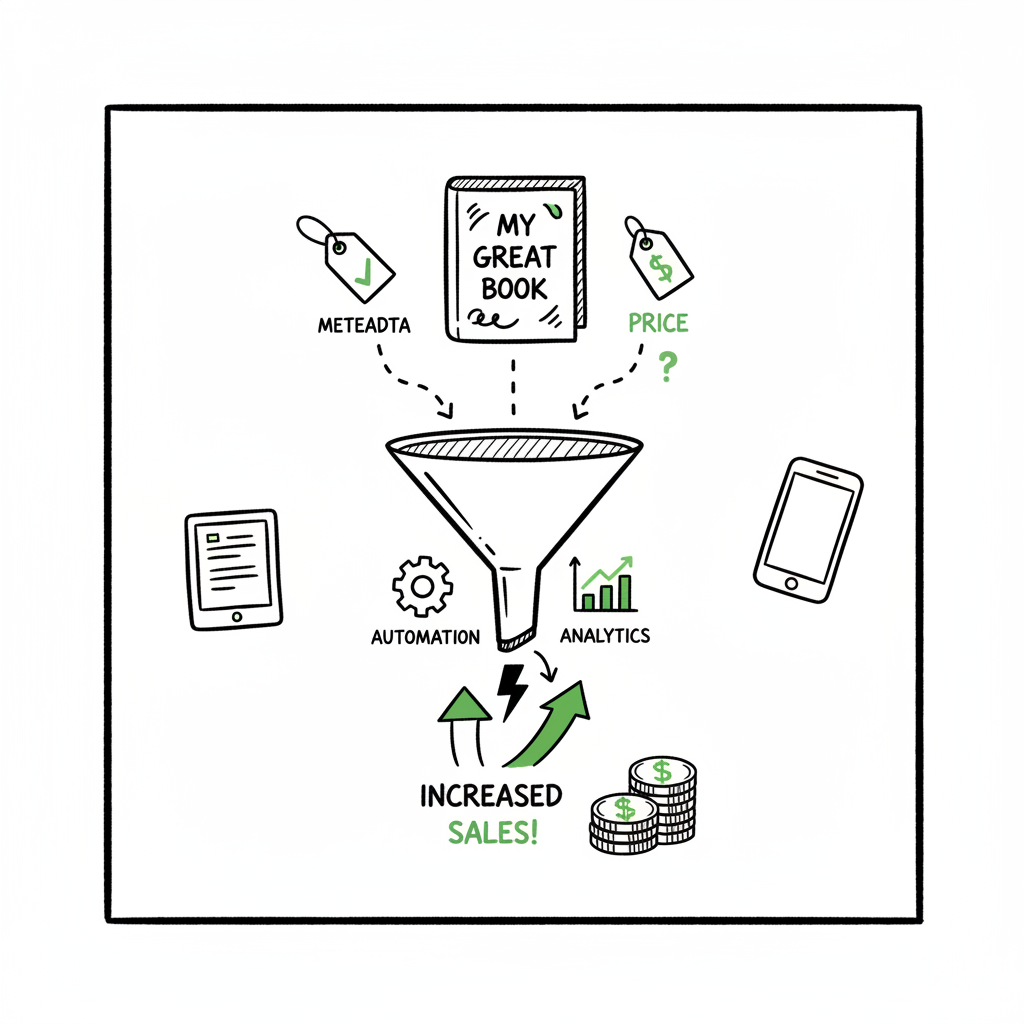
- Book conversion optimization means improving each step that turns browsers into buyers across platforms.
- Small changes to metadata, covers, files, and pricing compound—then automation scales the gains.
- Use platform-aware uploads and batch tools to save time, reduce errors, and reach more readers.
Table of Contents
- What is book conversion optimization?
- How to improve book conversion optimization
- Automating multi-platform publishing at scale
- Common pitfalls and measurement
- FAQ
- Final thoughts
- Sources
What is book conversion optimization?
Book conversion optimization is the process of improving everything that affects whether someone buys your book. That includes the cover, title, subtitle, description, categories, price, file quality, and how the book appears on each store. It also covers click-to-purchase flow on Amazon, Kobo, Apple Books, and other retailers.
Think of it as a production line: each step has a small loss rate. Improve several steps and overall sales rise. Done well, optimization keeps passive traffic working and makes paid promotions perform better.
How to improve book conversion optimization
Focus on the parts that move the needle and are repeatable across books.
1. Metadata that matches reader intent
- Title and subtitle: Use clear genre and promise language. Avoid cleverness that hides what the book delivers.
- Categories and keywords: Pick categories that balance competition and visibility. Use long-tail keywords that real readers use.
- Description: Lead with a one- or two-sentence hook, then bullets for benefits, and a short author bio. Keep it scannable.
2. Covers that read as thumbnails
Design for small images. On most stores cover thumbnails are 1:6 of the page. Strong contrast, readable title type, and a single focal image win.
If you don’t have a designer, you can use a cover generator processing tool to produce high-quality, platform-ready covers quickly. Consider automated cover processors to test variations and keep art consistent across formats: cover generator processing.
3. Clean files and format testing
Convert and validate EPUBs and print-ready PDFs before upload. A bad file can block distribution and hurt reviews.
If you regularly convert manuscripts, using a dedicated EPUB converter saves time and prevents formatting errors: EPUB converter.
4. Pricing and versions
Test price points for ebook and paperback. Many authors find sweet spots where revenue per sale and conversion balance.
Offer clear differences between formats. For example, list bonus content in paperback or bundle details in the ebook description.
5. Product pages tailored to each store
Each store displays metadata in slightly different ways. A long description that looks fine on one store can be truncated on another. Optimize each listing for the retailer’s layout.
Offer store-specific extras (sample chapters, author notes) where allowed.
6. Packaging the book creation workflow
Create formats in a consistent, repeatable way: manuscript → formatted ebook → print file → cover → metadata sheet. If you create paperbacks or ebooks regularly, a lightweight hub for generation and storage helps. For basic needs and batch tasks, there are services that streamline paperback and ebook creation: book creation workflow.
Automating multi-platform publishing at scale
Once you have a repeatable optimization process, automation turns a handful of wins into scale.
Why automation matters
- Time savings: Manual uploads to five platforms take hours per book. Batch CSV uploads and platform-aware templates cut that time dramatically—often by ~90%.
- Error reduction: Automation checks file types, image sizes, and required fields before submission. Fewer rejections, fewer delays.
- Platform-specific intelligence: Good automation maps your metadata to each store’s rules (KDP, Kobo, Apple Books, Draft2Digital, Ingram), so you don’t lose visibility because of formatting differences.
What automation does well
- Batch uploads from CSVs so you publish multiple SKUs in one pass.
- Apply platform-specific settings automatically (territories, pricing tiers, BISAC categories).
- Store validated files centrally so updates roll out cleanly across stores.
BookUploadPro fits here as an operational solution: it automates repetitive uploads across Amazon KDP, Kobo, Apple Books, Draft2Digital, and Ingram; provides CSV batch uploads; applies platform-specific intelligence; and reduces errors so wide distribution is practical. For authors who publish more than one title, automation becomes an obvious upgrade. Automate the upload. Own the distribution.
Common pitfalls and measurement
Pitfalls to avoid
- Ignoring thumbnails: Many authors focus on full-size covers and forget the thumbnail. Test covers at 1-inch width.
- One-size-fits-all listings: Don’t copy-paste a single description to every retailer without checking how it renders.
- Skipping quality checks: EPUB validation and print-proof checks catch issues that kill conversion later.
- Over-optimizing single elements: Never assume one change fixed everything. Work in small, measured steps.
How to measure improvement
- Conversion rate: Track page views to sales where possible (store dashboards, ad platforms). Even coarse signals help.
- Units per day: Baseline sales before a change, then re-measure after a steady period (7–14 days).
- Return on ad spend (ROAS): If you run promotions, see whether optimized pages lower cost per sale.
- Error rate and time to publish: With automation, measure how many uploads fail and how long a full rollout takes.
Testing cadence and pragmatism
- Run one change at a time for a clean signal: cover A/B tests, price tests, or description tweaks.
- Prioritize high-impact items: thumbnail cover, metadata, and file quality. These give the biggest returns for the least time.
- Use automation to scale winners. When a setting or format proves better, push it across your catalog with batch tools.
FAQ
Q: How often should I update listings for optimization?
A: Update when you have a tested change or when market signals shift (new competitors, seasonal trends). Frequent small tweaks without data can create noise. Aim for deliberate changes every few weeks if you publish regularly.
Q: Can I optimize conversion without ads?
A: Yes. Organic improvements—better covers, clearer metadata, and clean files—raise baseline conversion and improve organic discoverability. Ads amplify these gains later.
Q: Does automation remove the need for human review?
A: No. Automation reduces repetitive work and errors, but final human checks still catch nuance—cover tone, description voice, or author notes.
Q: How should I track performance?
A: Use store dashboards and campaign data to monitor conversion rates, ROAS, and time to publish. Look for trends over multiple weeks.
Q: What should I prioritize first?
A: Start with a strong thumbnail, then clear metadata and clean files. These deliver the biggest early gains for the least effort.
Q: Is automation suitable for authors with one title?
A: Yes. Even for a single title, automation reduces repetitive tasks and standardizes distribution across stores.
Final thoughts
Book conversion optimization is a practical discipline. Start with the product page basics—thumbnail cover, metadata, clean files—and measure results. When your process proves out, automation turns those improvements into scale by trimming upload time, reducing errors, and applying platform-specific rules across KDP, Kobo, Apple Books, Draft2Digital, and Ingram. For authors publishing multiple titles, automation becomes essential: about 90% time savings, consistent distribution, and less manual rework.
Visit BookUploadPro.com to try the free trial and see how batch publishing and platform-aware uploads fit your workflow.
Sources
- https://www.bookautoai.com/book-cover-generator-processing
- https://www.bookautoai.com/epub-converter
- https://www.bookautoai.com
Book conversion optimization: Practical steps for higher sales and wider distribution Estimated reading time: 9 minutes Key takeaways Book conversion optimization means improving each step that turns browsers into buyers across platforms. Small changes to metadata, covers, files, and pricing compound—then automation scales the gains. Use platform-aware uploads and batch tools to save time, reduce…